Troubleshooting
Problem | Suggestion | |
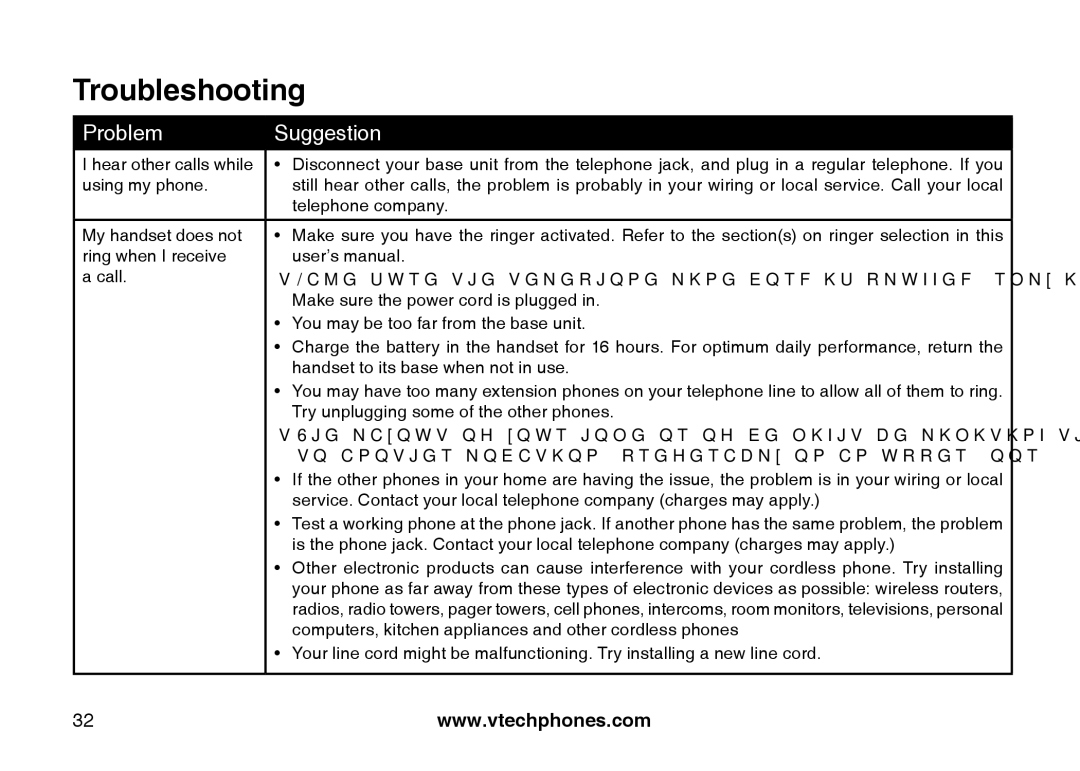
I hear other calls while | • | Disconnect your base unit from the telephone jack, and plug in a regular telephone. If you |
using my phone. |
| still hear other calls, the problem is probably in your wiring or local service. Call your local |
|
| telephone company. |
My handset does not | • | Make sure you have the ringer activated. Refer to the section(s) on ringer selection in this |
ring when I receive |
| user’s manual. |
a call. | • | Make sure the telephone line cord is plugged firmly into the base unit and the telephone jack. |
|
| Make sure the power cord is plugged in. |
| • You may be too far from the base unit. | |
| • | Charge the battery in the handset for 16 hours. For optimum daily performance, return the |
|
| handset to its base when not in use. |
| • You may have too many extension phones on your telephone line to allow all of them to ring. | |
|
| Try unplugging some of the other phones. |
| • The layout of your home or office might be limiting the operating range. Try moving the base | |
|
| to another location, preferably on an upper floor. |
| • | If the other phones in your home are having the issue, the problem is in your wiring or local |
|
| service. Contact your local telephone company (charges may apply.) |
| • Test a working phone at the phone jack. If another phone has the same problem, the problem | |
|
| is the phone jack. Contact your local telephone company (charges may apply.) |
| • | Other electronic products can cause interference with your cordless phone. Try installing |
|
| your phone as far away from these types of electronic devices as possible: wireless routers, |
|
| radios, radio towers, pager towers, cell phones, intercoms, room monitors, televisions, personal |
|
| computers, kitchen appliances and other cordless phones |
| • Your line cord might be malfunctioning. Try installing a new line cord. | |
|
|
|
32 | www.vtechphones.com |