FlipScreen Owner’s Manual
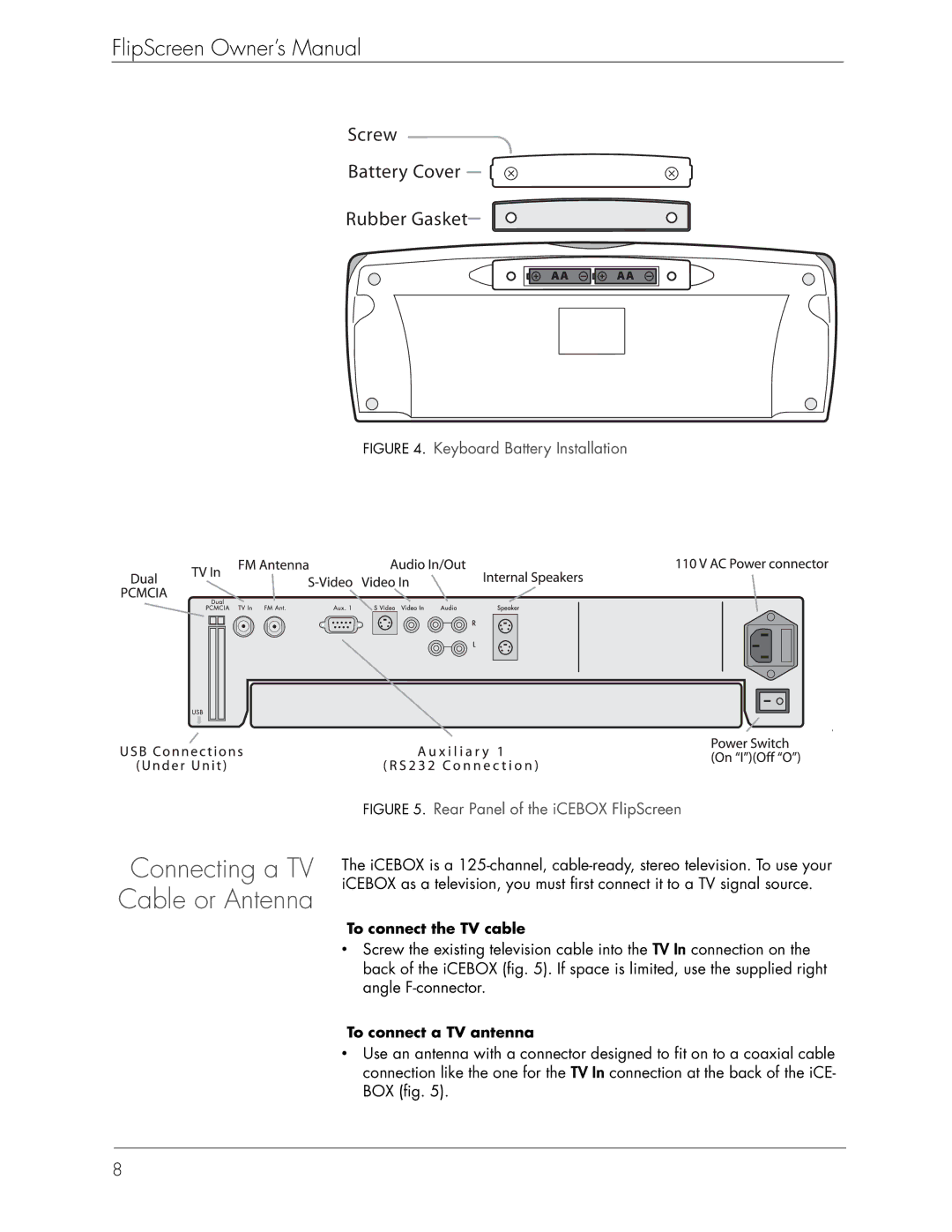
Screw
Battery Cover
Rubber Gasket
FIGURE 4. Keyboard Battery Installation
Connecting a TV Cable or Antenna
FIGURE 5. Rear Panel of the iCEBOX FlipScreen
The iCEBOX is a
To connect the TV cable
•Screw the existing television cable into the TV In connection on the back of the iCEBOX (fig. 5). If space is limited, use the supplied right angle
To connect a TV antenna
•Use an antenna with a connector designed to fit on to a coaxial cable connection like the one for the TV In connection at the back of the iCE- BOX (fig. 5).
8