NOTICE: Because RAID level 0 configurations provide no data redundancy, if one drive fails, then the data on the other drive is also inaccessible. Therefore, ensure that you perform regular backups when you use a RAID level 0 configuration.
RAID Level 1 Configuration
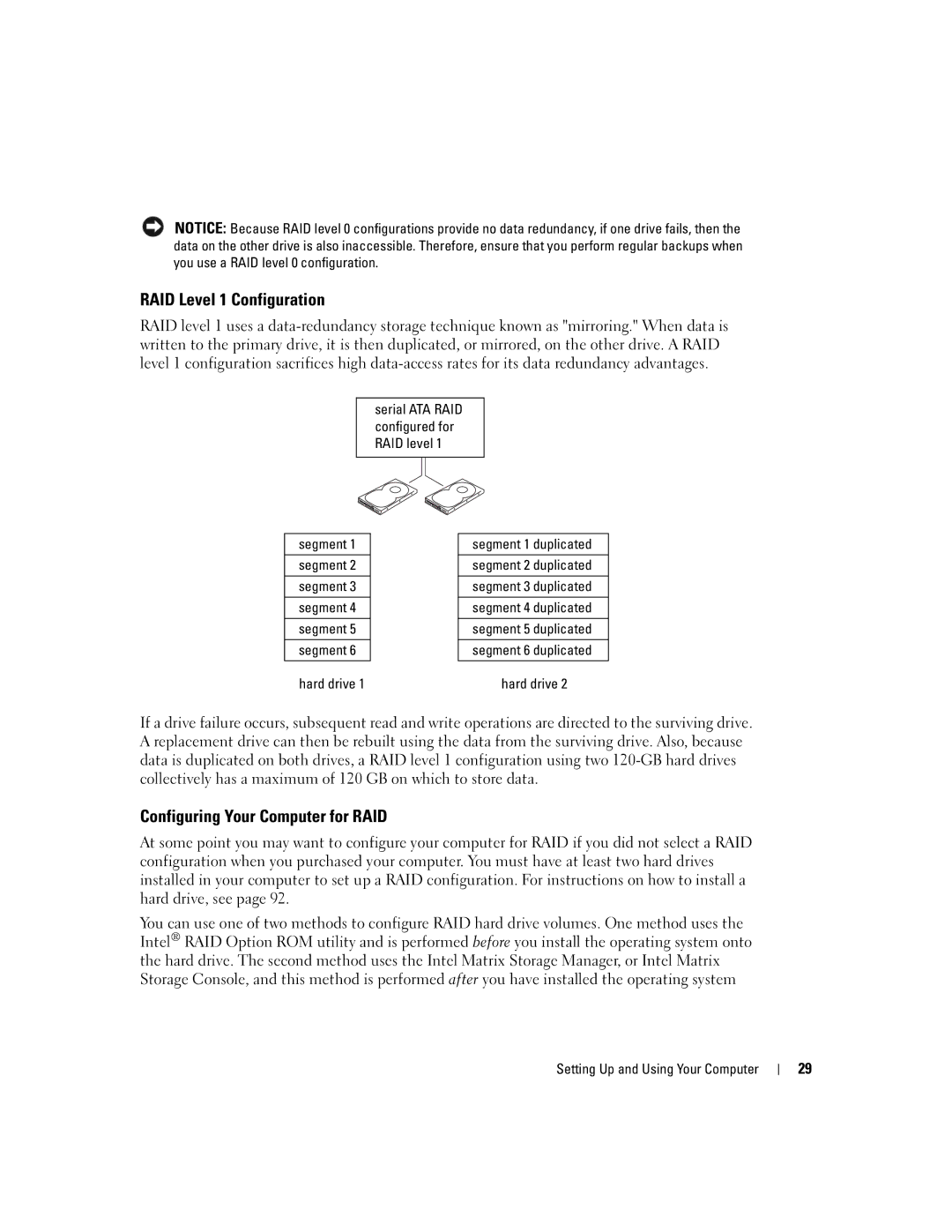
RAID level 1 uses a
serial ATA RAID configured for RAID level 1
segment 1 |
| segment 1 duplicated |
|
|
|
segment 2 |
| segment 2 duplicated |
|
|
|
segment 3 |
| segment 3 duplicated |
|
|
|
segment 4 |
| segment 4 duplicated |
|
|
|
segment 5 |
| segment 5 duplicated |
|
|
|
segment 6 |
| segment 6 duplicated |
|
|
|
hard drive 1 |
| hard drive 2 |
If a drive failure occurs, subsequent read and write operations are directed to the surviving drive. A replacement drive can then be rebuilt using the data from the surviving drive. Also, because data is duplicated on both drives, a RAID level 1 configuration using two
Configuring Your Computer for RAID
At some point you may want to configure your computer for RAID if you did not select a RAID configuration when you purchased your computer. You must have at least two hard drives installed in your computer to set up a RAID configuration. For instructions on how to install a hard drive, see page 92.
You can use one of two methods to configure RAID hard drive volumes. One method uses the Intel® RAID Option ROM utility and is performed before you install the operating system onto the hard drive. The second method uses the Intel Matrix Storage Manager, or Intel Matrix Storage Console, and this method is performed after you have installed the operating system
Setting Up and Using Your Computer |
| 29 |
|