Manuals
/
Graco Inc
/
Power Tools
/
Paint Sprayer
Graco Inc
309410
manual
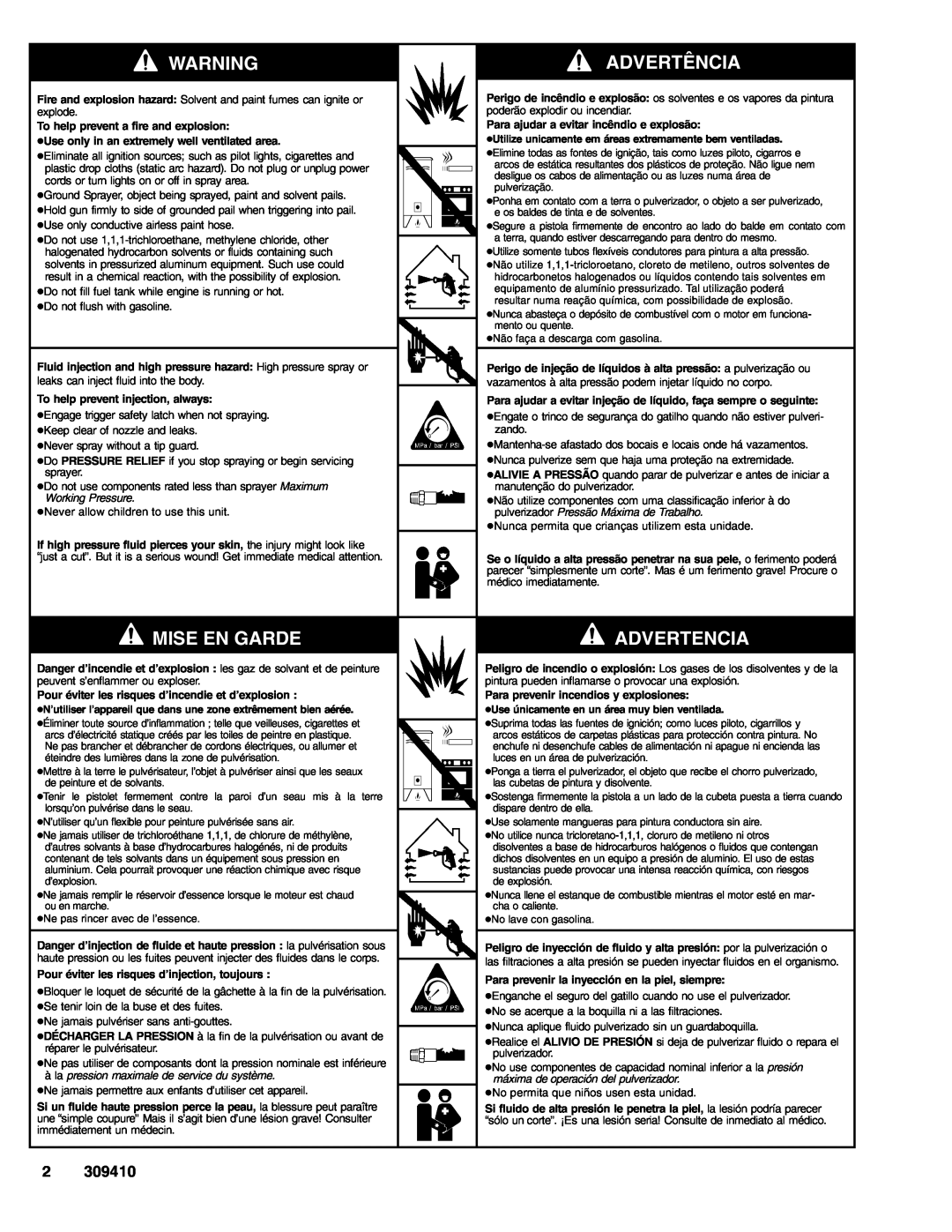
Advertência, Mise En Garde, Advertencia, Working Pressure
Models:
309410
1
2
24
24
Download
24 pages
53.96 Kb
1
2
3
4
5
6
7
8
Page 2
Image 2
Page 1
Page 3
Page 2
Image 2
Page 1
Page 3
Contents
309410 Rev. B
S Controls S Setup S Startup
S Cleanup S Pressure Relief S Error Codes
233709
MISE EN GARDE
à la pression maximale de service du système
ADVERTÊNCIA
ADVERTENCIA
309410
Trigger Lock Fecho do gatilho Loquet de sécurité Seguro del gatillo
Contractor
CONTROLS / CONTROLES / COMMANDES / CONTROLES
4. Install motor drop in and push forward
Setup
1. Disconnect engine power cord 2. Release tension bar
Change Engine to Motor
Engage
7. Plug in pressure control power cord
6. Secure motor with tension bar
2. Connect other end of hose to gun 3. Tighten securely
4. Remove tip guard
Do this each time you spray and store
5. Install clean inlet strainer
6. Fill throat packing nut with TSL to prevent premature packing wear
cold 8. Fill fuel tank 9. Ground sprayer with grounding clamp
2. Turn prime valve down Turn pressure control to lowest pressure
3. Set pump switch OFF
Startup
PAINT FLUSH
a b c d e f g
c. Set throttle to fast d. Set engine switch ON e. Pull starter cord
g. Set throttle to desired setting
4. Start engine a. Move fuel valve to open b. Move choke to closed
Do not stop leaks with your hand or a rag! If
2. Insert SwitchTipt Insert seat and OneSealt
SwitchTip and Guard Assembly
1. Engage trigger safety
seat SwitchTip
2. Start engine or motor, page
Digital Tracking Systemt DTS Operation
1. Do Startup steps 1
Main Menu
Digital Tracking System DTS
To Activate 1. Do Startup
Volume
WatchDogt Pump Protection System
Change Display Units Pressure
1. Do Startup steps 1. - 3. Pressure must be at zero
3. Simultaneously press DTS button and set pump on/off switch on
Resettable Hour Meter appears
2. Start engine or motor, page 9. Pressure display appears
4. Press and hold to reset to zero, or
11. Short press to return to step
12. Turn pump switch OFF at any time to exit stored data mode
9. Short press DTS button again to move to WatchDog MAN manual mode
Spray Test Pattern
Clearing Tip Clogs
2. Turn pressure to lowest setting. Trigger gun to relieve pressure
Cleanup
1. Set pump switch OFF. Turn engine or motor OFF
3. Turn prime valve down 4. Remove guard and SwitchTip
6. Clean filter, guard and SwitchTip in flushing fluid
8. Turn engine ON and start engine or motor. Set pump switch ON
13. Raise siphon tube above flushing fluid and run sprayer for 15 to 30 seconds to drain fluid. Turn pump switch OFF. Turn engine or motor OFF
309409
DTS Error Codes
Service
Graco Phone Number
Graco Warranty
ADDITIONAL WARRANTY COVERAGE
FOR GRACO CANADA CUSTOMERS
Top
Page
Image
Contents