Setting up
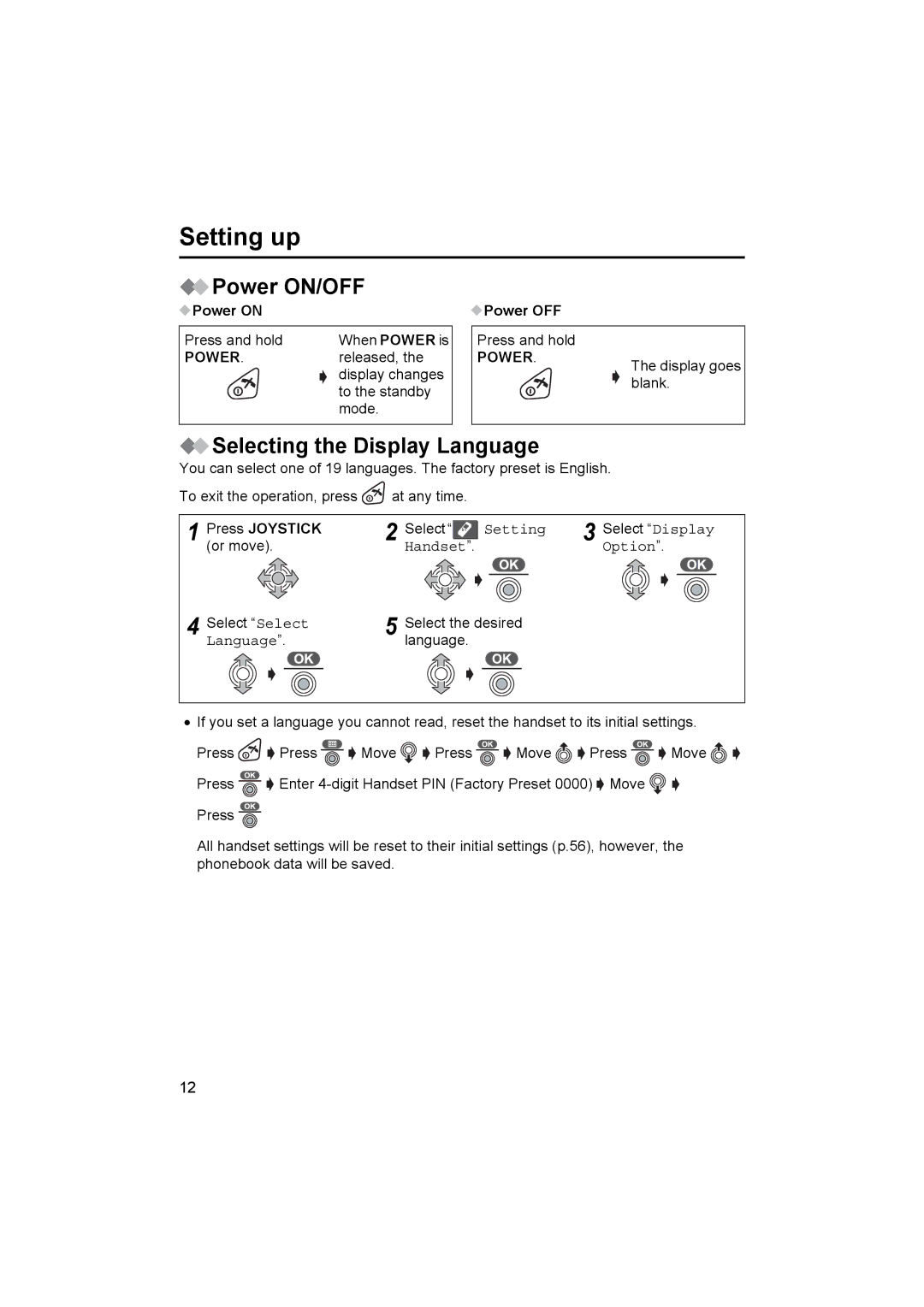
 Power ON/OFF
 Power ON
Press and hold | When POWER is |
 Power OFF
Press and hold
POWER. | released, the |
| display changes |
| to the standby |
| mode. |
POWER.
The display goes blank.
 Selecting the Display Language
You can select one of 19 languages. The factory preset is English.
To exit the operation, press | at any time. |
|
| ||
1 | Press JOYSTICK | 2 | Select “ | Setting | 3 Select “Display |
| (or move). |
| Handset”. |
| Option”. |
4 | Select “Select | 5 | Select the desired |
| |
| Language”. |
| language. |
|
|
•If you set a language you cannot read, reset the handset to its initial settings.
Press 
 Press
Press 
 Move
Move 
 Press
Press 
 Move
Move 
 Press
Press 
 Move
Move 

Press 
 Enter
Enter  Move
Move 
 Press
Press 
All handset settings will be reset to their initial settings (p.56), however, the phonebook data will be saved.
12