USING THE V-CHIP TV RATINGS CONTROL
The TV Ratings control can be very specific in the degree and
extent of program material cen- sored for TV viewing.
BEGIN
1With the
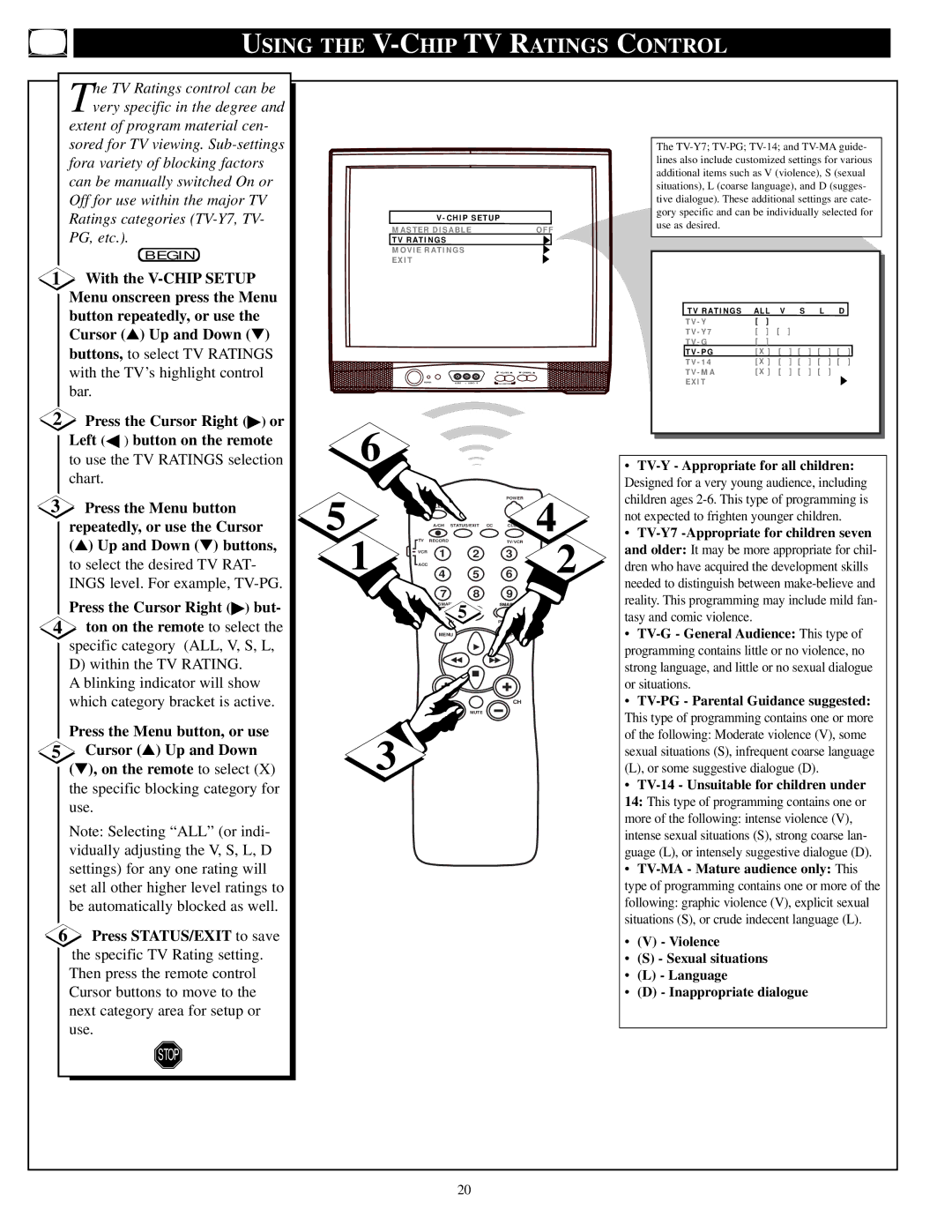
2Press the Cursor Right (▶) or Left (◀ ) button on the remote to use the TV RATINGS selection chart.
3Press the Menu button repeatedly, or use the Cursor (▲) Up and Down (▼) buttons, to select the desired TV RAT- INGS level. For example,
Press the Cursor Right (▶) but-
4ton on the remote to select the specific category (ALL, V, S, L, D) within the TV RATING.
A blinking indicator will show which category bracket is active.
Press the Menu button, or use
5Cursor (▲) Up and Down
(▼), on the remote to select (X) the specific blocking category for use.
Note: Selecting “ALL” (or indi- vidually adjusting the V, S, L, D settings) for any one rating will set all other higher level ratings to be automatically blocked as well.
6Press STATUS/EXIT to save the specific TV Rating setting. Then press the remote control Cursor buttons to move to the next category area for setup or use.
STOP
V - CHIP SETUP |
|
MASTER DISABLE | OFF |
TV RATINGS |
|
MOVIE RATINGS |
|
EXIT |
|
|
|
| VOLUME | CHANNEL |
POWER | VIDEO | L AUDIO R | A V SWITCH |
|
6
5 |
|
|
| POWER | 4 |
| SLEEP |
|
| ||
|
| A/CH STATUS/EXIT | CC |
| |
1 | TV | RECORD | 5 | TV/VCR | 2 |
| 4 | 6 | |||
| VCR | 1 | 2 | 3 |
|
| ACC |
|
|
|
|
|
| 7 | 8 | 9 |
|
|
|
| 5 | SMART |
|
|
| SOUND | PICTURE |
| |
|
| MENU |
| SURF |
|
VOL | CH |
MUTE
3
The
TV RATINGS | ALL | V | S | L | D | |
TV - Y | [ | ] |
|
|
|
|
TV - Y7 | [ | ] | [ | ] |
|
|
TV - G | [ | ] |
|
|
|
|
TV - PG | [X ] [ ] [ ] [ ] [ ] | |||||
TV - 14 | [X ] [ ] [ ] [ ] [ ] | |||||
TV - MA | [X ] [ ] [ ] [ ] |
| ||||
EXIT |
|
|
|
|
|
|
•TV-Y - Appropriate for all children:
Designed for a very young audience, including children ages
•
•
•
•
•
•(V) - Violence
•(S) - Sexual situations
•(L) - Language
•(D) - Inappropriate dialogue
20