upgrading firmware 33
Upgrader for Mac users
1for best results, please make sure you insert a
fresh battery into your psa before you start connecting.
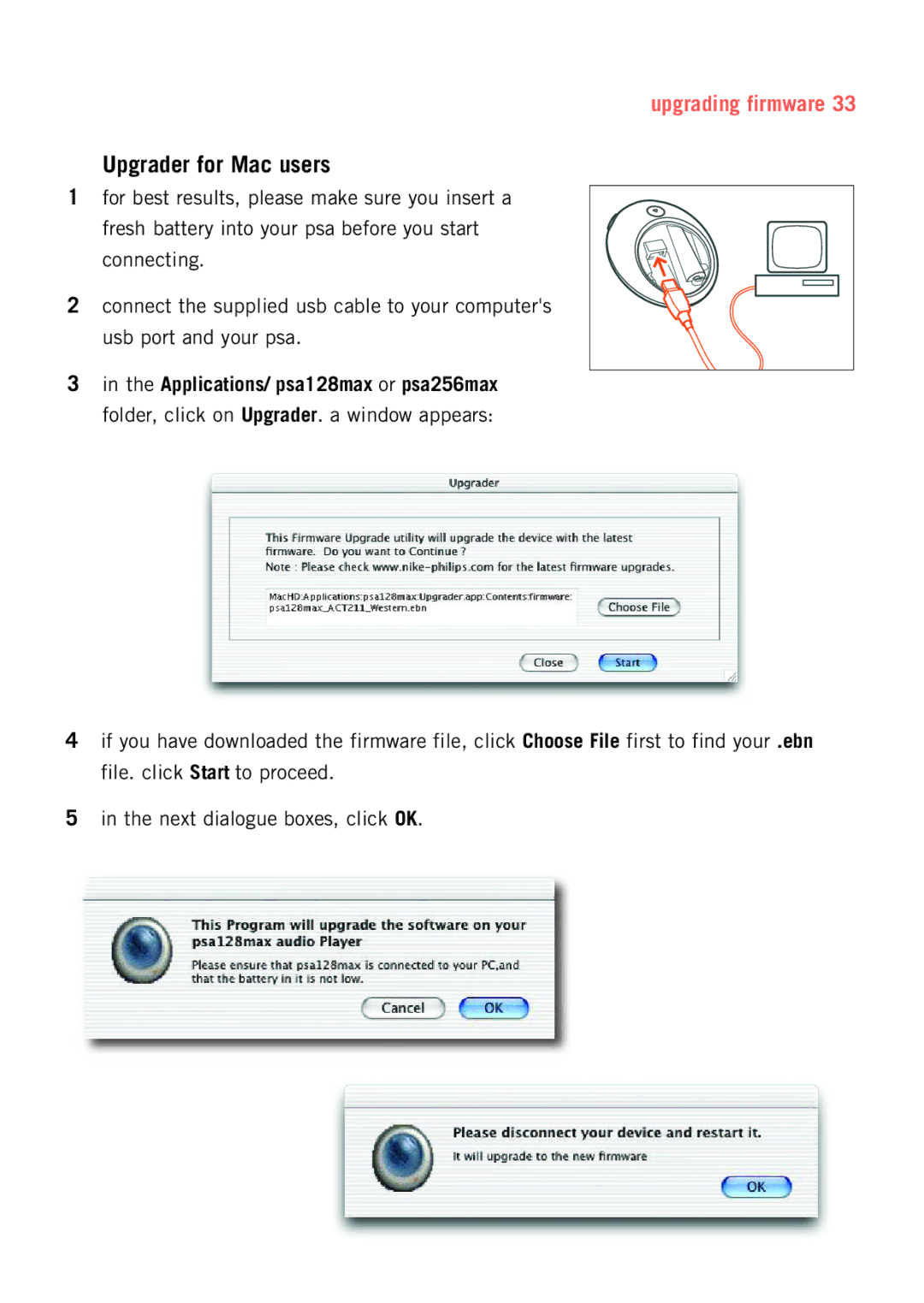
2connect the supplied usb cable to your computer's
usb port and your psa.
3in the Applications/ psa128max or psa256max folder, click on Upgrader. a window appears:
4if you have downloaded the firmware file, click Choose File first to find your .ebn file. click Start to proceed.
5in the next dialogue boxes, click OK.