HOW TO USE A SMART PROGRAM
1 | Turn on the console. | |||||||
| Refer to step 1 on page 12. | |||||||
| Select one of the eight Smart programs. | |||||||
2 | ||||||||
| Each time the |
| ||||||
|
|
|
|
|
|
|
| |
| console is turned |
| ||||||
| on, the manual |
|
|
|
|
| ||
|
| |||||||
| mode will be |
|
|
|
|
|
|
|
|
|
|
|
| ||||
|
|
|
| |||||
|
|
|
| |||||
| selected. To |
| ||||||
| select a Smart |
| ||||||
| program, press |
| ||||||
| the Program but- | |||||||
| ton repeatedly until the number 1, 2, 3, 4, 5, 6, 7, | |||||||
| or 8 appears in the upper right corner of the dis- | |||||||
| play. | |||||||
| The profiles on the right side of the console show | |||||||
| how the resistance of the crosstrainer and the tar- | |||||||
| get pace will change during the Smart programs. | |||||||
| For example, profile number 6 shows that during | |||||||
| Smart program 6, the resistance will gradually | |||||||
| increase during the first half of the program, and | |||||||
| then gradually decrease during the last half; the | |||||||
| target pace will alternately increase and decrease | |||||||
| throughout the program. | |||||||
| Start the program. | |||||||
3 | ||||||||
| To start the program, simply begin exercising. | |||||||
| Each Smart program consists of either twenty or | |||||||
| thirty, | |||||||
| and one pace setting are programmed for each | |||||||
| period. (The same resistance setting and/or pace | |||||||
| setting may be programmed for consecutive peri- | |||||||
| ods.) | |||||||
During the program, the resistance of the crosstrainer will automatically change as shown by the applicable profile on the console. If the cur- rent resistance level is too high or too low, you
| can change the resistance level by pressing the + | |||||||||||||
| and – buttons. However, when the current period | |||||||||||||
| of the program is completed, the resistance level | |||||||||||||
| will automatically | change if a different resistance | ||||||||||||
| setting is programmed for the next period. | |||||||||||||
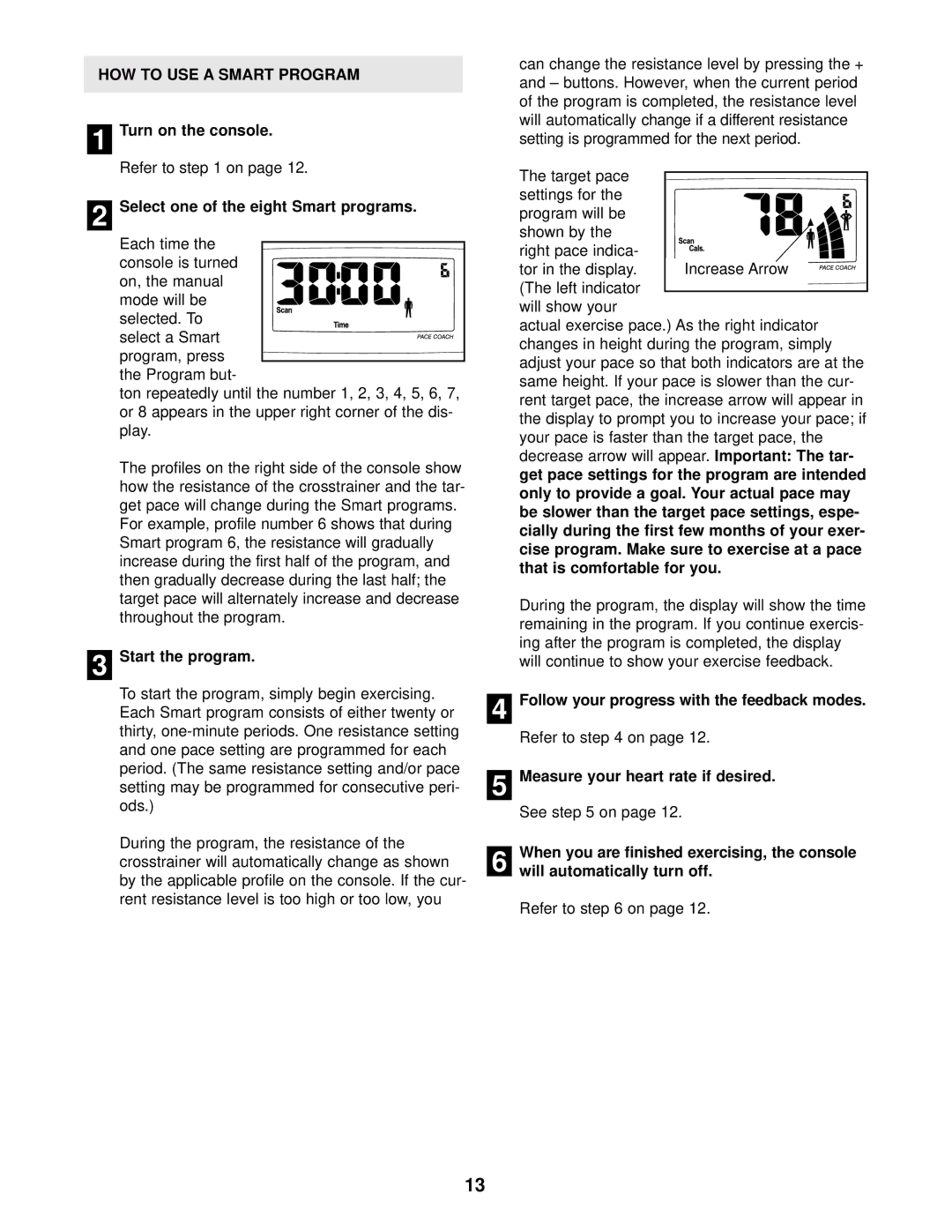
| The target pace |
|
|
|
|
|
|
|
|
|
|
|
| |
|
|
|
|
|
|
|
|
|
|
|
|
| ||
| settings for the |
|
|
|
|
|
|
|
|
|
|
|
| |
| program will be |
|
|
|
|
|
|
|
|
|
|
|
| |
|
|
|
|
|
|
|
|
|
|
|
|
| ||
| shown by the |
|
|
|
|
|
|
|
|
|
|
|
| |
|
|
|
|
|
|
|
|
|
|
|
|
| ||
|
|
|
|
|
|
|
|
|
|
|
|
| ||
|
|
|
|
|
|
|
|
|
|
|
|
| ||
| right pace indica- |
|
|
|
|
|
|
|
|
|
|
|
| |
|
|
|
|
|
|
|
|
|
|
|
|
| ||
|
|
|
|
|
|
|
|
|
|
|
|
| ||
|
|
| Increase Arrow |
|
| |||||||||
| tor in the display. |
|
|
|
| |||||||||
| (The left indicator |
|
|
|
|
|
|
|
|
|
|
|
| |
|
|
|
|
|
|
|
|
|
|
|
|
| ||
| will show your |
|
|
|
|
|
|
|
|
|
|
|
| |
| actual exercise pace.) As the right indicator | |||||||||||||
| changes in height during the program, simply | |||||||||||||
| adjust your pace so that both indicators are at the | |||||||||||||
| same height. If your pace is slower than the cur- | |||||||||||||
| rent target pace, the increase arrow will appear in | |||||||||||||
| the display to prompt you to increase your pace; if | |||||||||||||
| your pace is faster than the target pace, the | |||||||||||||
| decrease arrow will appear. |
|
|
| Important: The tar- | |||||||||
| get pace settings for the program are intended | |||||||||||||
| only to provide a goal. Your actual pace may | |||||||||||||
| be slower than the target pace settings, espe- | |||||||||||||
| cially during the first few months of your exer- | |||||||||||||
| cise program. Make sure to exercise at a pace | |||||||||||||
| that is comfortable for you. |
|
|
|
|
|
|
|
|
|
| |||
| During the program, the display will show the time | |||||||||||||
| remaining in the program. If you continue exercis- | |||||||||||||
| ing after the program is completed, the display | |||||||||||||
| will continue to show your exercise feedback. | |||||||||||||
| Follow your progress with the feedback modes. | |||||||||||||
4 | ||||||||||||||
| Refer to step 4 on page 12. |
|
|
|
|
|
|
|
|
|
| |||
| Measure your heart rate if desired. |
|
|
|
|
|
|
|
|
|
| |||
5 |
|
|
|
|
|
|
|
|
|
| ||||
| See step 5 on page 12. |
|
|
|
|
|
|
|
|
|
|
|
| |
| When you are finished exercising, the console | |||||||||||||
6 | ||||||||||||||
will automatically turn off. |
|
|
|
|
|
|
|
|
|
| ||||
Refer to step 6 on page 12.
13