OFF TIMER
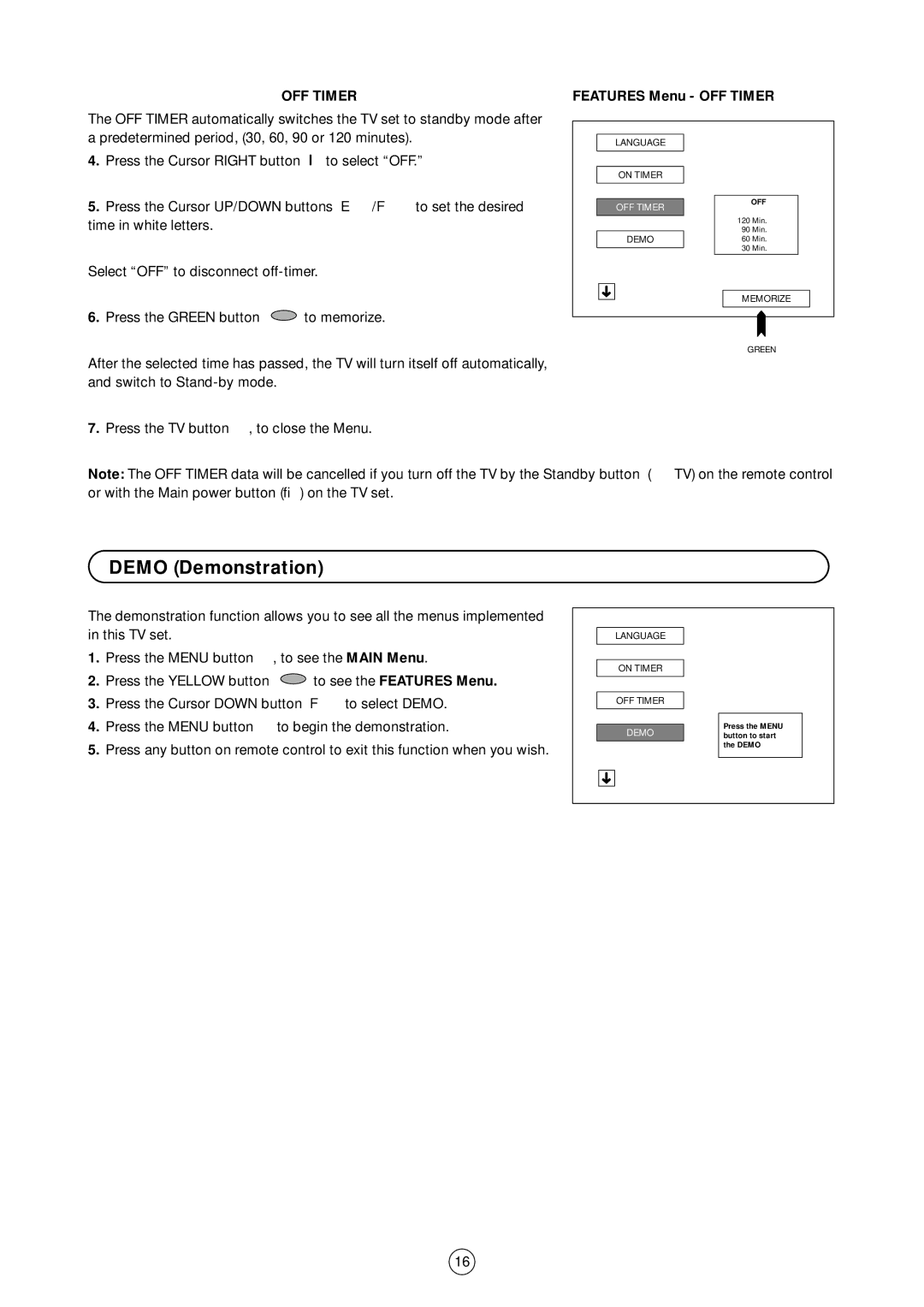
The OFF TIMER automatically switches the TV set to standby mode after a predetermined period, (30, 60, 90 or 120 minutes).
4.Press the Cursor RIGHT button I to select “OFF.”
5.Press the Cursor UP/DOWN buttons E/F to set the desired time in white letters.
Select “OFF” to disconnect
6.Press the GREEN button  to memorize.
After the selected time has passed, the TV will turn itself off automatically, and switch to
7. Press the TV button , to close the Menu.
FEATURES Menu - OFF TIMER
LANGUAGE
ON TIMER
|
|
| OFF |
OFF TIMER |
|
| |
|
|
| |
|
| 120 | Min. |
|
| 90 | Min. |
DEMO |
| 60 Min. | |
|
| 30 | Min. |
| |||
|
|
|
|
➜ MEMORIZE
GREEN
Note: The OFF TIMER data will be cancelled if you turn off the TV by the Standby button (æ TV) on the remote control or with the Main power button (®) on the TV set.
DEMO (Demonstration)
The demonstration function allows you to see all the menus implemented in this TV set.
1. Press the MENU button , to see the MAIN Menu.
2.Press the YELLOW button  to see the FEATURES Menu.
3.Press the Cursor DOWN button F to select DEMO.
4. Press the MENU button | to begin the demonstration. |
5.Press any button on remote control to exit this function when you wish.
LANGUAGE
ON TIMER
OFF TIMER
DEMO
➜
Press the MENU button to start the DEMO
16