Disassembly and Assembly instructions
6
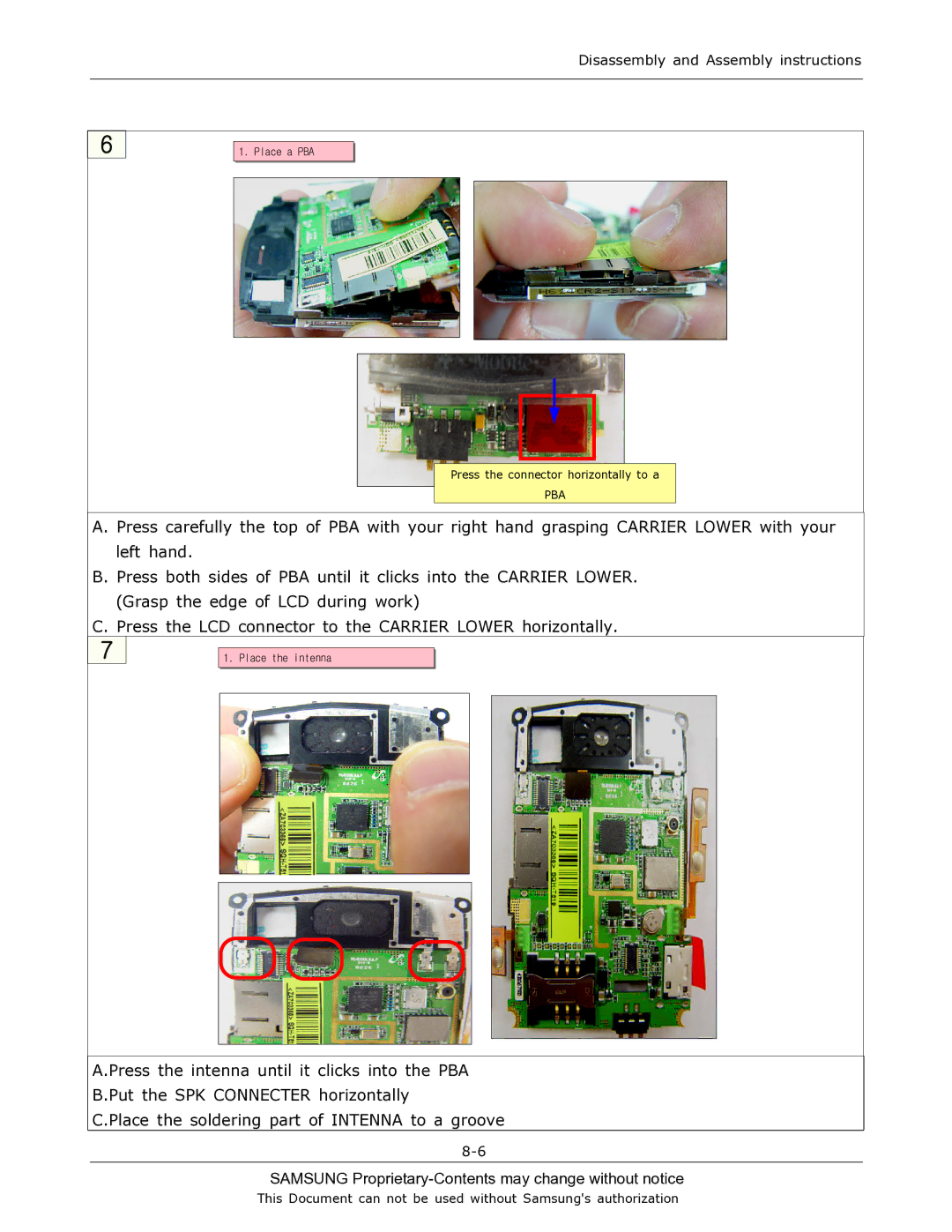
1. Place a PBA
Press the connector horizontally to a
PBA
A. Press carefully the top of PBA with your right hand grasping CARRIER LOWER with your left hand.
B. Press both sides of PBA until it clicks into the CARRIER LOWER. (Grasp the edge of LCD during work)
C. Press the LCD connector to the CARRIER LOWER horizontally.
7
1. Place the intenna
A.Press the intenna until it clicks into the PBA
B.Put the SPK CONNECTER horizontally
C.Place the soldering part of INTENNA to a groove
SAMSUNG Proprietary-Contents may change without notice
This Document can not be used without Samsung's authorization