Troubleshooting (Continued)
Problem |
| Check | Page |
An unusual sound is | • If the picture is normal, the sound is due to cabinet shrinkage caused | Ð | |
occasionally heard from |
| by room temperature changes. This will not affect operation or |
|
the cabinet. |
| performance. |
|
Maintenance indicator on | • See “Maintenance Indicators”. | 50 | |
the projector illuminates |
|
|
|
or blinks in red. |
|
|
|
The projector cannot | • The keylock is set. | 47 | |
be turned on or put into |
| If the keylock is set to “ON”, all the buttons are locked. |
|
the standby mode |
|
|
|
using STANDBY/ON on |
|
|
|
the projector. |
|
|
|
Picture is green on | • Change the input signal type setting. | 48 | |
COMPUTER | • When you cannot select an input signal type, select “Color is faded | 40, 48 | |
(Component)/ |
| or poor” in the “Help” menu, after selecting an item other than |
|
*DVI (Component). |
| “sRGB” in “Picture Mode”, and then select an input signal type. |
|
Picture is pink |
|
|
|
(no green) on |
|
|
|
COMPUTER (RGB)/ |
|
|
|
*DVI (RGB). |
|
|
|
Picture is too bright and | • Image adjustments are incorrectly set. | 41 | |
whitish. |
|
|
|
The cooling fan becomes | • When temperature inside the projector increases, the cooling fan | 8, 9 | |
noisy. |
| runs faster. | 49, 50, 51 |
The lamp does not light | • The lamp indicator is illuminating in red. |
| |
up even after the |
| Replace the lamp. |
|
projector turns on. |
|
| 50, 53 |
The lamp suddenly turns |
|
|
|
off during projection. |
|
|
|
The image sometimes | • Cables are incorrectly connected to the projector or the connected |
| |
flickers. |
| equipment works improperly. |
|
| • | Select “Vertical stripes or flickering image appear” in the “Help” | 48 |
|
| menu and make the necessary adjustments. |
|
| • | If this happens frequently, replace the lamp. | 53 |
The lamp needs much | • The lamp will eventually need to be changed. | 53 | |
time to turn on. |
| While the remaining lamp life draws to a close, replace the lamp. |
|
Picture is dark. |
|
|
|
The remote control | • Operate the remote control while pointing it at the projector’s remote |
| |
cannot be used. |
| control sensor. |
|
| • The remote control may be too far away from the projector. |
| |
| • | If direct sunlight or a strong fluorescent lamp is shining on the | 15 |
|
| projector’s remote control sensor, place the projector where it will not |
|
|
| be affected by strong light. |
|
| • The batteries may be depleted or inserted incorrectly. Make sure the | 14 | |
|
| batteries are inserted correctly or insert new ones. |
|
|
|
|
|
* |
|
|
|
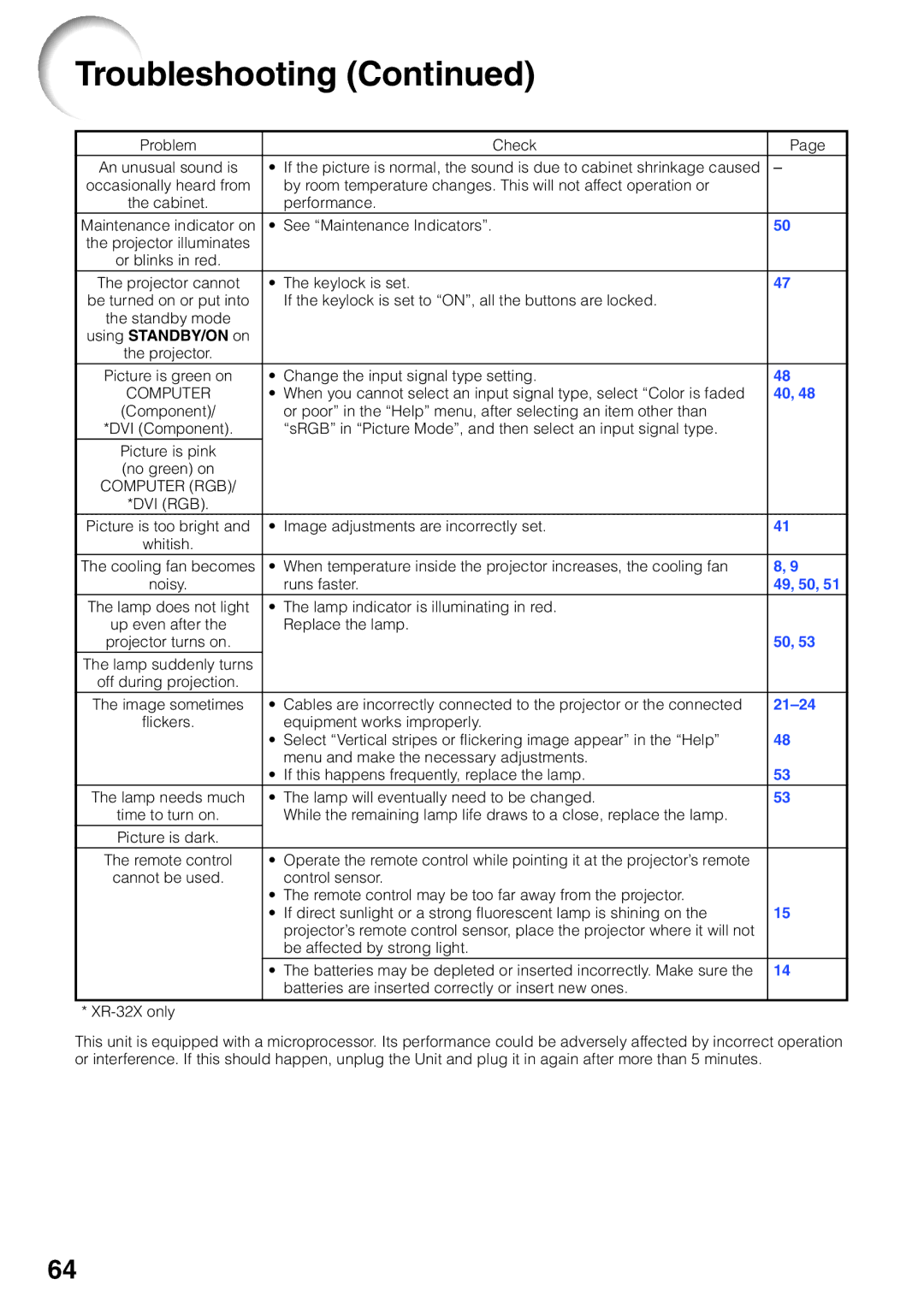
This unit is equipped with a microprocessor. Its performance could be adversely affected by incorrect operation or interference. If this should happen, unplug the Unit and plug it in again after more than 5 minutes.
64