ANSWERING SYSTEM OPERATIONS
Leaving a Message (Incoming Message)
The Answering System will answer a call (according to the current ring selection), then play the OGM, followed by a beep to signal the start of recording.
• | Default mailbox is MAILBOX 1. |
• | If your want to record the incoming message in specific mailbox, press " * x" |
• | ( * 1, * 2 or * 3) during OGM playback. |
After desired mailbox is selected, "Mailbox X, now recording" will be announced, | |
| and incoming message recording starts after a beep. |
• If incoming message length is less than 2 seconds, message will not be recorded.
An incoming message can be a maximum of 4 minutes.
*To record a MEMO at the Base Unit, press and hold REC/MEMO until you are rompted to choose a mailbox. Then, press the desired MAILBOX key and, after the beep, speak towards the front of the Base. Press any MAILBOX key when finished.
Listening to Messages / Memos
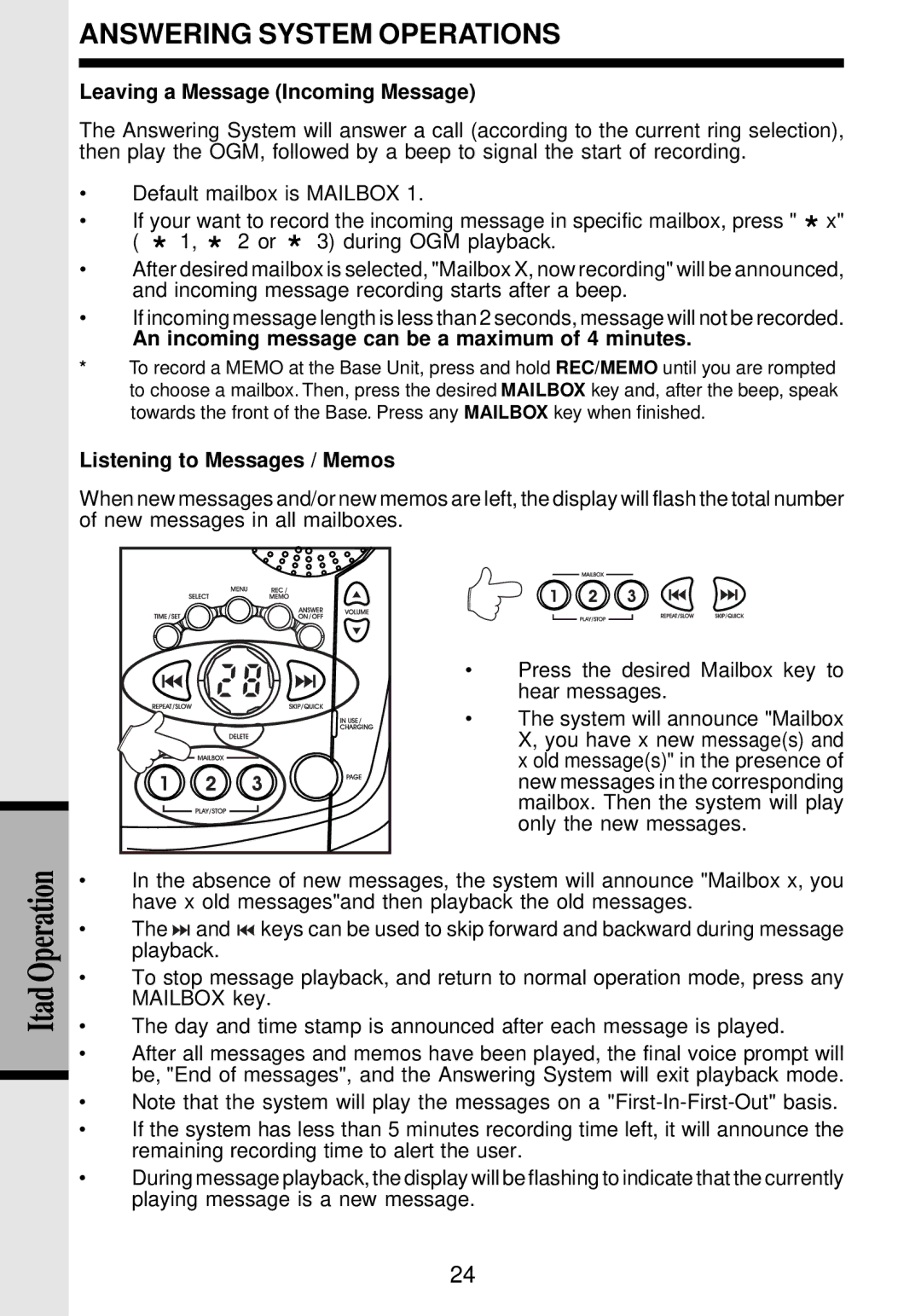
When new messages and/or new memos are left, the display will flash the total number of new messages in all mailboxes.
|
|
|
| • | Press the desired Mailbox key to |
|
|
|
|
| hear messages. |
|
|
|
| • | The system will announce "Mailbox |
|
|
|
|
| X, you have x new message(s) and |
|
|
|
|
| x old message(s)" in the presence of |
|
|
|
|
| new messages in the corresponding |
|
|
|
|
| mailbox. Then the system will play |
Operation |
|
|
|
| only the new messages. |
• | In the absence of new messages, the system will announce "Mailbox x, you | ||||
|
| have x old messages"and then playback the old messages. | |||
| • | The | and | keys can be used to skip forward and backward during message | |
|
| playback. |
|
| |
Itad | • | To stop message playback, and return to normal operation mode, press any | |||
| MAILBOX key. |
| |||
|
|
| |||
| • | The day and time stamp is announced after each message is played. | |||
| • | After all messages and memos have been played, the final voice prompt will | |||
|
| be, "End of messages", and the Answering System will exit playback mode. | |||
| • | Note that the system will play the messages on a | |||
| • | If the system has less than 5 minutes recording time left, it will announce the | |||
|
| remaining recording time to alert the user. | |||
| • | During message playback, the display will be flashing to indicate that the currently | |||
|
| playing message is a new message. |
| ||
24