Setting the Rounding
Refer to "WHAT YOU CAN DO WITH THE 7000E" before setting.
If error "
Example |
|
|
|
Types of rounding | Punch | Rounding unit | 15 min.- 7 breakpoint |
ROUNDING
FUNCTION 
 CHANGE
 SET
SET 
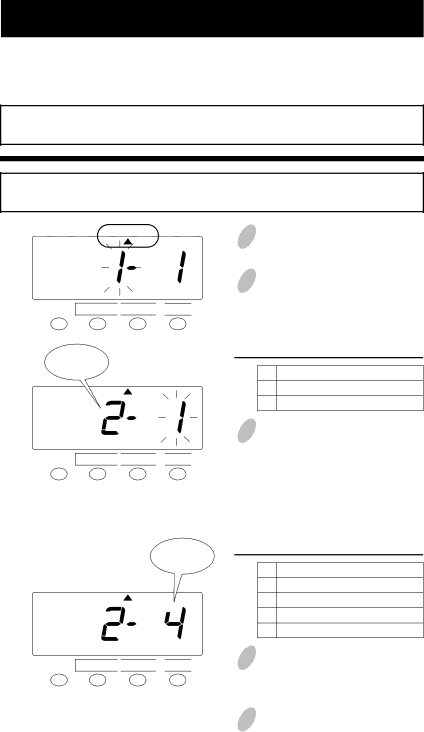
1 Push the FUNCTION button for 3 seconds.
2 Push the FUNCTION button and position the "  " under the "ROUNDING" mark.
Types of rounding
ROUNDING
FUNCTION 
 CHANGE
 SET
SET 
Rounding
unit
ROUNDING
FUNCTION 
 CHANGE
 SET
SET 
Set the "Types of rounding".
Order Option
1Hours (Hourly rounding)
2Punch (Punch time rounding)
3 In the case of the example, push the CHANGE button to set the
Set the "Rounding unit".
Order Option
1None
26 minute 3 breakpoint
315 minute 3 breakpoint
415 minute 7 breakpoint
4 In this case, push the CHANGE button to set at "4" and then push the SET button.
5 Push the SET button once again.
26