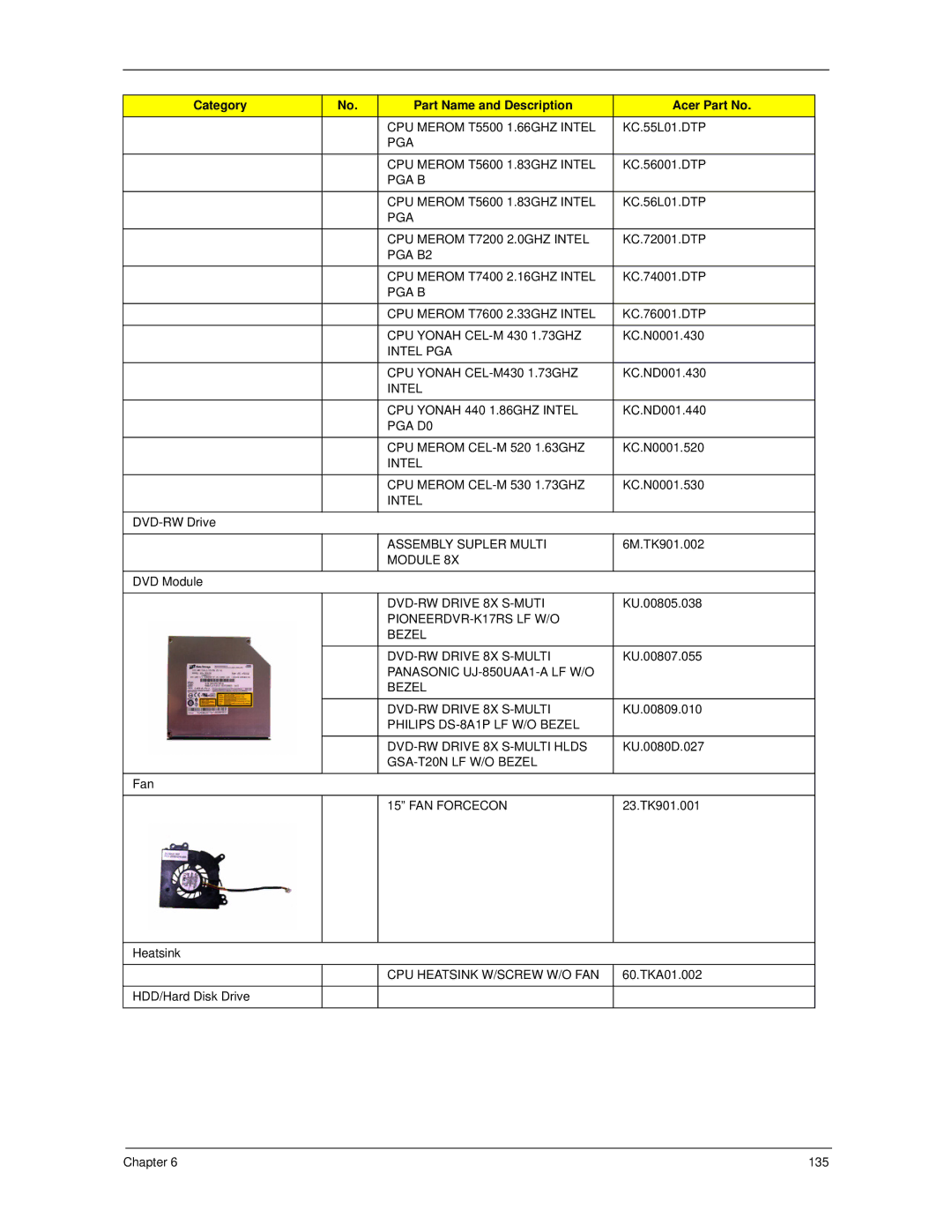
Category | No. | Part Name and Description | Acer Part No. |
|
| CPU MEROM T5500 1.66GHZ INTEL | KC.55L01.DTP |
|
| PGA |
|
|
|
|
|
|
| CPU MEROM T5600 1.83GHZ INTEL | KC.56001.DTP |
|
| PGA B |
|
|
|
|
|
|
| CPU MEROM T5600 1.83GHZ INTEL | KC.56L01.DTP |
|
| PGA |
|
|
|
|
|
|
| CPU MEROM T7200 2.0GHZ INTEL | KC.72001.DTP |
|
| PGA B2 |
|
|
|
|
|
|
| CPU MEROM T7400 2.16GHZ INTEL | KC.74001.DTP |
|
| PGA B |
|
|
|
|
|
|
| CPU MEROM T7600 2.33GHZ INTEL | KC.76001.DTP |
|
|
|
|
|
| CPU YONAH | KC.N0001.430 |
|
| INTEL PGA |
|
|
|
|
|
|
| CPU YONAH | KC.ND001.430 |
|
| INTEL |
|
|
|
|
|
|
| CPU YONAH 440 1.86GHZ INTEL | KC.ND001.440 |
|
| PGA D0 |
|
|
|
|
|
|
| CPU MEROM | KC.N0001.520 |
|
| INTEL |
|
|
|
|
|
|
| CPU MEROM | KC.N0001.530 |
|
| INTEL |
|
|
|
|
|
|
|
| |
|
|
|
|
|
| ASSEMBLY SUPLER MULTI | 6M.TK901.002 |
|
| MODULE 8X |
|
|
|
|
|
DVD Module |
|
|
|
|
|
|
|
|
| KU.00805.038 | |
|
|
| |
|
| BEZEL |
|
|
|
|
|
|
| KU.00807.055 | |
|
| PANASONIC |
|
|
| BEZEL |
|
|
|
|
|
|
| KU.00809.010 | |
|
| PHILIPS |
|
|
|
|
|
|
| KU.0080D.027 | |
|
|
| |
|
|
|
|
Fan |
|
|
|
|
|
|
|
|
| 15” FAN FORCECON | 23.TK901.001 |
|
|
|
|
Heatsink |
|
|
|
|
|
|
|
|
| CPU HEATSINK W/SCREW W/O FAN | 60.TKA01.002 |
|
|
|
|
HDD/Hard Disk Drive |
|
|
|
|
|
|
|
Chapter 6 | 135 |