Chapter 6: Terminal Operations | 73 |
|
|
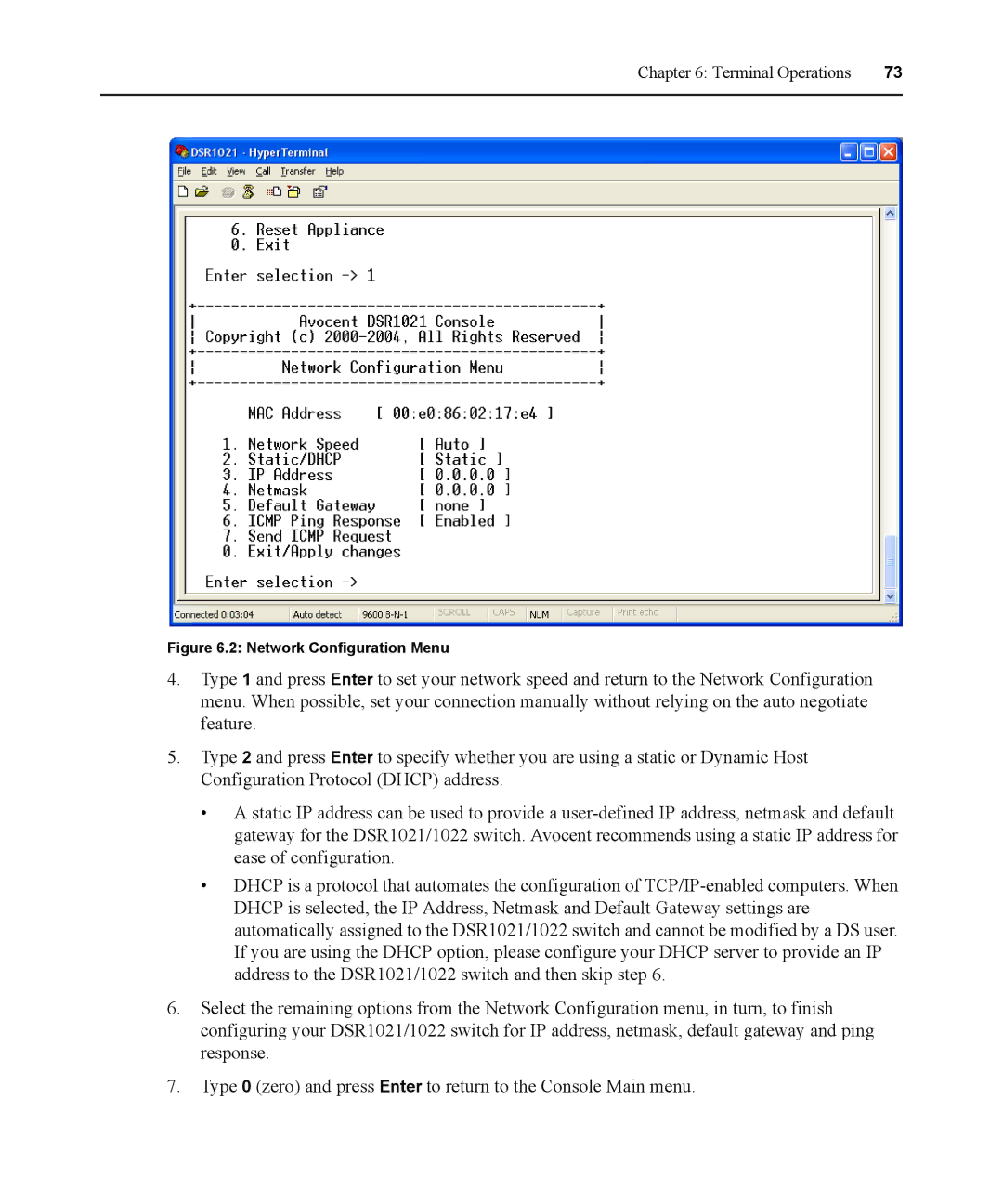
Figure 6.2: Network Configuration Menu
4.Type 1 and press Enter to set your network speed and return to the Network Configuration menu. When possible, set your connection manually without relying on the auto negotiate feature.
5.Type 2 and press Enter to specify whether you are using a static or Dynamic Host Configuration Protocol (DHCP) address.
•A static IP address can be used to provide a
•DHCP is a protocol that automates the configuration of
6.Select the remaining options from the Network Configuration menu, in turn, to finish configuring your DSR1021/1022 switch for IP address, netmask, default gateway and ping response.
7.Type 0 (zero) and press Enter to return to the Console Main menu.