Stylus Color Service Manual
Adjustment
9.
Rerun the BASIC program and choose the “Head Angle Confirmation Pattern” by entering “2”
from the keyboard, then verify that the confirmation sample is correct.
1
Jl
11
I
II
I
L
Carriage Unit
Color Head
7F
u
I
[
Base Head
I
t
41?E5iirTu~J~@
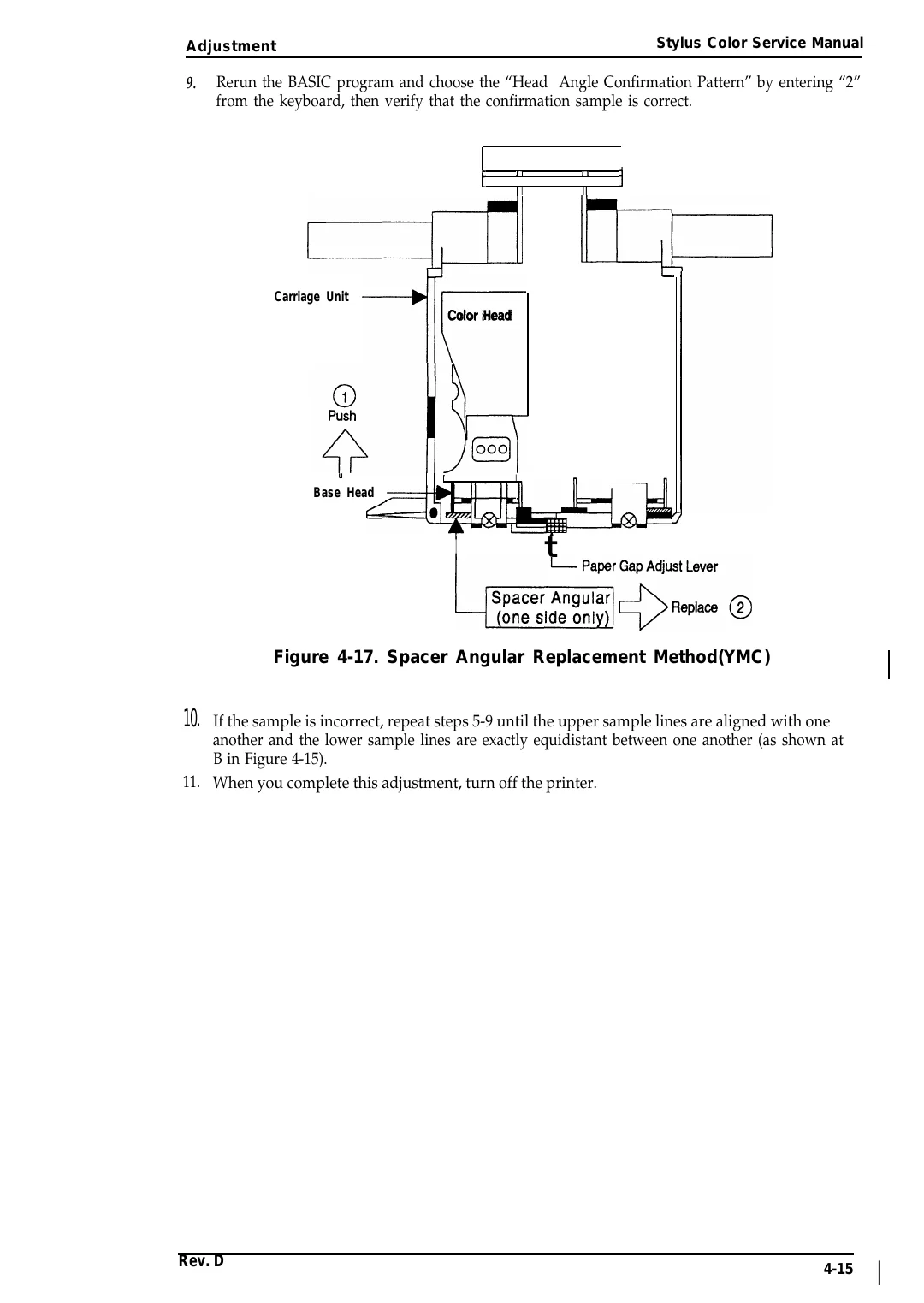
Figure 4-17. Spacer Angular Replacement Method(YMC)
10. If the sample is incorrect, repeat steps 5-9 until the upper sample lines are aligned with one
another and the lower sample lines are exactly equidistant between one another (as shown at
B in Figure 4-15).
11. When you complete this adjustment, turn off the printer.
Rev. D
4-15
I