Adjustments
Stylus Color service Manual
4.1.6 Color Head Angle Adjustment
The color head angle adjustment is required when the color head is replaced or disassembled.
If this adjustment is not correct, the white banding problem occurs or the black head timing will
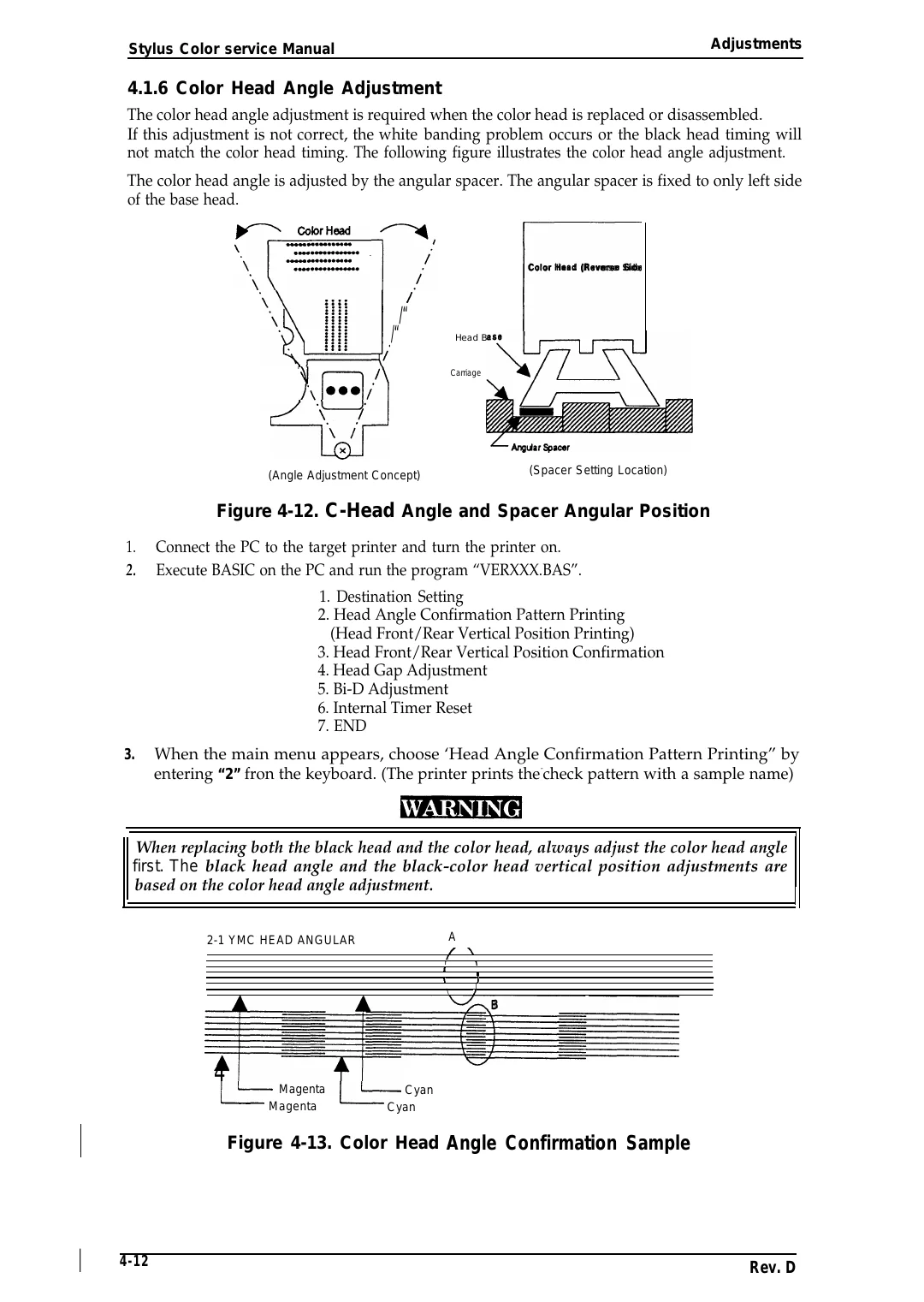
not match the color head timing. The following figure illustrates the color head angle adjustment.
The color head angle is adjusted by the angular spacer. The angular spacer is fixed to only left side
of the base head.
r
‘m-’
Color Head (Reverse Side
/
/“
/“
Head B
.
Carriage
T
(Spacer Setting Location)
(Angle Adjustment Concept)
Figure 4-12. C-Head Angle and Spacer Angular Position
1.
2.
Connect the PC to the target printer and turn the printer on.
Execute BASIC on the PC and run the program “VERXXX.BAS”.
1. Destination Setting
2. Head Angle Confirmation Pattern Printing
(Head Front/Rear Vertical Position Printing)
3. Head Front/Rear Vertical Position Confirmation
4. Head Gap Adjustment
5. Bi-D Adjustment
6. Internal Timer Reset
7. END
3.
When the main menu appears, choose ‘Head Angle Confirmation Pattern Printing” by
entering “2” fron the keyboard. (The printer prints the - check pattern with a sample name)
When replacing both the black head and the color head, always adjust the color head angle
first. The black head angle and the black-color head vertical position adjustments are
based on the color head angle adjustment.
A
2-1 YMC HEAD ANGULAR
/ \
I
r
1
1
I
I
1
\
I
I
*T‘+*~
B
4 ~ Magenta
L Magenta
w
_ Cyan
L
Cyan
Figure 4-13. Color Head Angle Confirmation Sample
I
4-12
Rev. D