G e t t i n g t o K n o w Y o u r L i f e B o o k
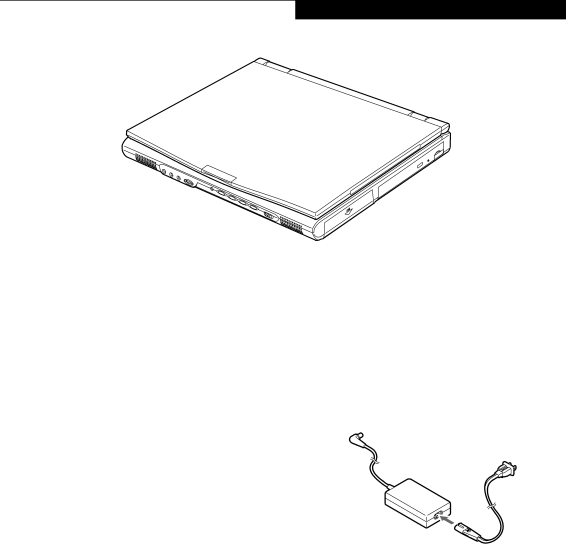
Figure 2-1 E Series LifeBook
Overview
This section describes the components of your Fujitsu LifeBook. We strongly recommend that you read it before using your LifeBook – even if you are already familiar with notebook computers.
UNPACKING
When you receive your LifeBook, unpack it carefully, and compare the parts you have received with the items listed below.
For a
■E Series LifeBook (Figure
■Lithium ion battery,
■AC adapter with AC power cord (Figure
■Weight Saver
■Phone/Modem
■Recovery CD
■Drivers and Application Restore CD
■Getting Started Guide
■User’s Guide (this guide)
■Product Registration card
■International Limited Warranty Brochure
■Getting Started Manual for Microsoft Windows 98 Second Edition or Windows 2000 Professional
■First Cabin Registration card and envelope
Depending on your configuration these devices may also come with your LifeBook:
■DVD software CD (for models with DVD)
■IR Mouse (selected or custom configured models only)
■USB Camera and software CD (custom configured models only)
■Modular 3.5" floppy disk drive or External 3.5" floppy disk drive
■Modular SuperDisk™ 120 drive
■Modular Lithium ion battery
■Modular Hard Disk drive
Depending on your configuration, one of the following devices is installed in the Flexible Bay.
■Modular 8x DVD drive
■Modular 4x/4x/20x max
■Modular 24x max
Once you have checked and confirmed that your Life- Book system is complete, read through the following pages to learn about all of your LifeBook’s components.
Figure 2-2 AC Adapter
LIFEBOOK FEATURES
The Fujitsu LifeBook is a compact, yet powerful note- book computer available with a variety of features, including: (See Specifications on page 97 for more infor- mation)
■Latest
■100MHz SDRAM system memory
■Clear, bright XGA TFT display
■Lithium ion battery
■
■ATI
■External monitor support with simultaneous display capabilities
■Dual monitor support
■LifeBook Security Application Panel
7
