CA-DXT9 CA-DXT7
Page
CA-DXT9 CA-DXT7
Important for Laser Products
Precautions
Introduction
Audio formats
How to Read This Manual
If appears on the TV screen when you press a
About color system
# To a wall outlet
Supplied accessories
Connections
CA-DXT7
Auxiliary equipment
~ TV/monitor
Digital audio component
⁄ AM/FM antenna
@ Speakers
When using the remote
¤ To adjust the voltage selector
Preparing the remote control
To remove the speaker grilles of the front speakers
Display Indication
To turn off stand by the system
Canceling the Demonstration
Daily Operations-Playback
To select the band FM/AM
To tune in to a preset station
To select the AM tuner interval spacing
To tune in to a station
To select a chapter/track
To insert discs Main Unit
To select a disc
To locate a particular portion
To change the tape running direction
Playing Back a Tape
To insert a tape
To reverse the tape automatically
Select the speaker you want to adjust
Adjusting the Volume
Adjusting the Speaker Output Level Remote
Reinforcing the Bass Sound
Modes-User Mode
To adjust the bass level gradually
Selecting the Sound Modes Remote
For DVD/CD, TAPE-A, TAPE-B, AUX Selected
Presetting Automatic DVD Video Sound Increase Level
Selecting the Surround Modes
For FM/AM
Changing the Color System
To select a preset picture tone
To adjust the picture tone
Changing the Picture Tone Remote
Adjust the hour, then minute
Turning Off the Power Automatically Remote
Activate clock setting mode
Specify the time in minutes
While playing a DVD-VR, SVCD, or VCD
Unique DVD/VCD Operations
While playing DVD Video
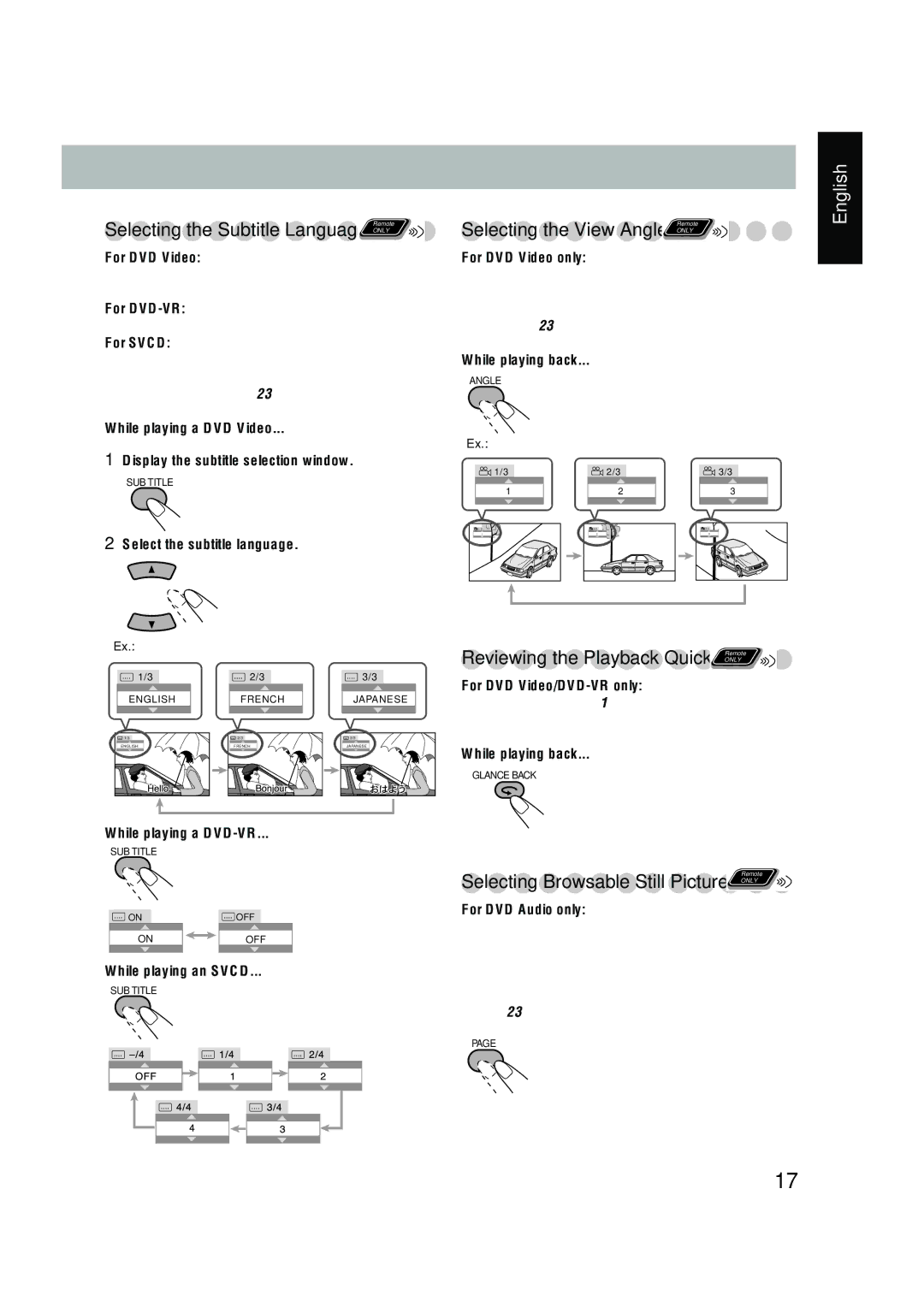
Selecting Browsable Still Pictures Remote
Slow-motion playback
Still picture playback
Frame-by-frame playback
Select chapters or tracks you want for Program Play
Advanced Disc Operations
Before starting playback, activate Program Play
To enter number 5, press
Before starting playback, activate Random Play
To exit from Program Play
To exit from Random Play
For DVD Audio
While in standby mode For CD/SVCD/VCD
For DVD Video
For MP3/WMA
On-screen bars
On-Screen Disc Operations
On-screen Bar Information
Operations Using
On-screen Bar
To change the time information
Repeat Play
Repeat
Time Search
Chapter/Track Search
Control screen for DVD-RW/RAM in DVD-VR format
To start playback
Control screen for MP3/WMA/JPEG disc
To select an item in the list
To zoom in the still picture for Jpeg During being paused
To stop playback To repeat title/play list for DVD-VR
To repeat slide-show for Jpeg
Move the zoomed-in position
Insert a recordable cassette in deck B
Change the Reverse Mode if necessary
Recording Operations
To change the direction
Dubbing Tapes
To record only your favorite track-One Track Recording
Enjoying Karaoke
Sing into the microphone Adjust the MIC Level and Volume
To cancel from the Mic Mixing Mode, select MIC OFF in step
Start playing a source-FM, AM, DVD/CD, TAPE, or AUX
Select DVD/CD as the source
To cancel the Key Control
Vocal Masking
Activate the scoring function
To modify the program
To check the programmed contents
Karaoke Program Play
Make the timer setting as you want
Timer Operations
Setting the Timer Remote Info
When the on-time comes
Timer Priority
To turn off the Timer after the setting is done
When the off-time comes
Picture menu
Setup Menu Operations
Language menu
Others menu
SPK. Setting menu
Audio menu
Operating the TV
Operating TV
Learning More about This System
Daily Operations-Sound&Other Adjustments
Additional Information
Daily Operations-Playback see pages 9 to
Recording Operations see pages 32 to
Setup Menu Operations see pages 39 to
Maintenance
Troubleshooting
Language Code List