TV OPERATION (CONTINUED)
MUTE
1
1

 2
2
 3
3 

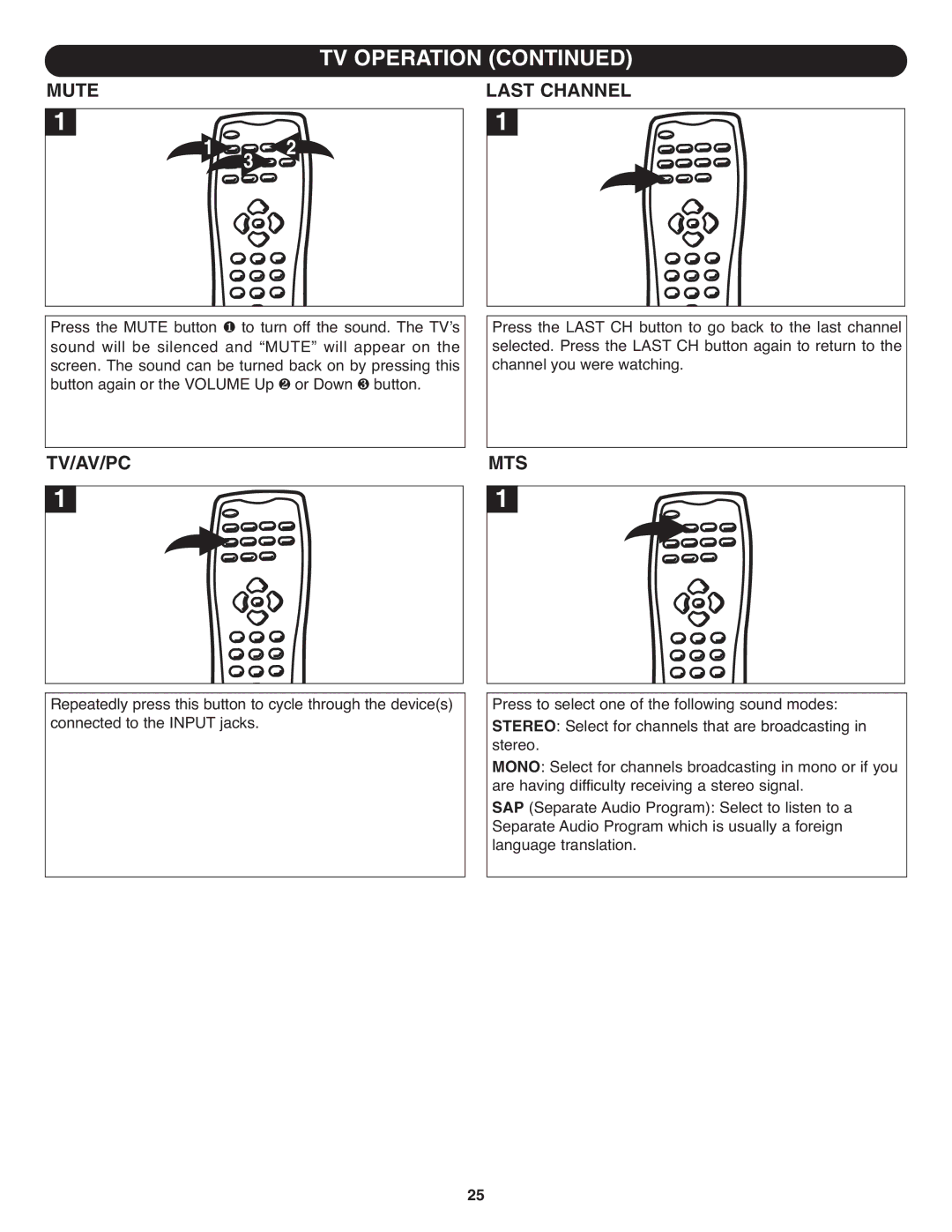
Press the MUTE button to turn off the sound. The TV’s sound will be silenced ❶and “MUTE” will appear on the screen. The sound can be turned back on by pressing this button again or the VOLUME Up ❷ or Down ❸ button.
LAST CHANNEL
1
Press the LAST CH button to go back to the last channel selected. Press the LAST CH button again to return to the channel you were watching.
TV/AV/PC
1
Repeatedly press this button to cycle through the device(s) connected to the INPUT jacks.
MTS
1
Press to select one of the following sound modes: stereoSTEREO. : Select for channels that are broadcasting in
: Select for channels broadcasting in mono or if you areMONOhaving difficulty receiving a stereo signal.
(Separate Audio Program): Select to listen to a
SeparateAP Audio Program which is usually a foreign language translation.
25