NetComm VoIP WiFi Phone V24W User Guide
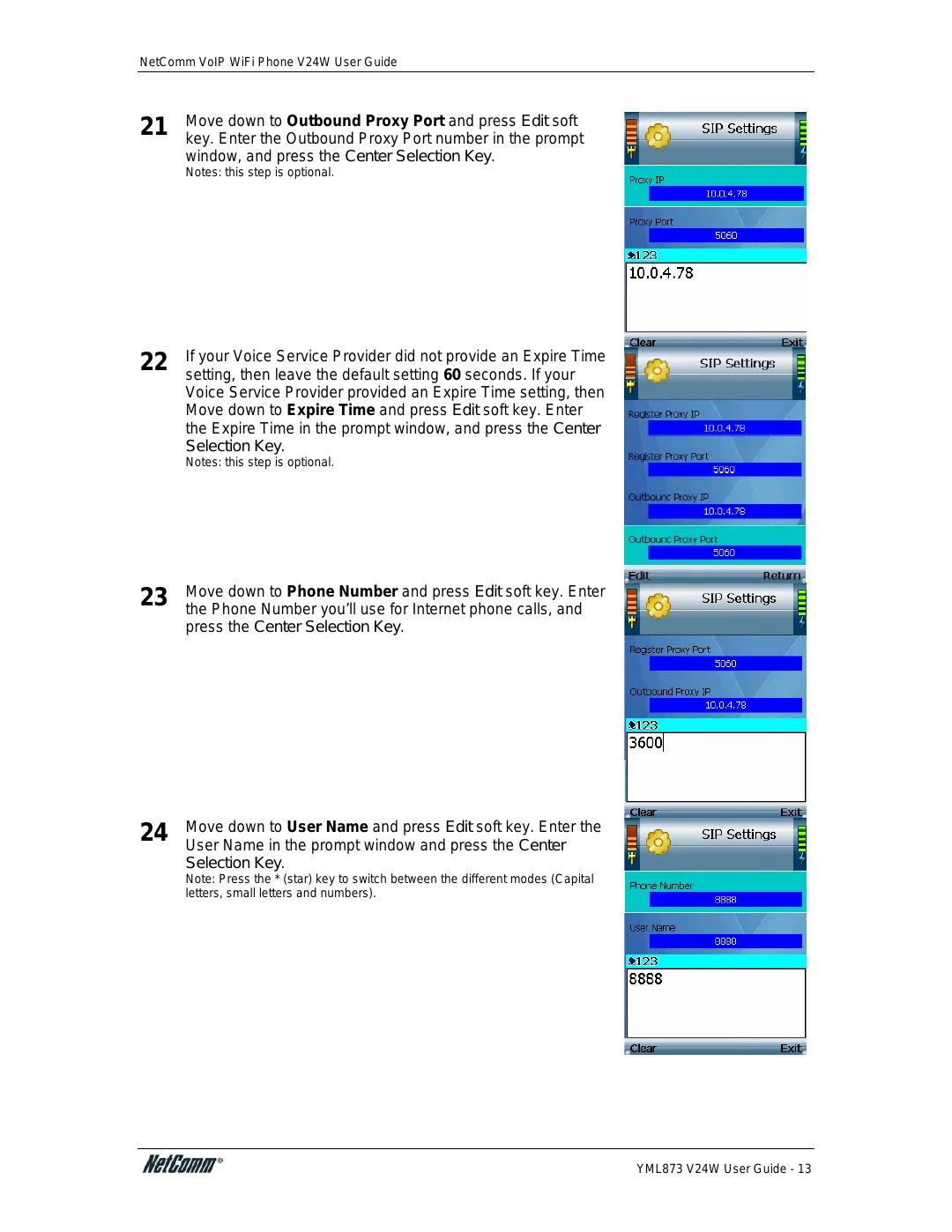
21 | Move down to Outbound Proxy Port and press Edit soft |
key. Enter the Outbound Proxy Port number in the prompt |
window, and press the Center Selection Key.
Notes: this step is optional.
22 | If your Voice Service Provider did not provide an Expire Time |
setting, then leave the default setting 60 seconds. If your |
Voice Service Provider provided an Expire Time setting, then Move down to Expire Time and press Edit soft key. Enter the Expire Time in the prompt window, and press the Center Selection Key.
Notes: this step is optional.
23 | Move down to Phone Number and press Edit soft key. Enter |
the Phone Number you’ll use for Internet phone calls, and |
press the Center Selection Key.
24 | Move down to User Name and press Edit soft key. Enter the |
User Name in the prompt window and press the Center |
Selection Key.
Note: Press the * (star) key to switch between the different modes (Capital letters, small letters and numbers).
YML873 V24W User Guide - 13