NetComm VoIP WiFi Phone V24W User Guide
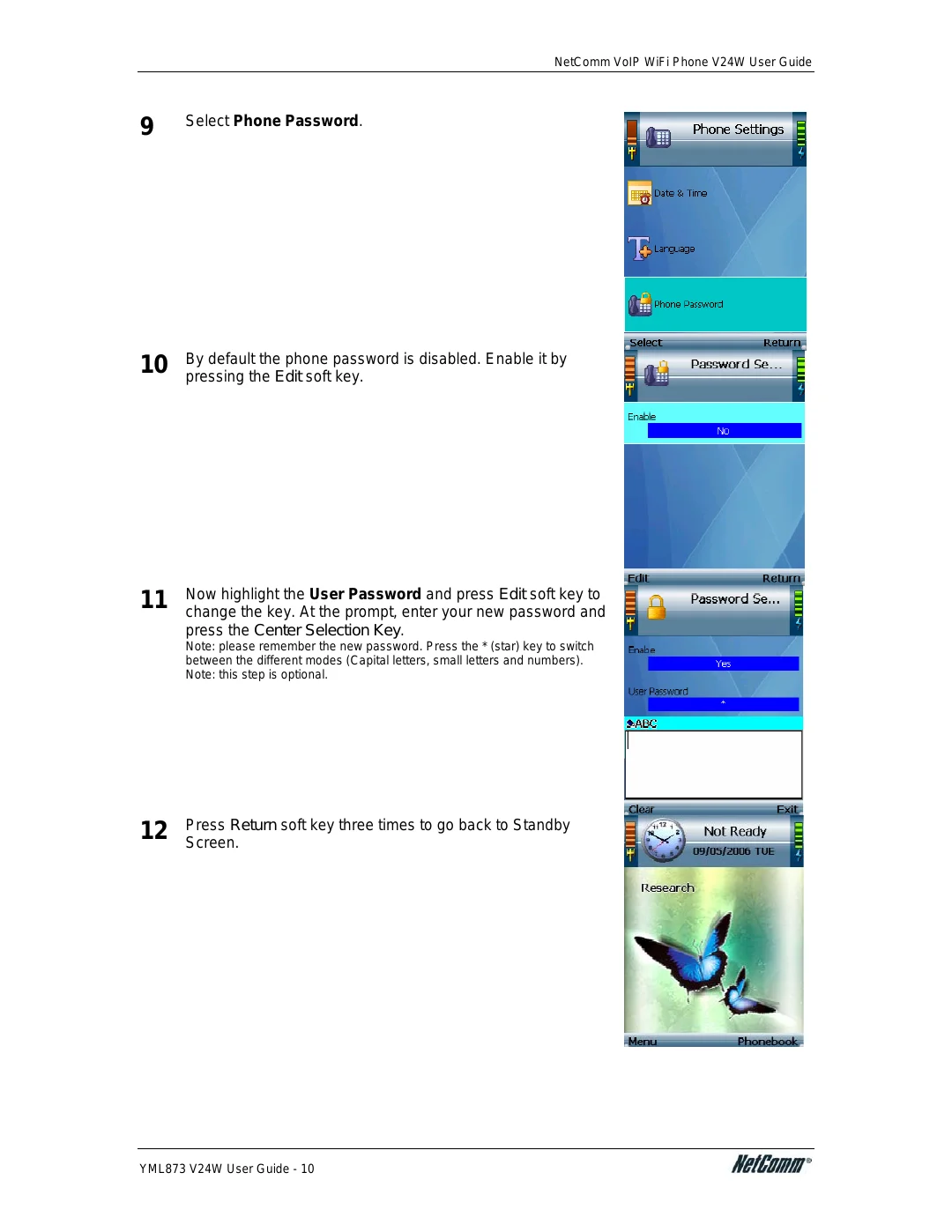
9 | Select Phone Password. |
|
10 | By default the phone password is disabled. Enable it by |
pressing the Edit soft key. |
11 | Now highlight the User Password and press Edit soft key to |
change the key. At the prompt, enter your new password and |
press the Center Selection Key.
Note: please remember the new password. Press the * (star) key to switch between the different modes (Capital letters, small letters and numbers). Note: this step is optional.
12 | Press Return soft key three times to go back to Standby |
Screen. |
YML873 V24W User Guide - 10