Nokia 6234 User Guide
Declaration of Conformity
Page
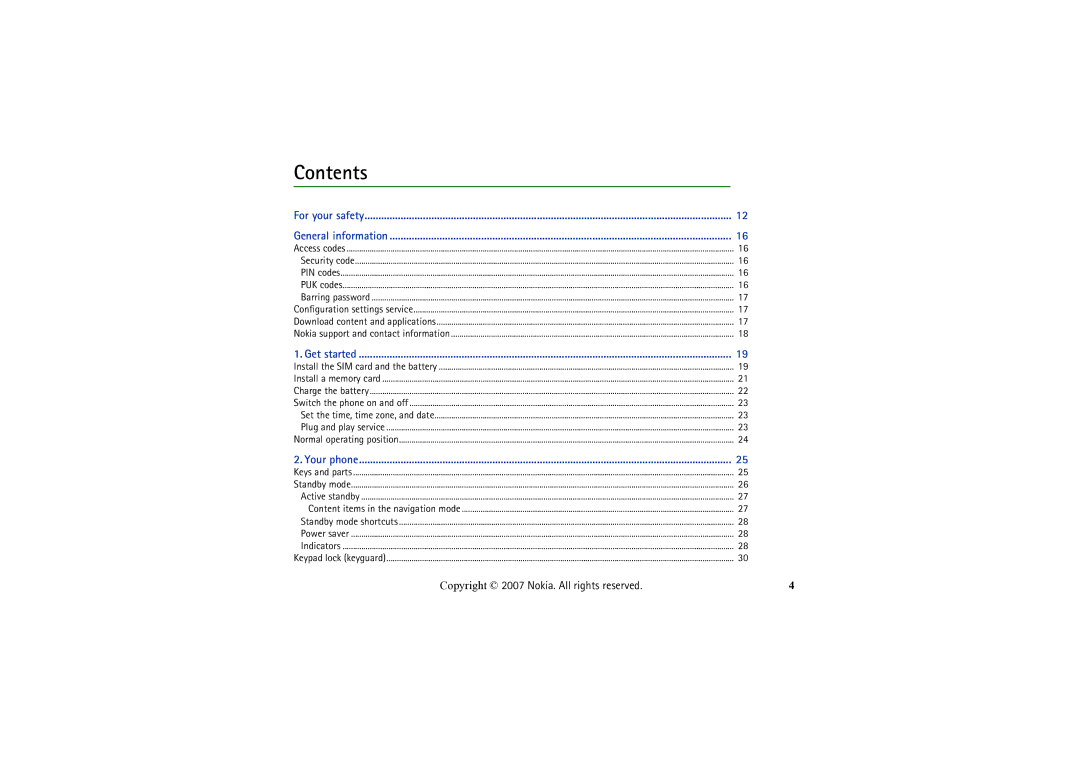
Contents
Write text
Applications Apps
Push To Talk PTT
My Items
Instant messages IM
100
115
For your safety
Switch on Safely
About your device
Your phone is not water-resistant. Keep it dry
Shared memory
Network services
Enhancements
Copyright 2007 Nokia. All rights reserved
Access codes
General information
Security code
PIN codes
Download content and applications
Configuration settings service
Barring password
Nokia support and contact information
Install the SIM card and the battery
Get started
Page
Install a memory card
Charge the battery
Plug and play service
Switch the phone on and off
Set the time, time zone, and date
Normal operating position
Your phone
Keys and parts
Standby mode
Content items in the navigation mode
Active standby
Power saver
Standby mode shortcuts
Indicators
Phone registered a missed call
Keypad lock keyguard
For Automatic keyguard and Security keyguard, see Phone p
Make a voice call
Call functions
Speed dialing
Answer or reject a voice call
Enhanced voice dialing
Make a video call
Options during a voice call
Call waiting
Answer or reject a video call
Press and hold the call key, or select Options Video call
Options during a video call
Write text
Settings
Predictive text input
Traditional text input
Navigate the menus
Camera
Media
Take a photo
Camera settings
Media player
Record a video clip
Progressive download
Music player
Set up the phone for a streaming service
Play the music tracks transferred to the phone
Music player settings
Play
Save radio channels
Radio
Listen to the radio
Voice recorder
Record sound
List of recordings
Equalizer
Define a storage folder
Set up browsing
Basic steps to access and use services
Web
Connect to a service
Browse pages
Options while browsing
Browse with phone keys
Direct calling
Bookmarks
Appearance settings
Receive a bookmark
Cookies
Security settings
Scripts over secure connection
Service inbox
Download settings
Service inbox settings
Cache memory
Browser security
Security module
Certificates
Digital signature
Games
Applications Apps
Collection
Application options
Download an application
Presenter
Page
Connect to the PTT service
Push To Talk PTT
Make and receive a PTT call
Make a channel or a group call
Callback requests
Make a one-to-one call
Make a PTT call to multiple recipients
Receive a PTT call
Send a callback request
Add a one-to-one contact
Respond to a callback request
PTT channels
Add a channel
PTT settings
Receive an invitation
Page
Text messages SMS
Messaging
Write and send SMS messages
SIM messages
Read and reply to an SMS message
Multimedia messages
Write and send a multimedia message
Send a message
Cancel message sending
Read and reply to a multimedia message
Folders
Memory full
Flash messages
Audio messages
Write a flash message
Receive a flash message
Create an audio message
Email application
Settings Wizard
Receive an audio message
Write and send an email
Download email
Read and reply to email
Mail folders
Service commands
Voice messages
Info messages
Spam filter
Message settings
Delete messages
General
Text message and SMS email
Multimedia message
Settings affect the sending, receiving, and viewing of email
Page
My Items
Format memory card
Alarm clock
Stop the alarm
Organizer
Calendar
To-do list
Make a calendar note
Calculator
Stopwatch
Countdown timer
Convert currency
Page
Contacts
Search for a contact
Save names and phone numbers
Save numbers and text items
Edit contact details
Copy contacts
Delete contacts
Business cards
Groups
Service and my numbers
Speed dials
Log
Access the instant messaging menu
Instant messages IM
Connect to instant messaging
Start an instant messaging conversation
Instant messaging invitation
Join an instant messaging conversation
Read a received instant message
Edit your availability status
Block and unblock messages
Contacts for instant messaging
Groups
Public groups
Flight mode
Settings
Profiles
Standby mode
Themes
Tones
Display
Standby settings
Screen saver
Sleep mode
Time and date
My shortcuts
Font size
Enable active standby
Left selection key
Right selection key
Navigation key
Voice commands
Bluetooth wireless technology
Connectivity
102
Bluetooth wireless connection
Set up a Bluetooth connection
103
Infrared
Bluetooth settings
104
Packet data settings
Packet data
Packet data connection
105
Data transfer with a compatible device
Data transfer
106
Data transfer without SIM card
Synchronize from a compatible PC
Synchronize from a server
107
USB data cable
Call
108
Phone
109
Configuration
110
Security
111
Digital rights management
112
Restore factory settings
113
SIM Toolkit STK
114
PC connectivity
Nokia PC Suite EGPRS, HSCSD, CSD, and Wcdma
Data communication applications
115
116
Charging and discharging
Battery information
117
Nokia battery authentication guidelines
118
What if your battery is not authentic?
119
Care and maintenance
120
Additional safety information
121
122
Not carry the device in a breast pocket
Emergency calls
123
124
Index
125
121
126
101
127
128