SELECTING THE MENU LANGUAGE AND
AUTOMATIC TUNING OF CHANNELS
Operating instructions generally explains the operation of the TV set using the buttons on the remote control unless otherwise stated. Please read the following instructions carefully and follow the steps as shown to familiarise yourself with the installations and all features available in your set.
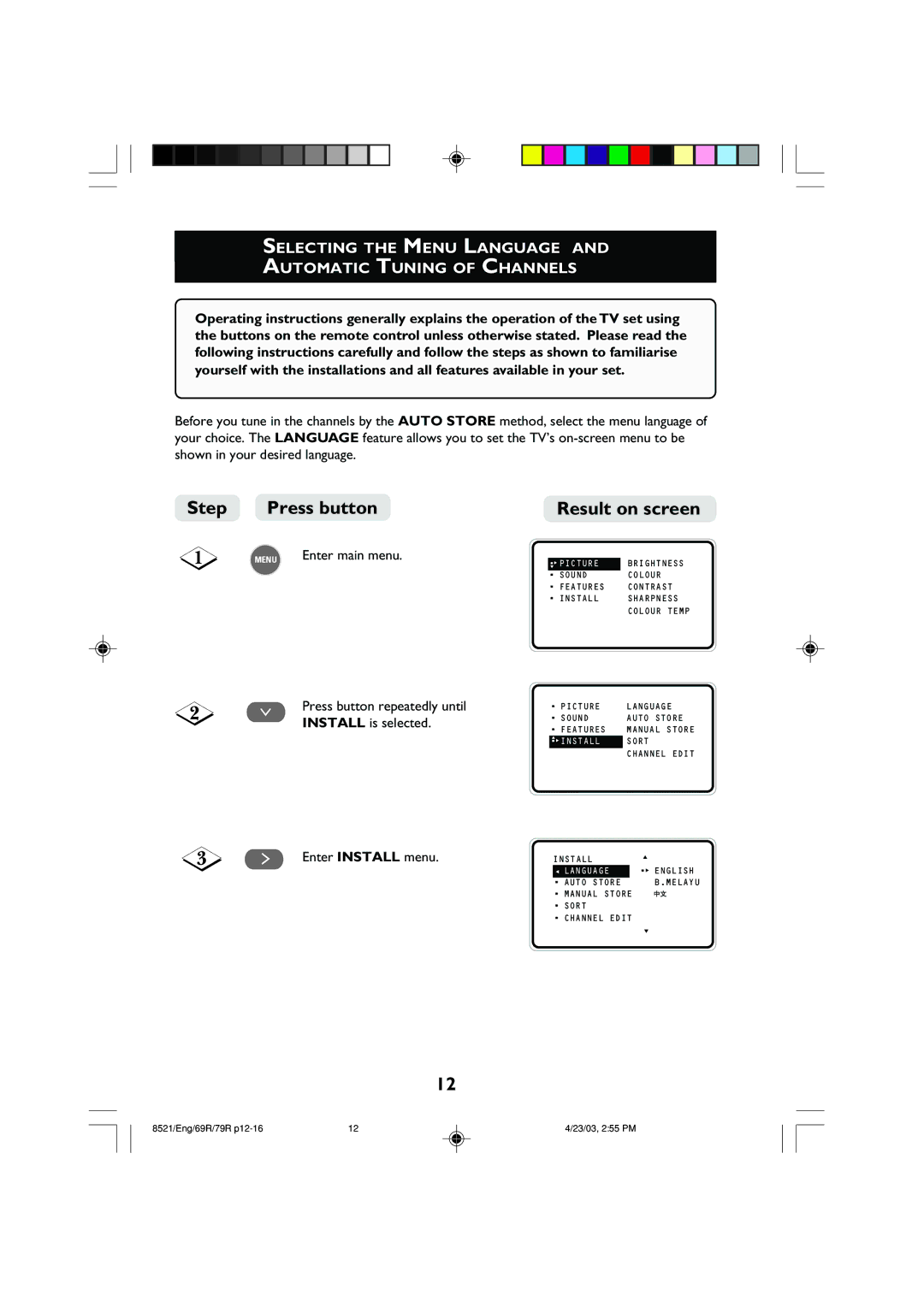
Before you tune in the channels by the AUTO STORE method, select the menu language of your choice. The LANGUAGE feature allows you to set the TV’s
Step | Press button | Result on screen | ||
| MENU | Enter main menu. |
|
|
| •▼ÉPICTURE | BRIGHTNESS | ||
|
| |||
|
|
| • SOUND | COLOUR |
|
|
| • FEATURES | CONTRAST |
|
|
| • INSTALL | SHARPNESS |
COLOUR TEMP
¸ | Press button repeatedly until | • PICTURE | LANGUAGE | |
INSTALL is selected. | • SOUND | AUTO STORE | ||
| ||||
| • FEATURES | MANUAL STORE | ||
|
| |||
|
| ▲ | SORT | |
|
| •ÉINSTALL | ||
|
|
| CHANNEL EDIT |
˙ | Enter INSTALL menu. | Ñ |
|
|
| INSTALL | ▲ | ||
|
|
| •É ENGLISH | |
|
| Ñ LANGUAGE |
| |
|
| • AUTO STORE |
| B.MELAYU |
|
| ▲ |
| |
|
| •ÉMANUAL STORE |
| |
|
| • SORT |
| |
|
| • CHANNEL EDIT |
| |
|
|
|
| ▼ |
12
8521/Eng/69R/79R | 12 | 4/23/03, 2:55 PM |