USING THE BLUE MUTE FEATURE
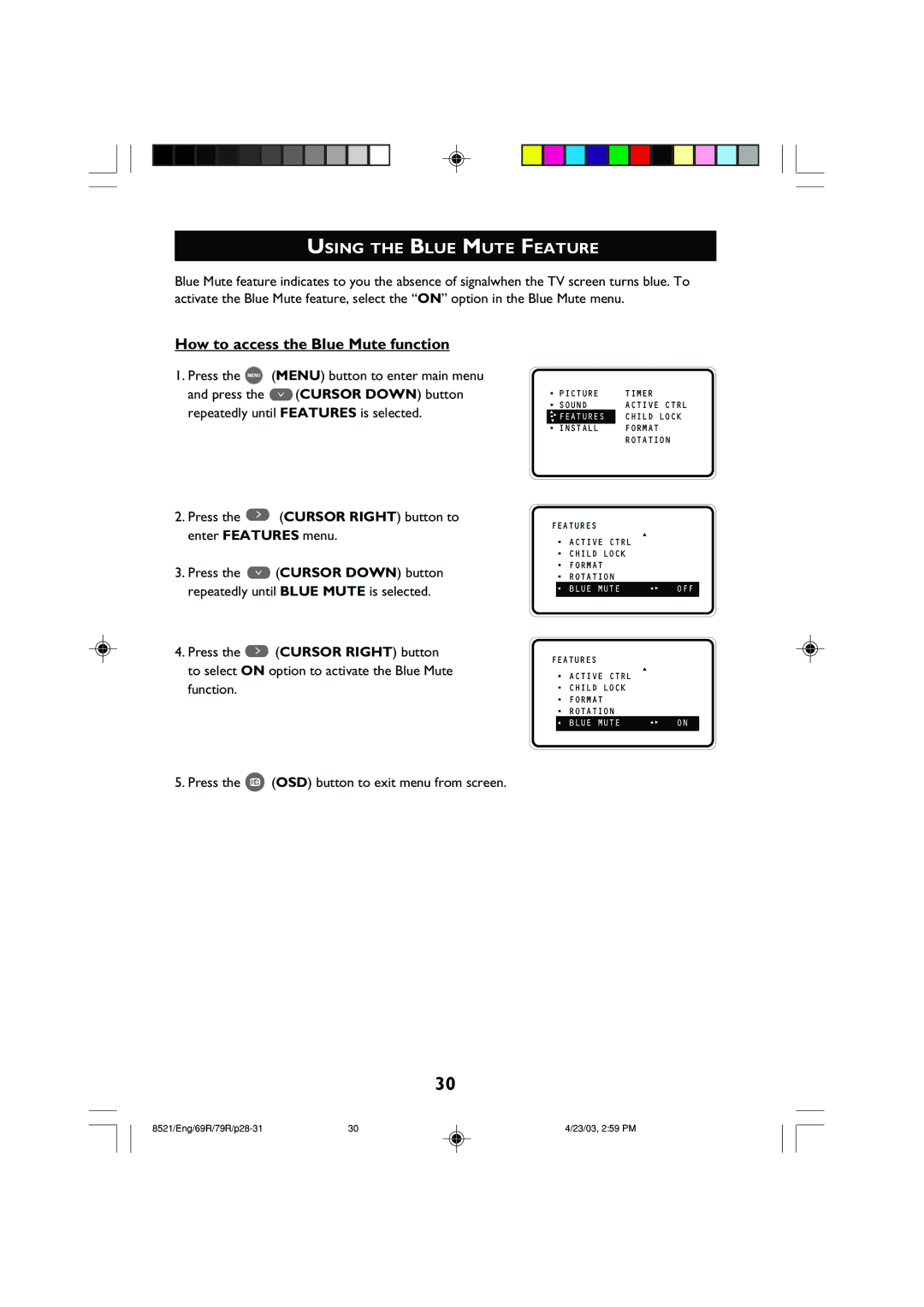
Blue Mute feature indicates to you the absence of signalwhen the TV screen turns blue. To activate the Blue Mute feature, select the “ON” option in the Blue Mute menu.
How to access the Blue Mute function
1.Press the MENU (MENU) button to enter main menu and press the ¸ (CURSOR DOWN) button repeatedly until FEATURES is selected.
2. Press the ˙ (CURSOR RIGHT) button to
•PICTURE
•SOUND
▲
•ÉFEATURES
▼
•INSTALL
FEATURES
TIMER ACTIVE CTRL CHILD LOCK FORMAT ROTATION
enter FEATURES menu.
3.Press the ¸ (CURSOR DOWN) button repeatedly until BLUE MUTE is selected.
4.Press the ˙ (CURSOR RIGHT) button to select ON option to activate the Blue Mute function.
• | ACTIVE CTRL | ▲ |
|
|
| ||
• | CHILD LOCK |
|
|
• | FORMAT |
|
|
• | ROTATION |
|
|
Ñ | BLUE MUTE | •É | OFF |
FEATURES
• | ACTIVE CTRL | ▲ |
|
|
| ||
• | CHILD LOCK |
|
|
• | FORMAT |
|
|
• | ROTATION |
|
|
Ñ | BLUE MUTE | •É | ON |
5. Press the m (OSD) button to exit menu from screen.
30
30 | 4/23/03, 2:59 PM |