Manuals
/
Philips
/
Home Audio
/
CD Player
Philips
AZ1856
user manual
Disc/Usb
Models:
AZ1856
1
2
18
18
Download
18 pages
37.6 Kb
1
2
3
4
5
6
7
8
Troubleshooting
Maintenance
Supplied accessories
Listen at a moderate volume
Power Supply
Using USB connectivity
Page 2
Image 2
1
9
@
8
!
DISC/USB
FM
1
2
3
USB/CD
0
USB
DELETE
USB REC
DYNAMIC BASS
BOOST
#
4
5
7
$
%
*
&
^
Page 1
Page 3
Page 2
Image 2
Page 1
Page 3
Contents
Page
DISC/USB
Page
Page
Removing the insulation plastic tab
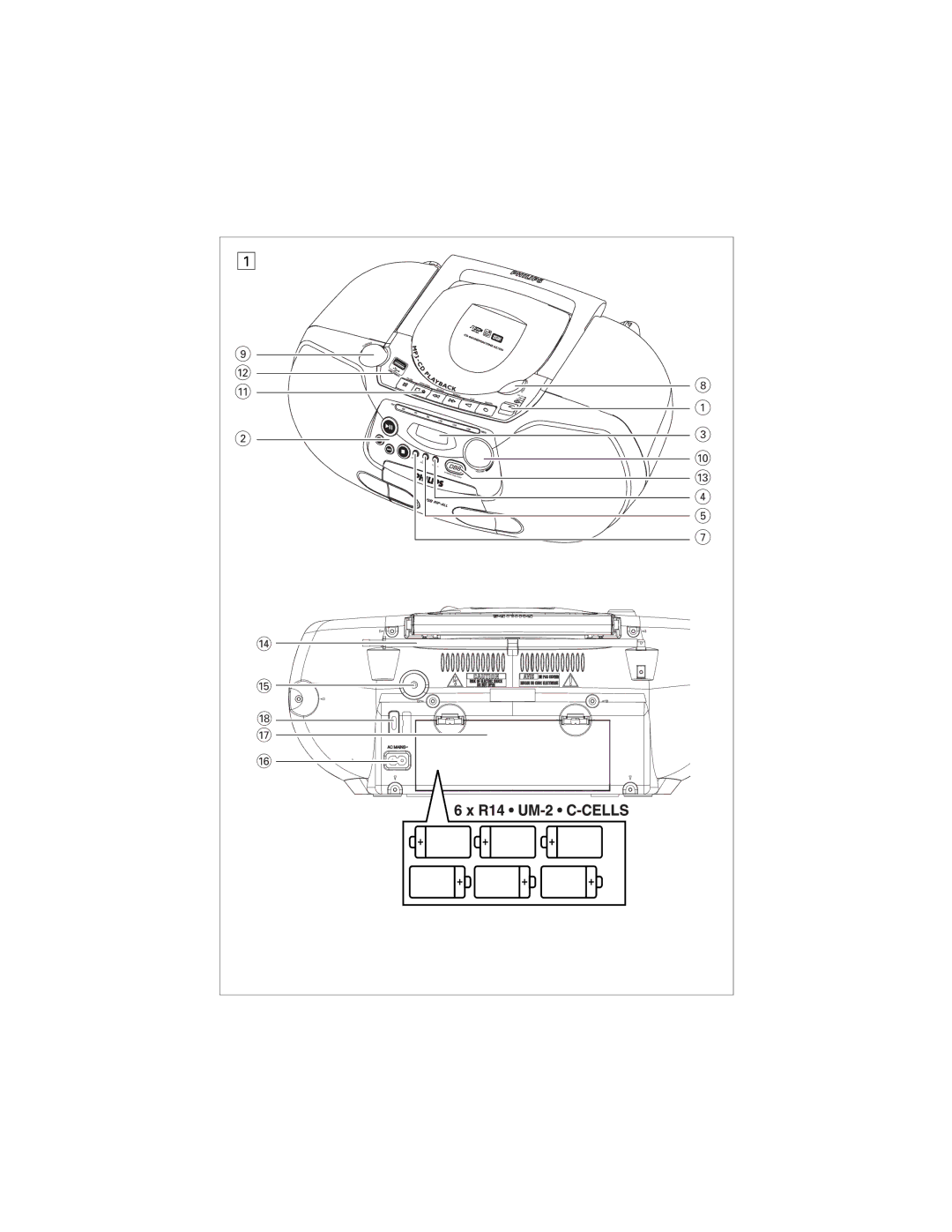
Controls
Supplied accessories
Remote control See
Top and front panels See
Helpful hints
Power Supply
Power Supply
Basic Function/ Radio
Cassette Recorder
Cassette Recorder
MP3-CD/ CD Player
Finding a passage within a track
MP3-CD/ CD Player
Selecting a different track
Programming tracks
Selecting different play modes
Using USB connectivity
USB Connection
USB Connection
Device will automatically power on
Adjust the source selector to Tape or FM
CD/Tape/Tuner Ripping
Recorded files managing
Stop position, you may select an album to delete
Cassette recorder
Safety & Maintenance See
Safety information
Troubleshooting
Disc standard
To establish a safe volume level
Hearing Safety
Listen at a moderate volume
Set your volume control at a low setting
Information Regarding USB Direct
Class Laser Product
Top
Page
Image
Contents