Connecting and Setting Up
34
2
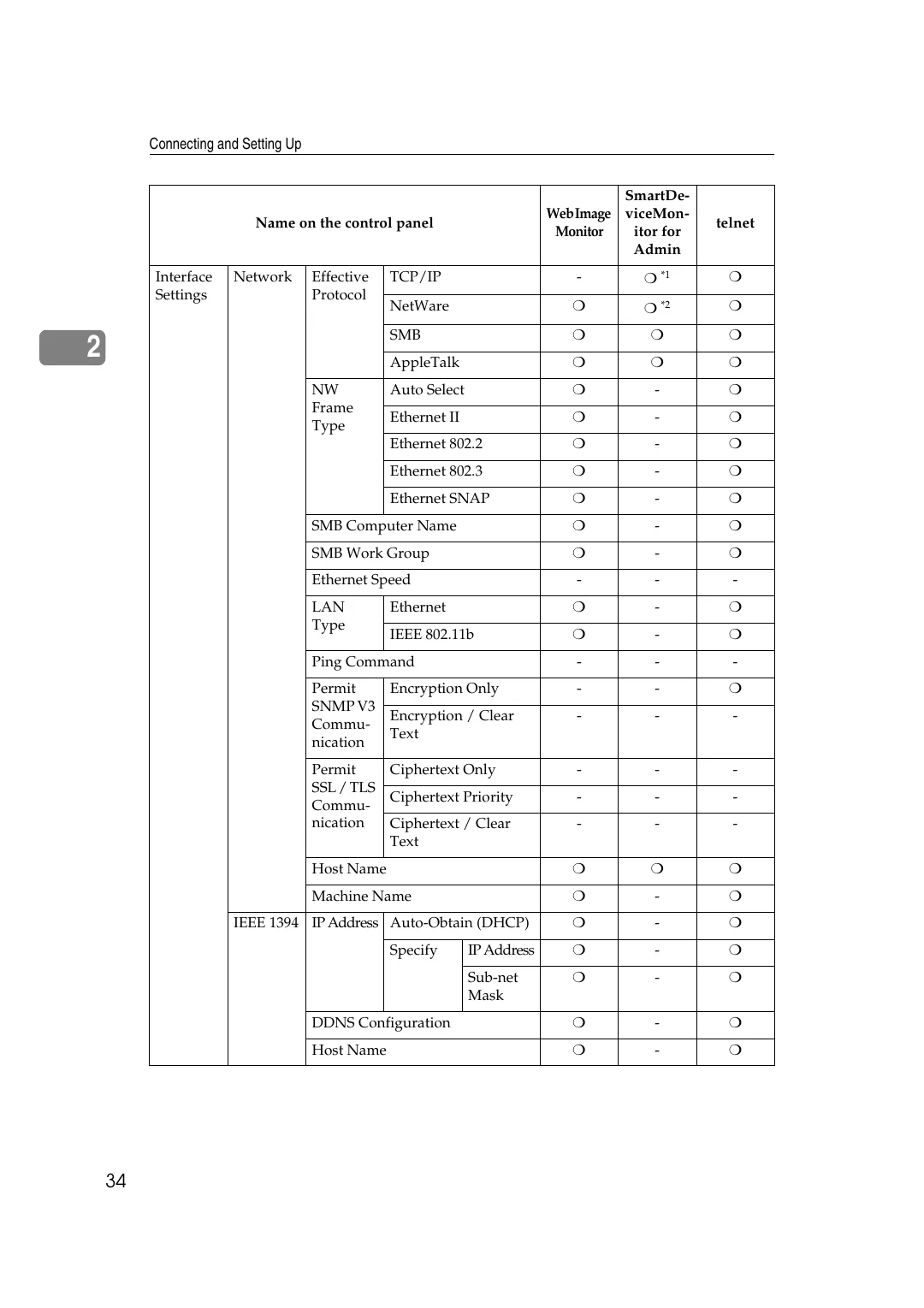
Interface
Settings
Network
Effective
Protocol
TCP/IP
-
❍
*1
❍
NetWare
❍
❍
*2
❍
SMB
❍
❍
❍
AppleTalk
❍
❍
❍
NW
Frame
Type
Auto Select
❍
-
❍
Ethernet II
❍
-
❍
Ethernet 802.2
❍
-
❍
Ethernet 802.3
❍
-
❍
Ethernet SNAP
❍
-
❍
SMB Computer Name
❍
-
❍
SMB Work Group
❍
-
❍
Ethernet Speed
-
-
-
LAN
Type
Ethernet
❍
-
❍
IEEE 802.11b
❍
-
❍
Ping Command
-
-
-
Permit
SNMP V3
Commu-
nication
Encryption Only
-
-
❍
Encryption / Clear
Text
-
-
-
Permit
SSL / TLS
Commu-
nication
Ciphertext Only
-
-
-
Ciphertext Priority
-
-
-
Ciphertext / Clear
Text
-
-
-
Host Name
❍
❍
❍
Machine Name
❍
-
❍
IEEE 1394 IP Address Auto-Obtain (DHCP)
❍
-
❍
Specify
IP Address
❍
-
❍
Sub-net
Mask
❍
-
❍
DDNS Configuration
❍
-
❍
Host Name
❍
-
❍
Name on the control panel
Web Image
Monitor
SmartDe-
viceMon-
itor for
Admin
telnet