Monitoring and Configuring the Printer
94
4
❖
❖
❖
❖
Setting the Domain Name
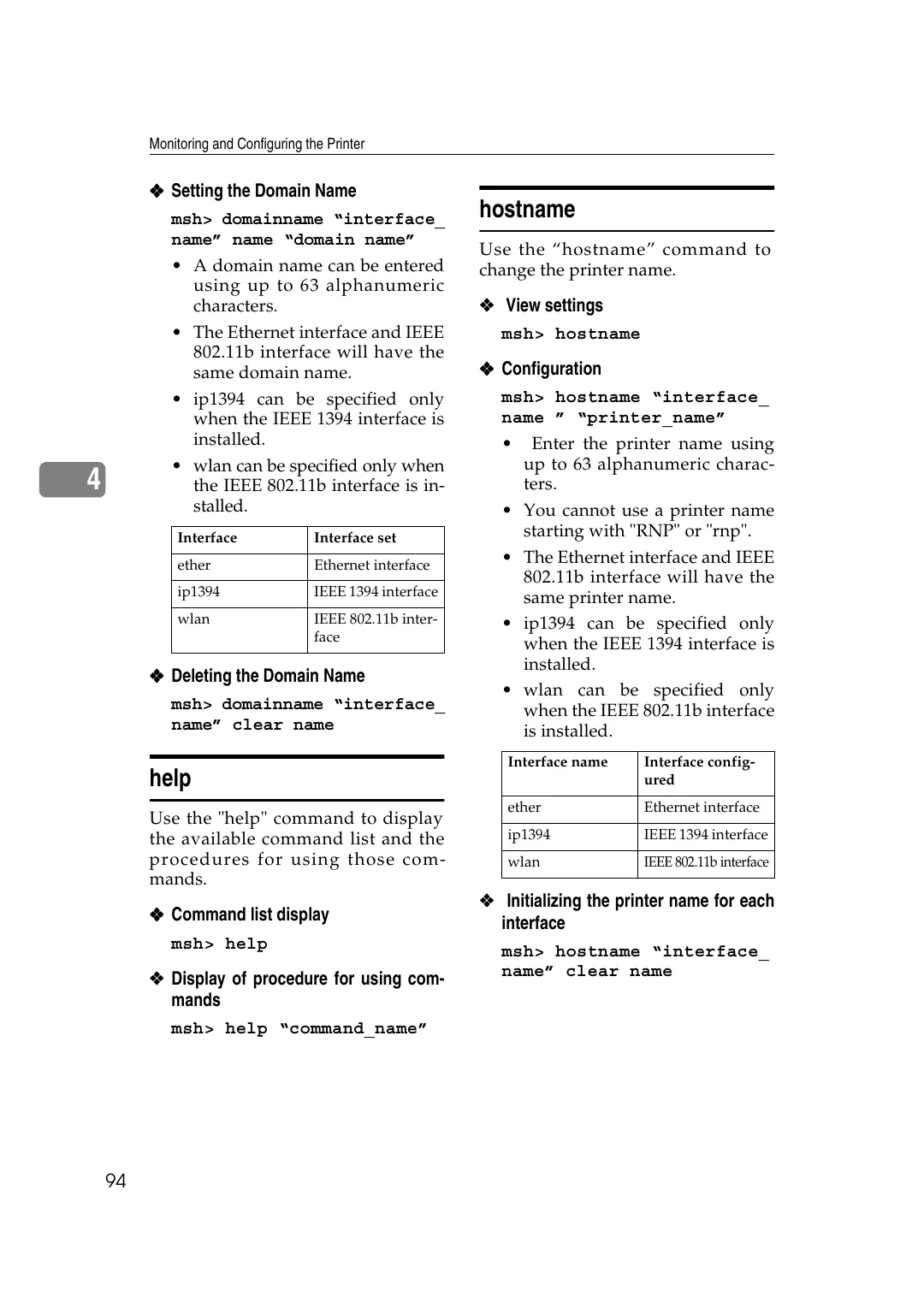
msh> domainname “interface_
name” name “domain name”
• A domain name can be entered
using up to 63 alphanumeric
characters.
• The Ethernet interface and IEEE
802.11b interface will have the
same domain name.
• ip1394 can be specified only
when the IEEE 1394 interface is
installed.
• wlan can be specified only when
the IEEE 802.11b interface is in-
stalled.
❖
❖
❖
❖
Deleting the Domain Name
msh> domainname “interface_
name” clear name
help
Use the "help" command to display
the available command list and the
procedures for using those com-
mands.
❖
❖
❖
❖
Command list display
msh> help
❖
❖
❖
❖
Display of procedure for using com-
mands
msh> help “command_name”
hostname
Use the “hostname” command to
change the printer name.
❖
❖
❖
❖
View settings
msh> hostname
❖
❖
❖
❖
Configuration
msh> hostname “interface_
name ” “printer_name”
• Enter the printer name using
up to 63 alphanumeric charac-
ters.
• You cannot use a printer name
starting with "RNP" or "rnp".
• The Ethernet interface and IEEE
802.11b interface will have the
same printer name.
• ip1394 can be specified only
when the IEEE 1394 interface is
installed.
• wlan can be specified only
when the IEEE 802.11b interface
is installed.
❖
❖
❖
❖
Initializing the printer name for each
interface
msh> hostname “interface_
name” clear name
Interface
Interface set
ether
Ethernet interface
ip1394
IEEE 1394 interface
wlan
IEEE 802.11b inter-
face
Interface name
Interface config-
ured
ether
Ethernet interface
ip1394
IEEE 1394 interface
wlan
IEEE 802.11b interface