Connecting and Setting Up
10
2
B
Connect the Ethernet interface cable
to the 10BASE-T/100BASE-TX port.
Note
❒
The position of the port differ
depending on the machine type.
C
Turn on the main power switch.
1.
Indicator (green)
Remains green when the machine is
properly connected to the network.
2.
Indicator (yellow)
Turns yellow when 100 BASE-TX is
operating. Turns off when 10 BASE-T
is operating.
Connecting to the IEEE 1394
Interface
Important
❒
Before making the connection, touch
the metallic part to ground yourself.
Note
❒
Use the interface cable supplied with
the optional IEEE 1394 interface board.
❒
Make sure the interface cable is not
looped.
AAAA
Turn off the main power switch.
Important
❒
Make sure the main power is
off. See “Turning On the Pow-
er”,
General Settings Guide
.
BBBB
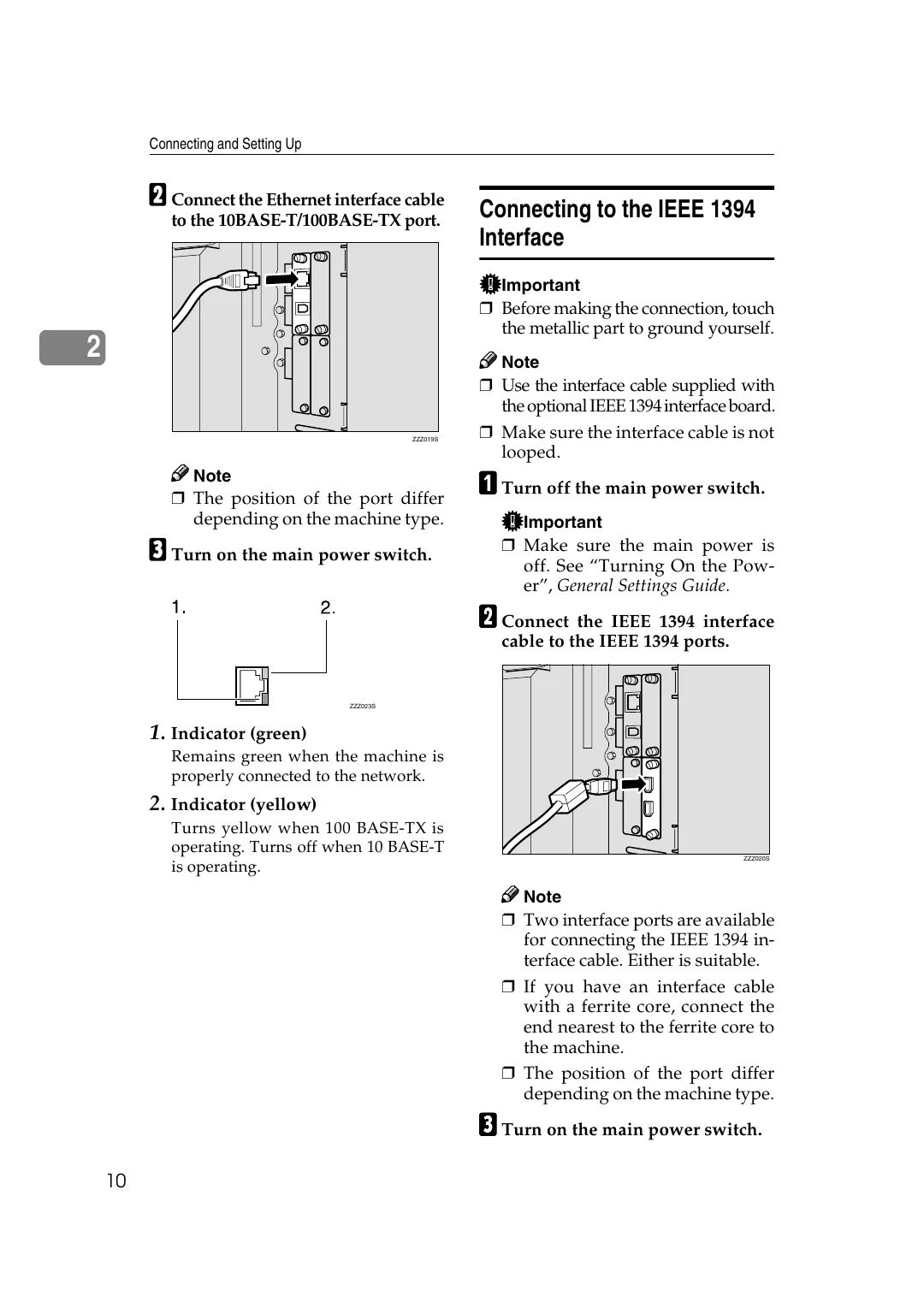
Connect the IEEE 1394 interface
cable to the IEEE 1394 ports.
Note
❒
Two interface ports are available
for connecting the IEEE 1394 in-
terface cable. Either is suitable.
❒
If you have an interface cable
with a ferrite core, connect the
end nearest to the ferrite core to
the machine.
❒
The position of the port differ
depending on the machine type.
CCCC
Turn on the main power switch.
ZZZ019S
ZZZ023S
ZZZ020S