00732M SCL901 SEA
ENGLISH
Basic Recording
Making Your First Recording
Please make these preparations before recording.
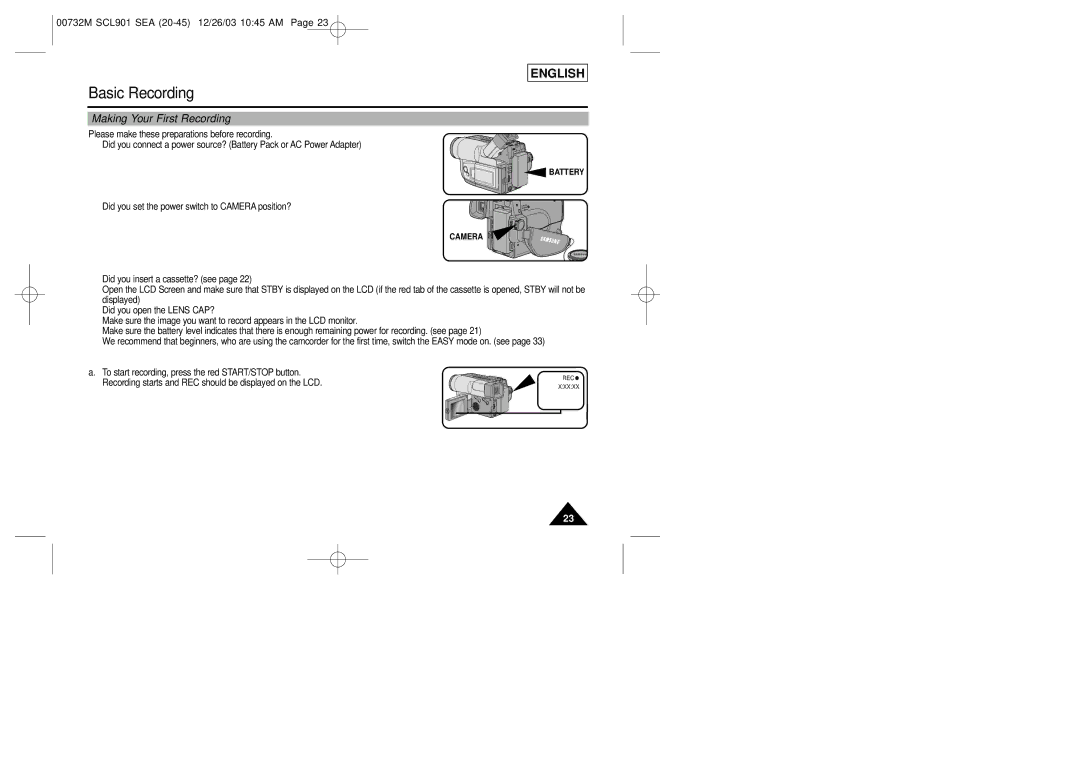
■ Did you connect a power source? (Battery Pack or AC Power Adapter)
 BATTERY
■ Did you set the power switch to CAMERA position?
CAMERA
■Did you insert a cassette? (see page 22)
■Open the LCD Screen and make sure that STBY is displayed on the LCD (if the red tab of the cassette is opened, STBY will not be displayed)
■Did you open the LENS CAP?
■Make sure the image you want to record appears in the LCD monitor.
■Make sure the battery level indicates that there is enough remaining power for recording. (see page 21)
■We recommend that beginners, who are using the camcorder for the first time, switch the EASY mode on. (see page 33)
a. To start recording, press the red START/STOP button.
Recording starts and REC should be displayed on the LCD. | REC | |
X:XX:XX | ||
|
23