00732M SCL901 SEA
ENGLISH
Basic Recording
Adjusting the LCD during PLAY
The LCD adjustment method in PLAYER mode is identical to step number 4 of page 26, except the power switch must be set to PLAYER.
Controlling the Sound from the Speaker
✤When you use the LCD Screen while playing back, you can hear sound from the Speaker.
✤Volume of the Speaker is controlled by the UP/DOWN dial tab on the camcorder.
✤If you close the LCD Screen, the LCD Screen and Speaker are turned off.
✤If the speaker does not work properly, check the following:
■Is the LCD Screen closed?
■Is the volume adjusted to a low level?
■Is the speaker off? (see page 56)
Notes: ■ Lower the volume if vibration from the
■Volume display will automatically disappear 2 seconds after adjusting.
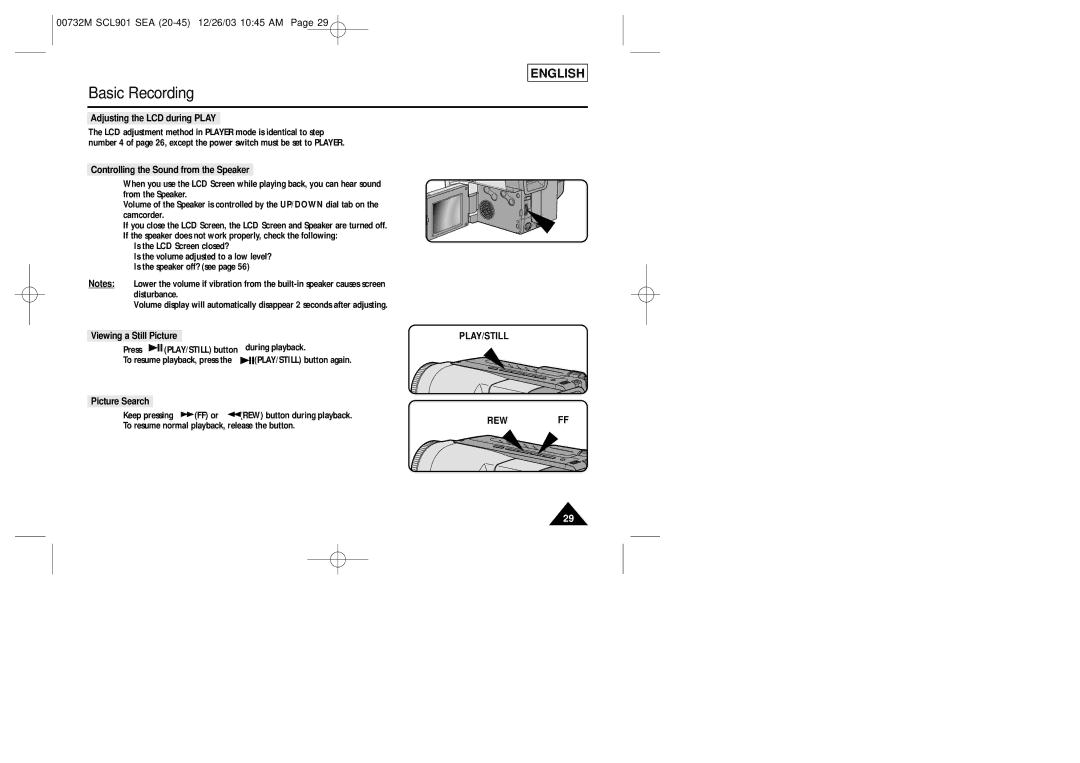
Viewing a Still Picture
■Press 
 (PLAY/STILL) button during playback.
■To resume playback, press the 
 (PLAY/STILL) button again.
Picture Search
■Keep pressing  (FF) or
  (REW) button during playback.
■To resume normal playback, release the button.
PLAY/STILL
REWFF
29