00732M SCL901 SEA
ENGLISH
Playing back a Tape
Notes:
■SCL901/L906/L907 feature a monaural audio system. If your TV or VCR features a stereo audio system, connect the audio cable to input “L” of your TV or VCR.
■You can use an
■While playing back on a TV screen, close the LCD panel. Otherwise, picture distortion may occur.
Playback
1.Use the TV/VIDEO button to select VIDEO on your TV.
2. | Connect power source (battery or AC Power Adapter) to the camcorder. |
| |
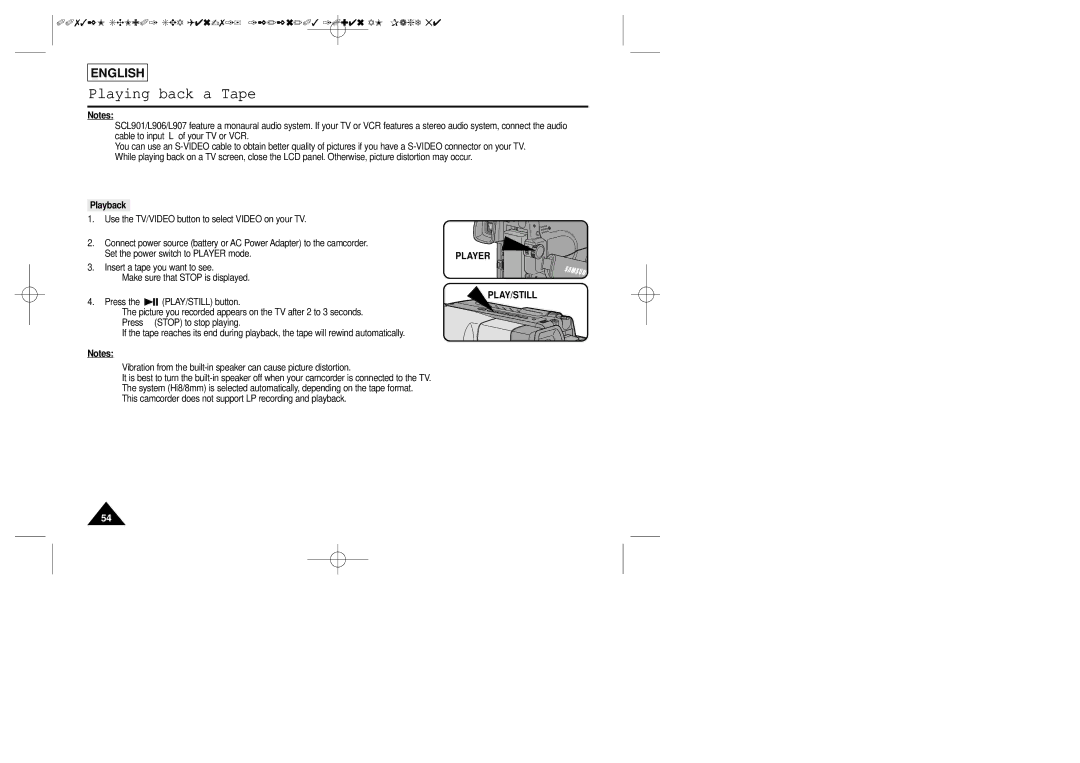
| Set the power switch to PLAYER mode. | PLAYER | |
3. | Insert a tape you want to see. |
| |
| ■ Make sure that STOP is displayed. |
| |
4. | Press the | (PLAY/STILL) button. | PLAY/STILL |
| |||
■ The picture you recorded appears on the TV after 2 to 3 seconds. ■ Press ■ (STOP) to stop playing.
■ If the tape reaches its end during playback, the tape will rewind automatically.
Notes:
■Vibration from the
■It is best to turn the
■The system (Hi8/8mm) is selected automatically, depending on the tape format.
■This camcorder does not support LP recording and playback.
54