Trinitronâ Color Computer Display
EN 55022 Compliance Czech Republic Only
Declaration of Conformity
Table of Contents
Maintenance
Precautions
Installation
Transportation
Front
Identifying parts and controls
Rear
Turn off the monitor and computer before connecting
Setup
Connect the power cord
Connect your monitor to your computer
If no picture appears on your screen
Turn on the monitor and computer
Selecting the on-screen menu language Language
Press the center of the control button
Customizing Your Monitor
Displaying the current input signal
Navigating the menu
Adjusting the size of the picture Size
Adjusting the brightness and contrast
Adjusting the centering Picture Center
Using the control button
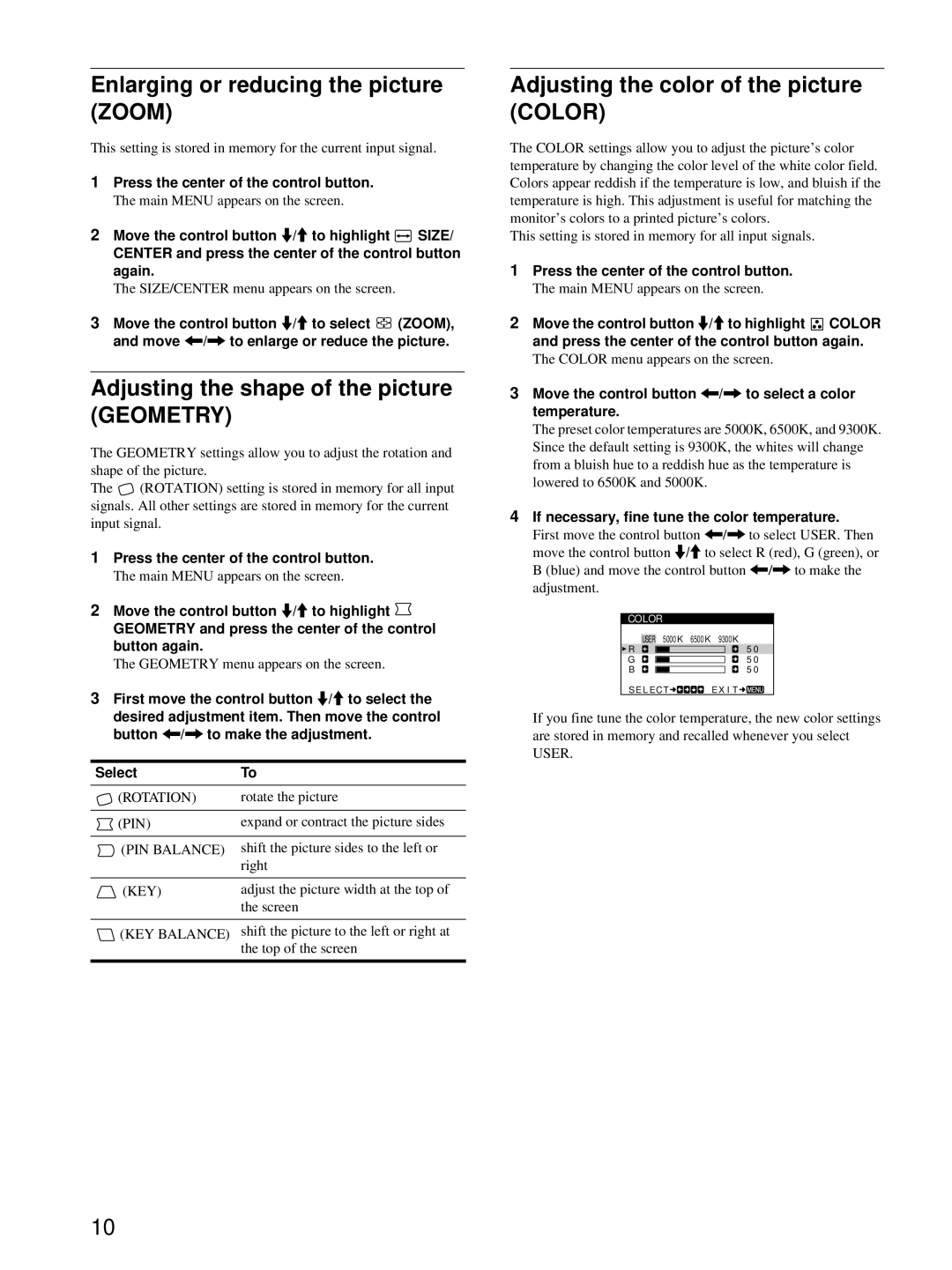
Move the control button /, to select a color temperature
Adjusting the shape of the picture Geometry
Adjusting the color of the picture Color
If necessary, fine tune the color temperature
Additional settings Screen
Resetting the adjustments
Technical Features
Troubleshooting
Picture flickers, bounces
Trouble symptoms and remedies
Symptom Check these items No picture
Oscillates, or is scrambled
Picture is not centered or sized
Symptom Check these items Picture is ghosting
Power is turned on
Properly
If the ! power indicator is flashing orange
Specifications
If the ! power indicator is green
Self-diagnosis function
Page
Installation
Table des Matières
Transport
Précautions
Entretien
Utilisation du support pivotant
Avant
Identification des composants et des commandes
Arrière
Raccordement à un PC/AT IBM ou à un ordinateur compatible
Installation
2éme étapeRaccordez le cordon d’alimentation
Raccordement à un ordinateur Macintosh ou compatible
Si aucune image n’apparaît à l’écran
Appuyez au centre de la manette de commande
3éme étapeMettez le moniteur et l’ordinateur sous tension
English Anglais
Personnalisation de votre moniteur
Affichage du signal d’entrée en cours
Pilotage par menus
Réglage du centrage de l’image Centrage
Utilisation de la manette de commande
Réglage de la luminosité et du contraste
Réglage de la taille de l’image Taille
Réglage de la forme de l’image
Agrandir ou réduire l’image Zoom
Réglage des couleurs de l’image Couleur
Démagnétisation de l’écran
Réglages supplémentaires Ecran
Réinitialisation des réglages
Suppression du moiré
Modes présélectionné et utilisateur
Caractéristiques techniques
Dépannage
Fonction d’économie d’énergie
Symptôme Vérifiez Pas d’image
Symptômes et remèdes
’image est floue
Apparaissent
Déplacez la manette de commandem/M pour sélectionner
Symptôme Vérifiez Des images fantômes
’image n’est pas centrée ou de
Si l’indicateur ! alimentation est allumé en vert
Fonction d’autodiagnostic
Spécifications
Si l’indicateur ! alimentation clignote en orange
Page
Inhalt
Hinweise
Aufstellung
Sicherheitsmaßnahmen
Warnhinweis zum Netzanschluß
Wartung
Vorderseite
Lage und Funktion der Teile und Bedienelemente
Rückseite
Anschließen an einen IBM PC/AT oder Kompatiblen Computer
Anschließen des Geräts
Schritt 2 Anschließen des Netzkabels
Anschließen an einen Macintosh oder kompatiblen Computer
Drücken Sie auf die Mitte der Steuertaste
Schritt 3 Einschalten von Monitor und Computer
Wenn auf dem Bildschirm kein Bild erscheint
Deutsch
Einstellen des Monitors
Anzeigen des aktuellen Eingangssignals
Navigieren in den Menüs
Einstellen der Bildgröße Grösse
Einstellen von Helligkeit und Kontrast
Einstellen der Bildposition Bildlage
Die Steuertaste
Einstellen der Form des Bildes
Vergrößern oder Verkleinern des Bildes Zoomen
Einstellen der Farbe des Bildes Farbe
Weitere Einstellungen
Zurücksetzen der Einstellungen
Vordefinierte Modi und Benutzermodi
Technische Merkmale
Störungsbehebung
Die Energiesparfunktion
Das Bild flimmert, springt
Symptome für Fehler und Abhilfemaßnahmen
Symptom Überprüfen Sie bitte folgendes Kein Bild
Oszilliert oder ist gestört
Die Bildränder sind gekrümmt
Das Bild ist nicht zentriert, oder die
Bildgröße ist nicht korrekt
Wellenförmige oder elliptische
Wenn die Netzanzeige ! grün leuchtet
Technische Daten
Selbstdiagnosefunktion
Wenn die Netzanzeige ! orange blinkt
Page
Índice
Instalación
Precauciones
Parte frontal
Identificación de los componentes y los controles
Parte posterior
Paso 2 Conexión del cable de alimentación
Instalación
Paso 1 Conexión del monitor al ordenador
Conexión a un ordenador IBM PC/AT o compatible
Si las imágenes no aparecen en pantalla
Paso 3 Encendido del monitor y del ordenador
Selección del idioma de los menús en pantalla Language
Pulse el centro del botón de control
Navegación por el menú
Personalización del monitor
Visualización de la señal de entrada actual
Ajuste del tamaño de la imagen Tamaño
Ajuste del brillo y del contraste
Ajuste del centrado de la imagen Centro
Uso del botón de control
Ajuste del color de la imagen Color
Ampliación o reducción de la imagen Zoom
Ajuste de la forma de la imagen
Rotación
Restauración de los ajustes
Cancelación del muaré
Ajustes adicionales Pantalla
Desmagnetización de la pantalla
Solución de problemas
Características técnicas
La imagen parpadea, se ondula
Problemas y soluciones
Problema Compruebe lo siguiente Ausencia de imagen
Oscila o aparece codificada
Con un tamaño incorrecto
Problema Compruebe lo siguiente Aparecen imágenes fantasma
La imagen aparece descentrada o
Los bordes de la imagen aparecen
Si el indicador ! alimentación está iluminado en verde
Especificaciones
Función de autodiagnóstico
Si el indicador ! alimentación parpadea en naranja
Page
Installazione
Indice
Precauzioni
Identificazione dei componenti e dei comandi
Fronte Retro
Punto 2Collegamento del cavo di alimentazione
Installazione
Punto 1Collegamento del monitor al computer
Collegamento ad un computer IBM PC/AT o Compatibile
Se sullo schermo non appaiono le immagini
Punto 3Accensione del monitor e del computer
Selezione della lingua dei menu a schermo Language
Premere il tasto di comando al centro
Come spostarsi all’interno del menu
Personalizzazione del monitor
Visualizzazione del segnale di ingresso corrente
Utilizzo del tasto di comando
Regolazione della luminosità e del contrasto
Ripristino delle regolazioni
Cuscino
Regolazione del colore dell’immagine Colore
Rotazione
Trapezio
Smagnetizzazione dello schermo
Impostazioni aggiuntive Schermo
Ripristino delle regolazioni
Eliminazione dell’effetto moiré
Modo preimpostato e modo utente
Guida alla soluzione dei problemi
Caratteristiche
Funzione di risparmio energetico
’immagine è tremolante, salta
Sintomi e soluzioni dei problemi
Sintomo Controllare quanto segue Assenza d’immagine
Oscilla oppure è confusa
’immagine non è centrata o non è
Delle dimensioni corrette
Sintomo Controllare quanto segue ’immagine è sdoppiata
Bordi dell’immagine sono
Se l’indicatore di accensione ! alimentazione è verde
Funzione di autodiagnostica
Caratteristiche tecniche
Page
Ñîäåðæàíèå
Ìåðû ïðåäîñòîðîæíîñòè
Ìåðû ïðåäîñòîðîæíîñòè ïðè ïîäêëþ÷åíèè ê ñåòè ýëåêòðîïèòàíèÿ
Èäåíòèôèêàöèÿ äåòàëåé è îðãàíîâ óïðàâëåíèÿ
Ïåðåäíÿÿ ïàíåëü
Øàã 1 Ïîäêëþ÷èòå ìîíèòîð ê êîìïüþòåðó
Øàã 2 Ïîäêëþ÷èòå êàáåëü ïèòàíèÿ
Øàã 3 Âêëþ÷èòå ìîíèòîð è êîìïüþòåð
Âûáîð ÿçûêà â ýêðàííîì ìåíþ LANGUAGE/ÈÍÔÎÐÌÀÖÈß
Ïîäñòðîéêà ìîíèòîðà
Ïåðåìåùåíèå ïî ýêðàííîìó ìåíþ
Ðåãóëèðîâêà öåíòðîâêè èçîáðàæåíèÿ Öåíòð
Ðåãóëèðîâêà ÿðêîñòè è êîíòðàñòíîñòè èçîáðàæåíèÿ
Ðåãóëèðîâêà ðàçìåðà èçîáðàæåíèÿ Ðàçìåð
Ðåãóëèðîâêà ôîðìû èçîáðàæåíèÿ ÃÅÎÌETPÈß
Óâåëè÷åíèå èëè óìåíüøåíèå èçîáðàæåíèÿ Macøtaá
Ðåãóëèðîâêà öâåòà èçîáðàæåíèÿ Öâåò
Äîïîëíèòåëüíûå íàñòðîéêè Ýkpah
Cáðîñ íàñòðîåê
Äåìïôåðíûå íèòè
Ïðåäóñòàíîâëåííûå ðåæèìû è íàñòðîéêà ïîëüçîâàòåëåì
Ôóíêöèÿ ýêîíîìèè ýíåðãèè
Ýêðàííûå ñîîáùåíèÿ
Ñèìïòîìû íåïîëàäîê è äåéñòâèÿ ïî èõ óñòðàíåíèþ
Ñèìïòîì Ïðîâåðüòå ýòè ïîçèöèè Íåò èçîáðàæåíèÿ
Íåïðàâèëüíûå öåíòðîâêà èëè
Функция самодиагностики
Если индикатор ! питание горит зеленым
Page
Installera bildskärmen
Innehåll
Underhåll
Säkerhetsföreskrifter
Varning angående nätanslutning
Använda vridplattan
Framsida
Identifiera delar och reglage
Baksida
Steg 2 Ansluta nätkabeln
Installera bildskärmen
Steg 1 Anslut bildskärmen till datorn
Ansluta till en IBM PC/AT-dator eller en Kompatibel dator
Om ingen bild visas på skärmen
Steg 3 Slå på bildskärmen och datorn
Välja språk för menyerna på skärmen Language
Tryck mitt på kontrollknappen
Anpassa bildskärmen
Visa aktuell insignal
Bläddra i menyerna
Justera bildens storlek Storl
Justera ljusstyrka och kontrast
Justera bildens centrering Center
Använda kontrollknapparna
Justera bildens form Geometri
Förstora eller förminska bilden Zoom
Justera bildens färg Färg
Ytterligare inställningar Bild
Återställa justeringarna
Tekniska egenskaper
Felsökning
Felsökning och åtgärder
Visa bildskärmens namn, serienummer och tillverkningsdatum
Om ! på/av-indikatorn lyser grön
Tekniska data
Självdiagnosfunktionen
Om ! på/av-indikatorn blinkar orange
Page
Inhoud
Opstelling
Waarschuwing betreffende voedingsaansluitingen
Installatie
Voorzorgsmaatregelen
Onderhoud
Voorkant
Achterkant
Stap 2 Sluit het netsnoer aan
Opstelling
Stap 1 Sluit uw monitor aan op uw computer
Aansluiting op een IBM PC/AT Compatibele computer
Indien er geen beeld op het scherm verschijnt
Stap 3 Zet de monitor en de computer aan
De schermmenutaal kiezen
Druk in het midden van de regeltoets
Het menu overlopen
Uw monitor persoonlijk instellen
Het huidige ingangssignaal laten verschijnen
De beeldgrootte regelen AFM
Helderheid en contrast instellen
De beeldcentrering regelen Centr
Gebruik van de regeltoets
De beeldkleur regelen Kleuren
Het beeld vergroten of verkleinen Zoom
De beeldvorm regelen
Beweeg de regeltoets /, om een kleurtemperatuur te kiezen
Het scherm demagnetiseren
Bijkomende instellingen Scherm
Instellingen terugstellen
Moiré-annulering regelen
Technische kenmerken
Storingzoeken
Het beeld knippert, springt, golft
Storingen en oplossingen
Symptoom Controleer het volgende Geen beeld
Is gestoord
Orde
Symptoom Controleer het volgende Spookbeelden
Beeldcentrering of -grootte niet
Beeldranden gebogen
Specificaties
Als de ! aan/uit indicator groen oplicht
Als de ! aan/uit indicator oranje knippert
Zelfdiagnosefunctie
Page
Appendix
Preset mode timing table
TCO’99 Eco-document
Environmental requirements

 SIZE/
SIZE/
 (ZOOM), and move </, to enlarge or reduce the picture.
 (ROTATION) setting is stored in memory for all input signals. All other settings are stored in memory for the current input signal.
 COLOR and press the center of the control button again.

 EX I T