4.6 Menu Navigation
ENGLISH
MENU
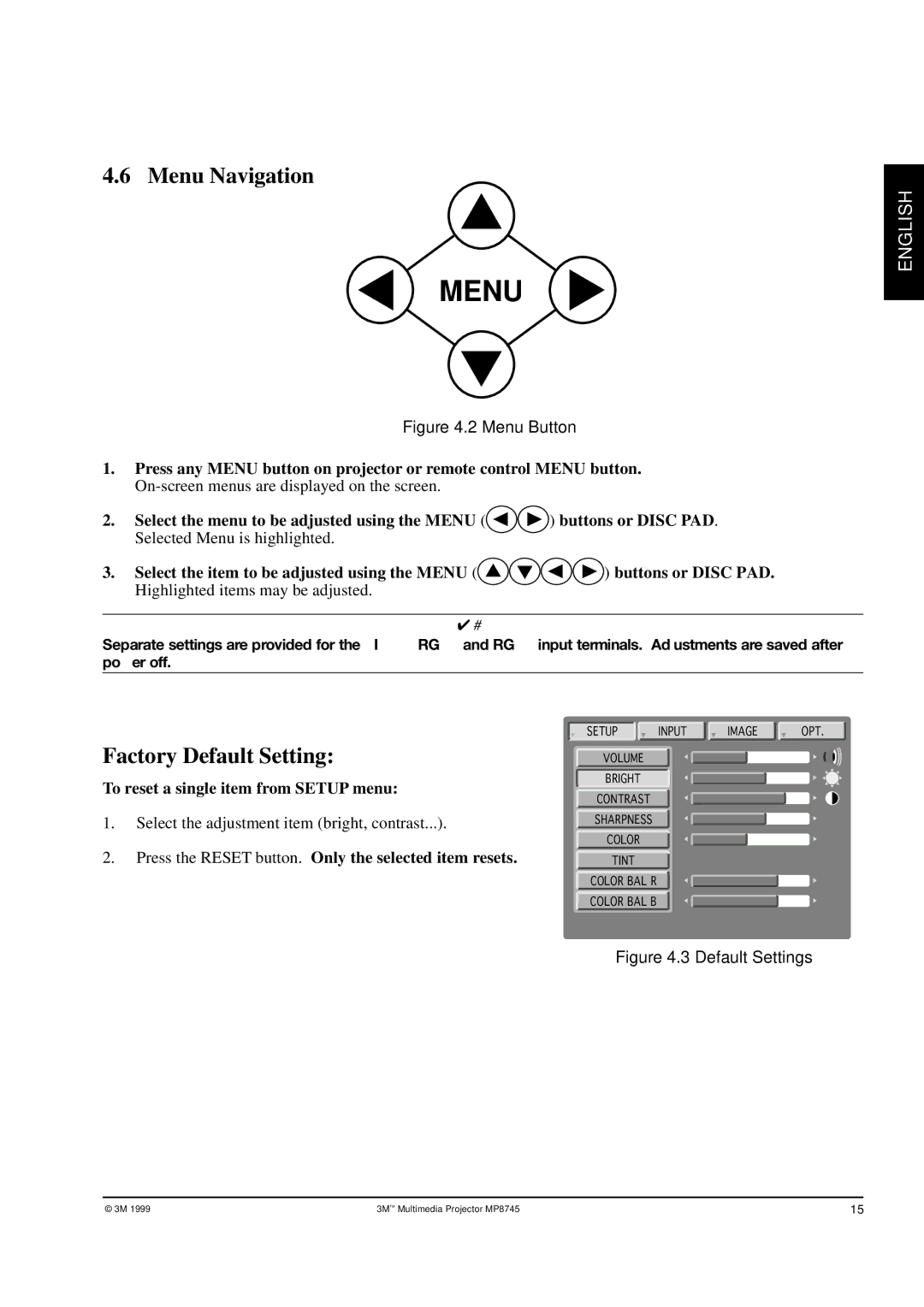
Figure 4.2 Menu Button
1.Press any MENU button on projector or remote control MENU button.
2. | Select the menu to be adjusted using the MENU ( | ) buttons or DISC PAD. |
| Selected Menu is highlighted. |
|
3. | Select the item to be adjusted using the MENU ( | ) buttons or DISC PAD. |
| Highlighted items may be adjusted. |
|
✔Note
Separate settings are provided for the VIDEO, RGB1 and RGB2 input terminals. Adjustments are saved after power off.
Factory Default Setting:
To reset a single item from SETUP menu:
1.Select the adjustment item (bright, contrast...).
2.Press the RESET button. Only the selected item resets.
SETUP INPUT IMAGE OPT.
VOLUME
BRIGHT
CONTRAST
SHARPNESS
COLOR
TINT
COLOR BAL R
COLOR BAL B
Figure 4.3 Default Settings
© 3M 1999 | 3M ™ Multimedia Projector MP8745 | 15 |