Acer Aspire One 533 Series Service Guide
Revision History
Copyright
Conventions
Preface
Page
Table of Contents
119
Jumper and Connector Locations 139
Aspire Onel
Table of Contents
Features
Chapter
Storage
Wireless and networking
Graphics
Audio
Input and output
Power adapter and battery
Input and control
Privacy Control
Software
Options and accessories
Warranty
System Block Diagram
PCBGA360
Keyboard Area and LCD Panel
Component Icon Description
Front View
Left View
Right View
Bottom and Rear View
Touchpad Basics
Function Left Button Right Button Main TouchPad
Using the Keyboard
Lock Keys and Embedded Numeric Keypad
Windows Keys
Key Description
Hot Keys
Hotkey Icon Function Description
Euro symbol
Special Key
US dollar sign
Graphics Controller Specification
Hardware Specifications and Configurations
System Memory Specification
Processor
LAN Interface Specification
Hard Disk Drive Interface Specification
Bluetooth Interface Specification
LED Specification
LCD Inverter Not present in this model Specification
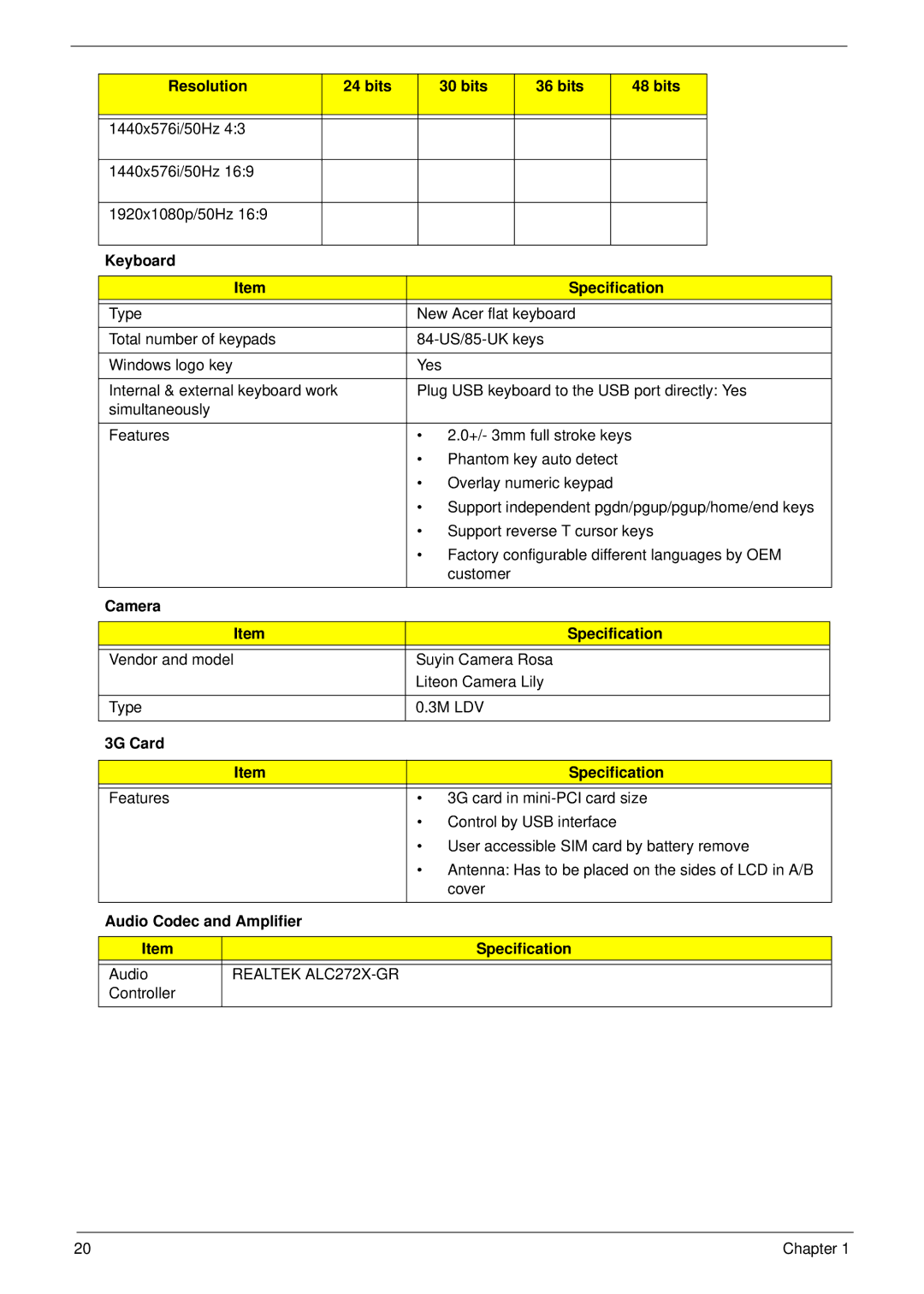
LCD Display Supported Resolution Bits
Camera Specification
Resolution Bits
Keyboard Specification
3G Card Specification
Wireless LAN Specification
Battery Specification
Video Interface Specification
System Board Major Chips Specification
Video Memory Specification
USB Port Specification
Hdmi Port Not available on this model
System Power Management Specification
Ports Specification
AC Adapter Specification
Card Reader Specification
System LED Indicator Specification
Power Specification Initial Stand Suspend Hibernate Soft Off
Bios Setup Utility
Navigating the Bios Utility
Information
Parameter Description
Main
Parameter Description Format/Option
Parameter Description Option
Disabled
Security
Clear or Set
Setting a Password
Removing a Password
Changing a Password
Continue
Boot
USB Cdrom
Exit
Cmos
Bios Flash Utility
DOS Flash Utility
Page
WinFlash Utility
Password
Remove HDD/BIOS Password Utilities
Removing HDD Password
UnlockHD
Removing Bios Passwords
Cleaning Bios Passwords
Using Boot Sequence Selector
Using DMITools
Miscellaneous Utilities
Using the LAN MAC Utility
Example 1 Read DMI Information from Memory