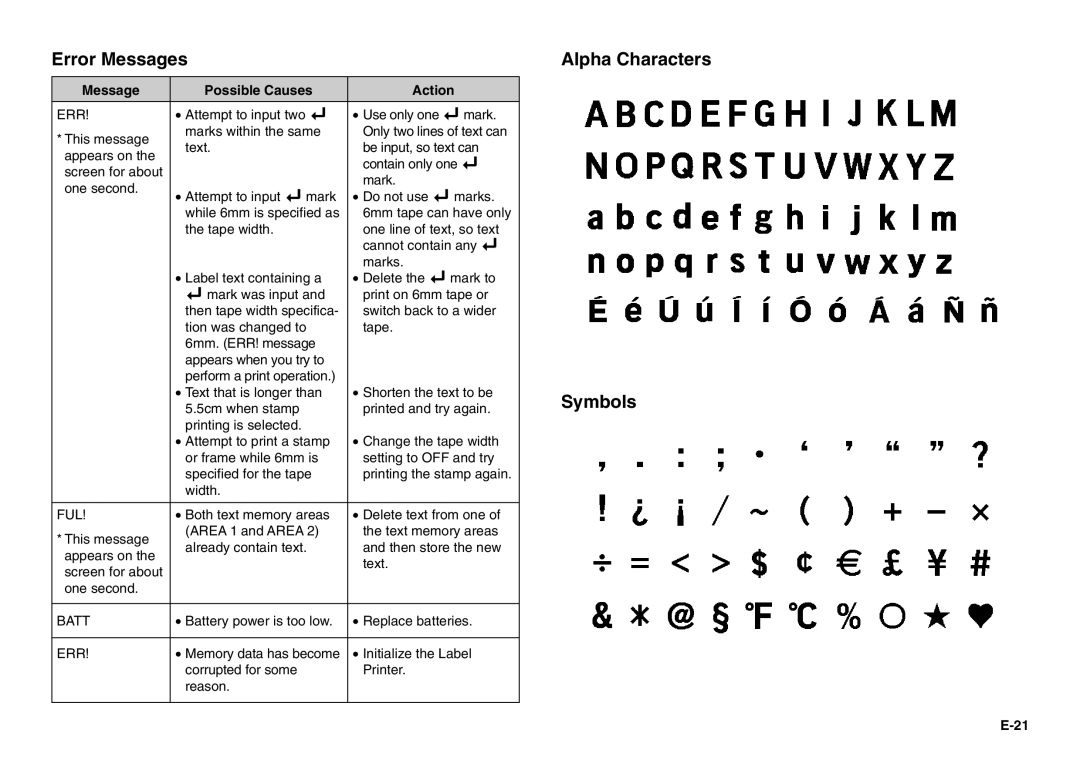
Error Messages
Message | Possible Causes | Action | |
ERR! | • Attempt to input two B | • Use only one B mark. | |
* This message | marks within the same | Only two lines of text can | |
text. | be input, so text can | ||
appears on the | |||
| contain only one B | ||
screen for about |
| ||
| mark. | ||
one second. |
| ||
• Attempt to input B mark | • Do not use B marks. | ||
| |||
| while 6mm is specified as | 6mm tape can have only | |
| the tape width. | one line of text, so text | |
|
| cannot contain any B | |
|
| marks. | |
| • Label text containing a | • Delete the B mark to | |
| B mark was input and | print on 6mm tape or | |
| then tape width specifica- | switch back to a wider | |
| tion was changed to | tape. | |
| 6mm. (ERR! message |
| |
| appears when you try to |
| |
| perform a print operation.) |
| |
| • Text that is longer than | • Shorten the text to be | |
| 5.5cm when stamp | printed and try again. | |
| printing is selected. |
| |
| • Attempt to print a stamp | • Change the tape width | |
| or frame while 6mm is | setting to OFF and try | |
| specified for the tape | printing the stamp again. | |
| width. |
| |
|
|
| |
FUL! | • Both text memory areas | • Delete text from one of | |
* This message | (AREA 1 and AREA 2) | the text memory areas | |
already contain text. | and then store the new | ||
appears on the | |||
| text. | ||
screen for about |
| ||
|
| ||
one second. |
|
| |
|
|
| |
BATT | • Battery power is too low. | • Replace batteries. | |
|
|
| |
ERR! | • Memory data has become | • Initialize the Label | |
| corrupted for some | Printer. | |
| reason. |
| |
|
|
|