Section 4 | Software Operation | DriveRack® |
Venue Edit Menu
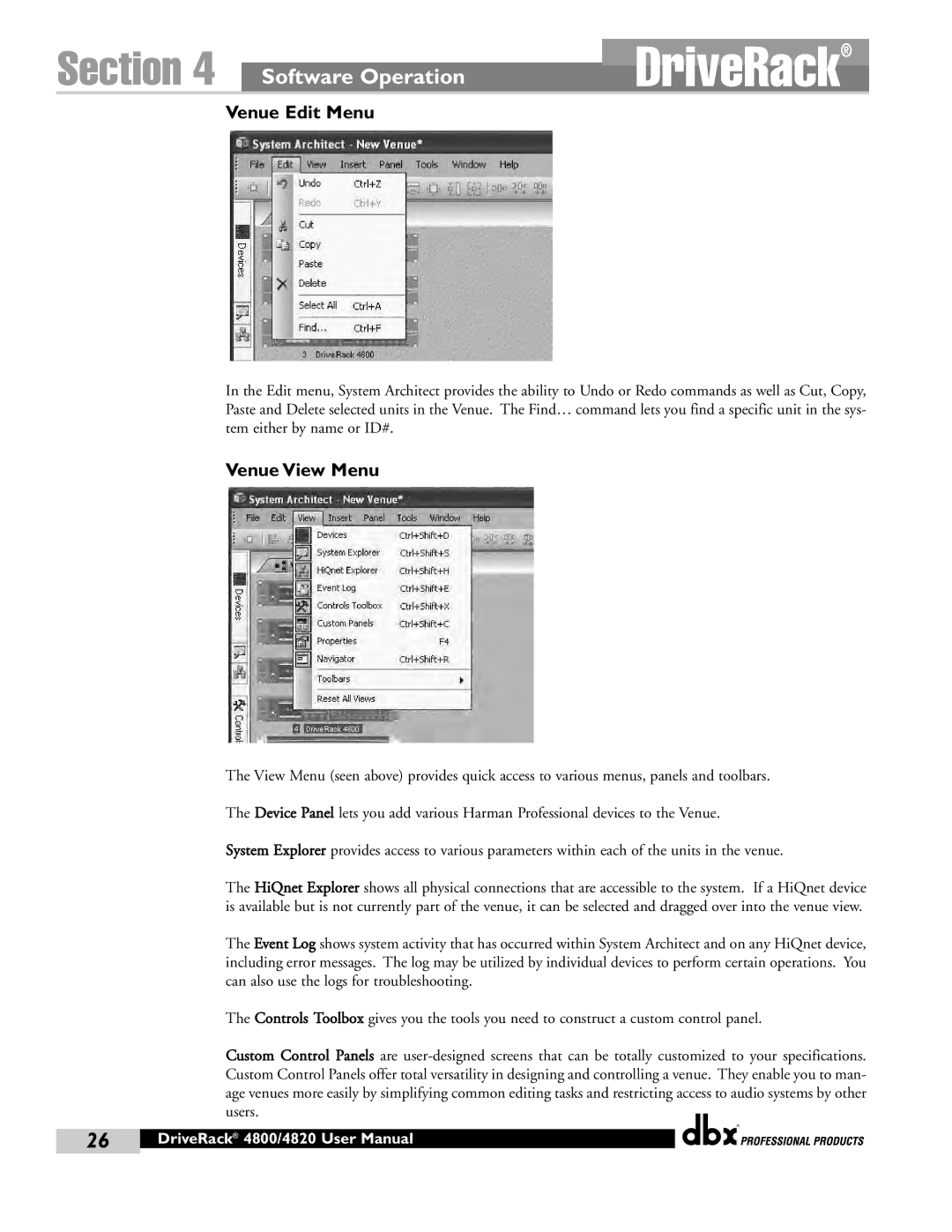
In the Edit menu, System Architect provides the ability to Undo or Redo commands as well as Cut, Copy, Paste and Delete selected units in the Venue. The Find… command lets you find a specific unit in the sys- tem either by name or ID#.
Venue View Menu
The View Menu (seen above) provides quick access to various menus, panels and toolbars.
The Device Panel lets you add various Harman Professional devices to the Venue.
System Explorer provides access to various parameters within each of the units in the venue.
The HiQnet Explorer shows all physical connections that are accessible to the system. If a HiQnet device is available but is not currently part of the venue, it can be selected and dragged over into the venue view.
The Event Log shows system activity that has occurred within System Architect and on any HiQnet device, including error messages. The log may be utilized by individual devices to perform certain operations. You can also use the logs for troubleshooting.
The Controls Toolbox gives you the tools you need to construct a custom control panel.
Custom Control Panels are
®
26 | DriveRack® 4800/4820 User Manual |
|
|