Stv/us Color Sefvice Manual
f?kassemblyandA ssembly
3.2.5.5 CR Motor Removal
1. Remove the printer mechanism. (See section 3.2.4.)
2. Release the timing belt. (See section 3.2.5.2.)
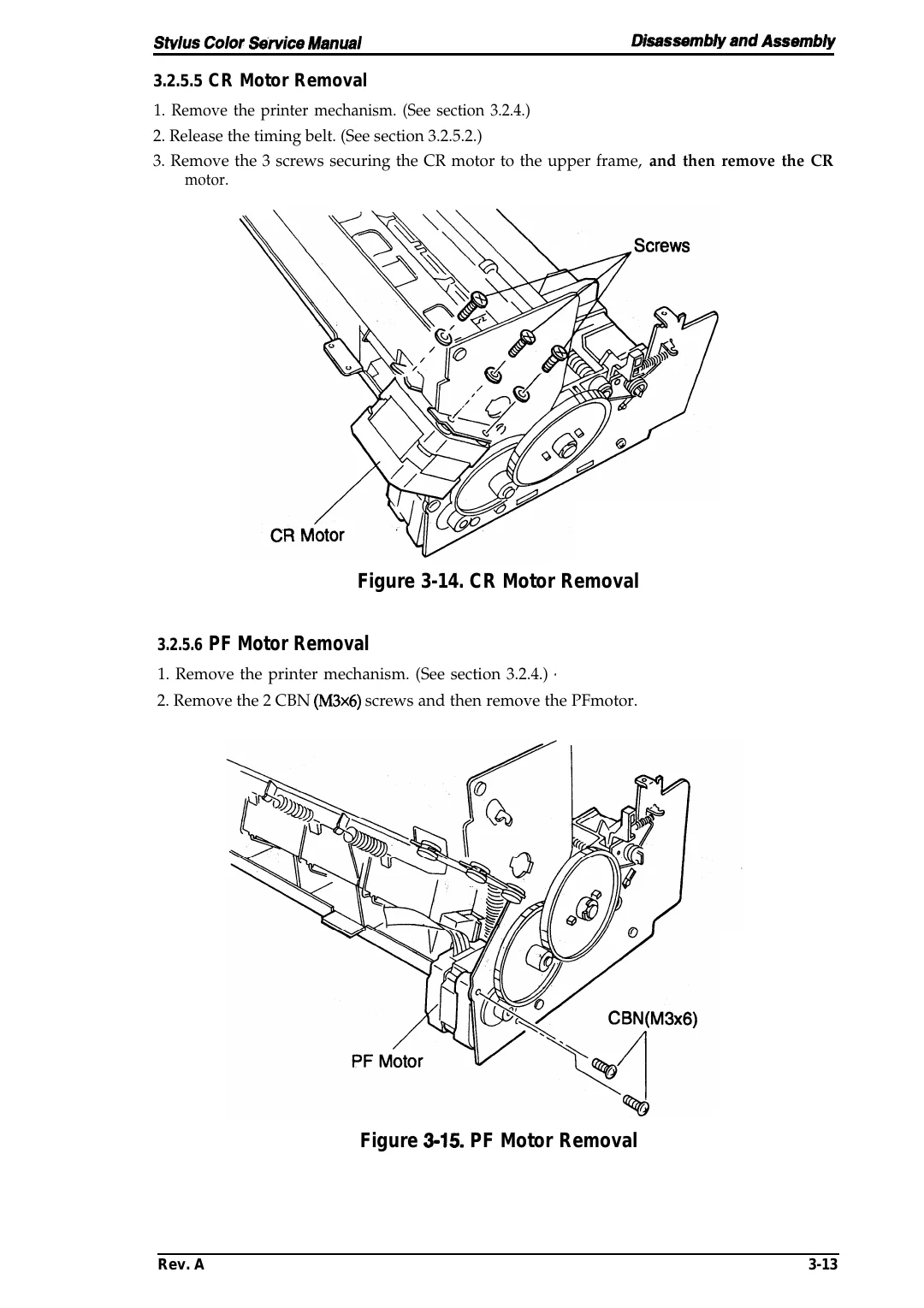
3. Remove the 3 screws securing the CR motor to the upper frame, and then remove the CR
motor.
Figure 3-14. CR Motor Removal
3.2.5.6 PF Motor Removal
1. Remove the printer mechanism. (See section 3.2.4.) ~
2. Remove the 2 CBN (M3x6) screws and then remove the PFmotor.
Figure 3-15. PF Motor Removal
Rev. A
3-13