Disassembly and Assembly
Stylus Color Service Mimual
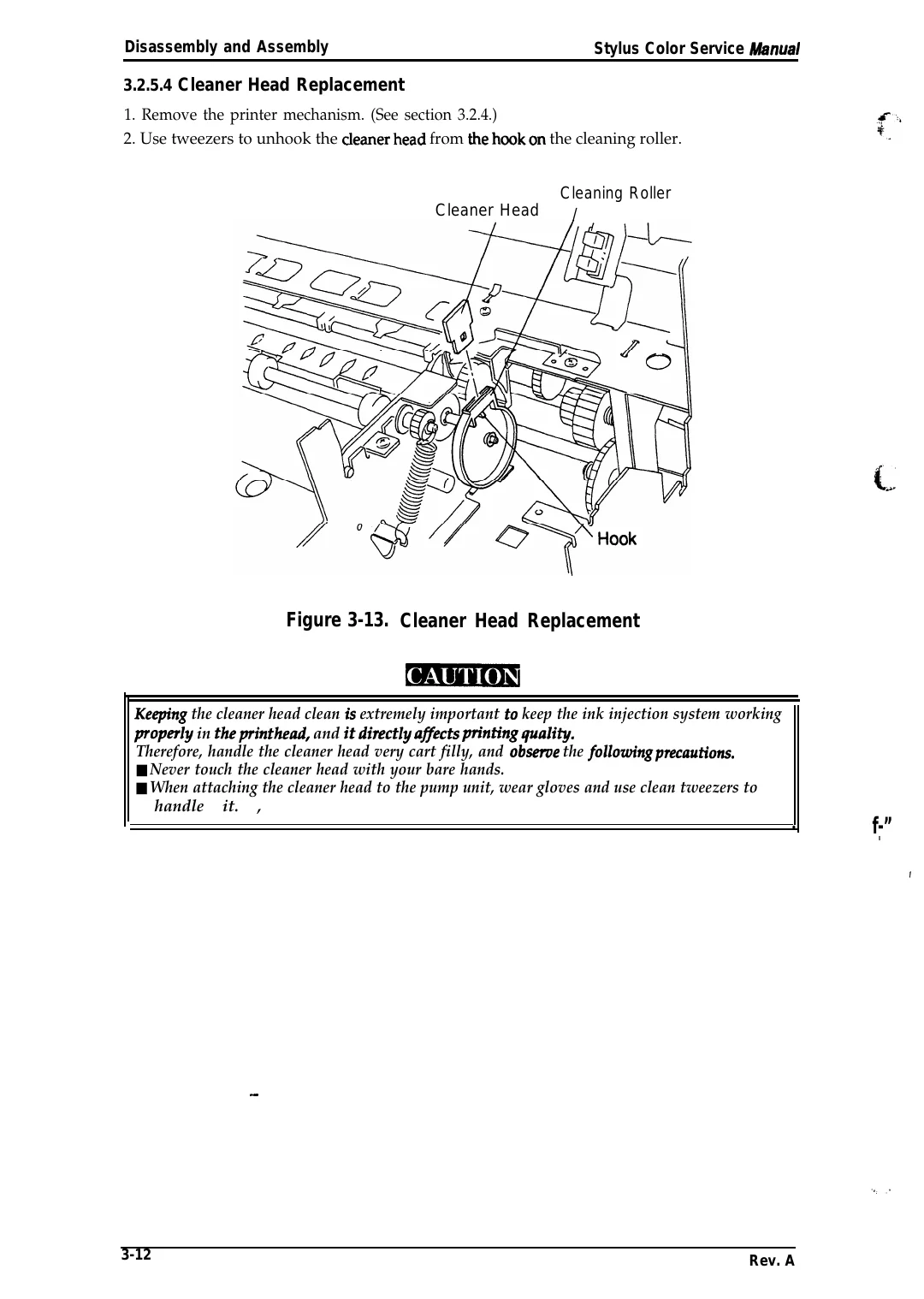
3.2.5.4 Cleaner Head Replacement
1. Remove the printer mechanism. (See section 3.2.4.)
2. Use tweezers to unhook the cleanerhead from thehookon the cleaning roller.
Cleaner Head
Cleaning Roller
/
Figure 3-13. Cleaner Head Replacement
Keqn”ng the cleaner head clean is extremely important to keep the ink injection system working
propmly in theprinthead, and itdimctly aflects pgntingquality.
Therefore, handle the cleaner head very cart filly, and obseme the follom”ngpwcautions.
■ Never touch the cleaner head with your bare hands.
■ When attaching the cleaner head to the pump unit, wear gloves and use clean tweezers to
handle it. ,
●
f-”
.
/
—
3-12
Rev. A