Stylus Color Sewks Manual
DkmwemblyandAsse mbly
3.2.5.3 Pump Unit Removal
1. Remove the printer mechanism. (See section 3.2.4.)
2. Remove thecarriageunit. (See section3Q.5.2.)
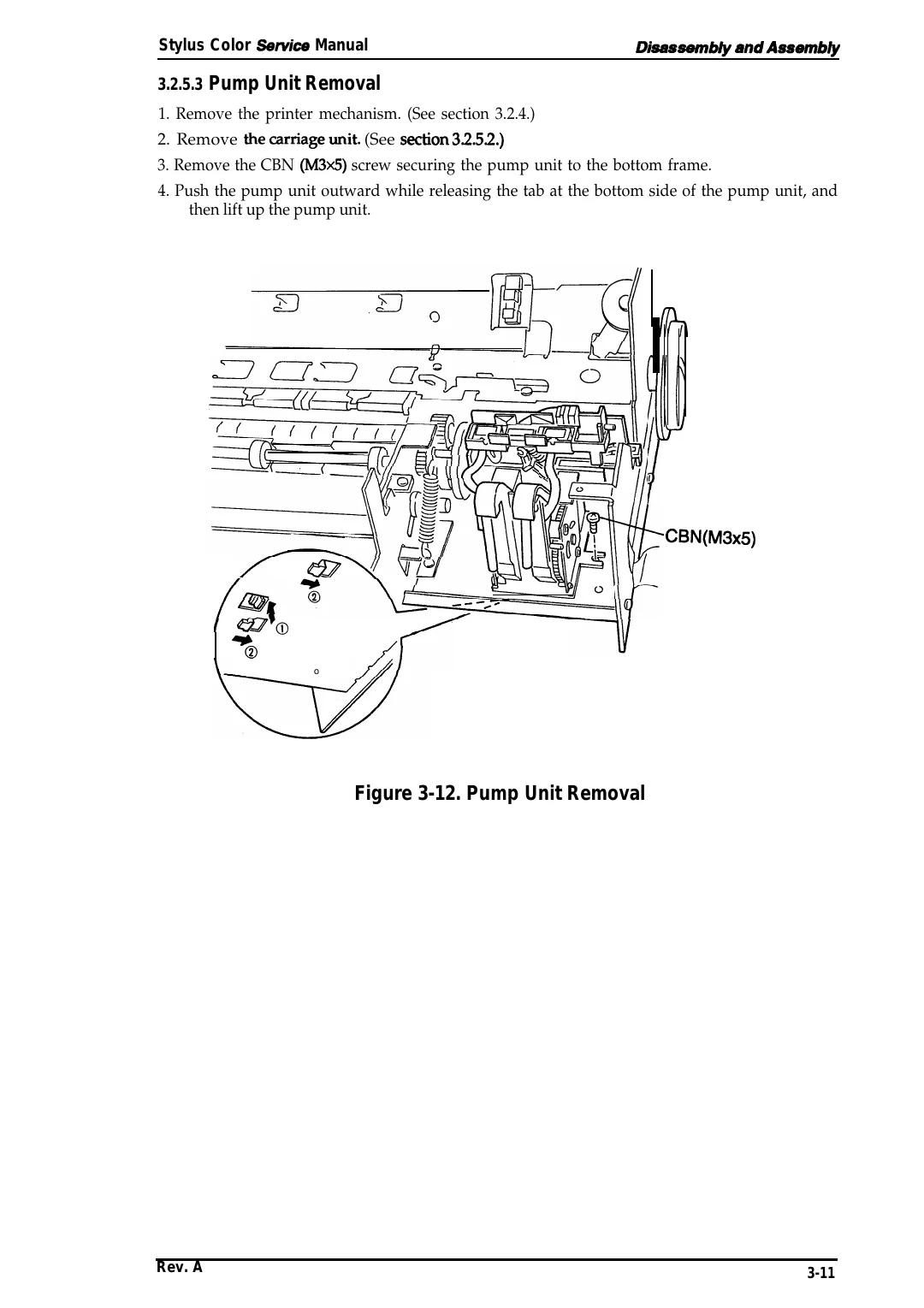
3. Remove the CBN (M3x5) screw securing the pump unit to the bottom frame.
4. Push the pump unit outward while releasing the tab at the bottom side of the pump unit, and
then lift up the pump unit.
CBN(M3X5)
.
i
feL7’@
-
@
o
Figure 3-12. Pump Unit Removal
Rev. A
3-11