Using other menus (PAL_Asia 2)
Using Other Menus (PAL System - Asia)
Using Your Remote Control • Using Other Menu: PAL System - Europe • NTSC System
Install: Selecting the Menu Language and Automatic Tuning of Channels • Manual Tuning of Channels
•Selecting the Colour/Sound System • Fine Tuning of Channels • Sorting of Channels • Editing of Channels
•Naming of Channels
Picture/Sound: Using the Picture/Sound Menu
Features: Activating the Timer • Activating the Child Lock (Access/Change Code) • Activating the Child Lock (Lock Channel) • Activating the Child Lock (Clear All) • Using the Programme List Feature • Smart Picture and Smart Sound Control
Using Other Menus (with remote control)
Activating the Timer
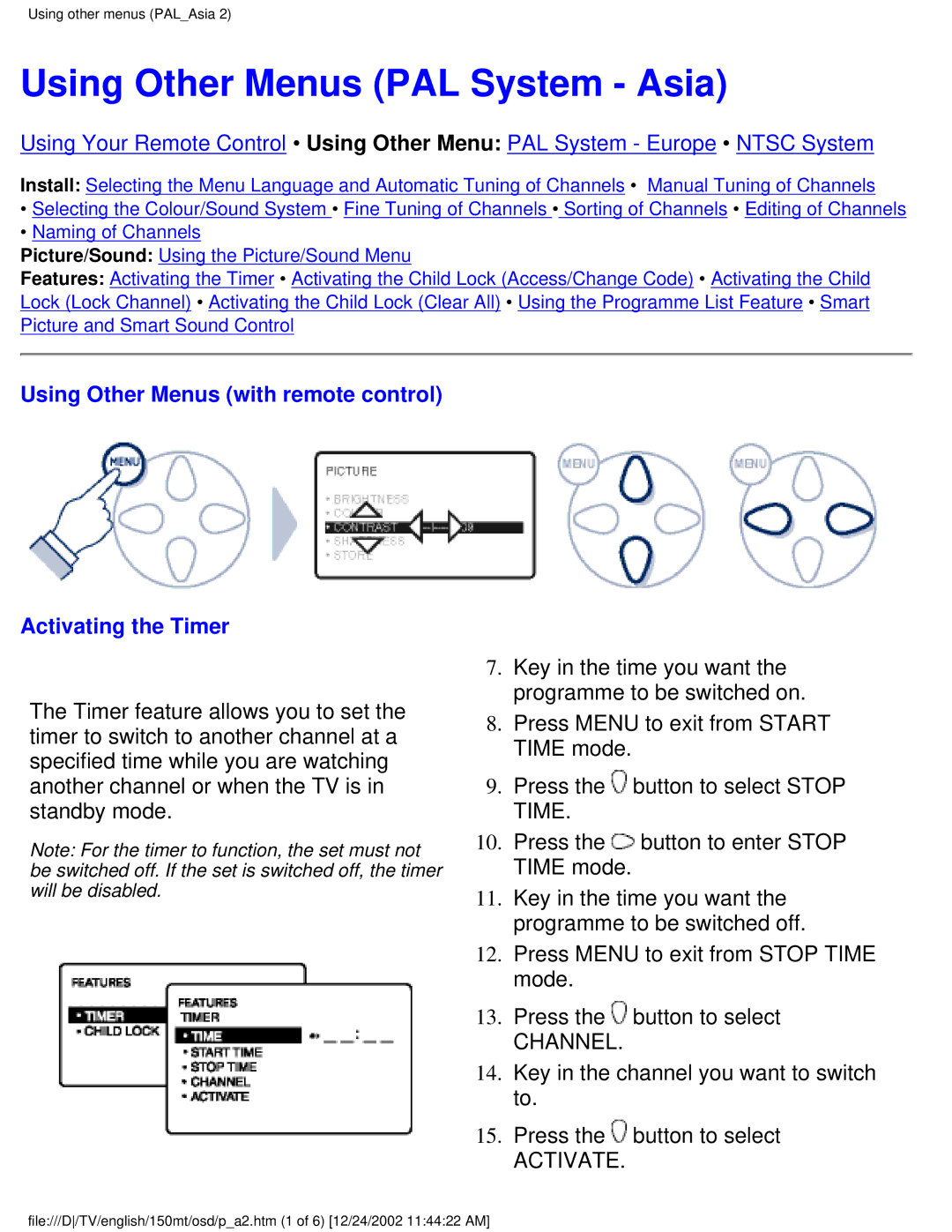
The Timer feature allows you to set the timer to switch to another channel at a specified time while you are watching another channel or when the TV is in standby mode.
Note: For the timer to function, the set must not be switched off. If the set is switched off, the timer will be disabled.
7.Key in the time you want the programme to be switched on.
8.Press MENU to exit from START TIME mode.
9.Press the  button to select STOP TIME.
10.Press the  button to enter STOP TIME mode.
11.Key in the time you want the programme to be switched off.
12.Press MENU to exit from STOP TIME mode.
13.Press the  button to select
CHANNEL.
14.Key in the channel you want to switch to.
15.Press the  button to select
ACTIVATE.
file:///D/TV/english/150mt/osd/p_a2.htm (1 of 6) [12/24/2002 11:44:22 AM]