Controls
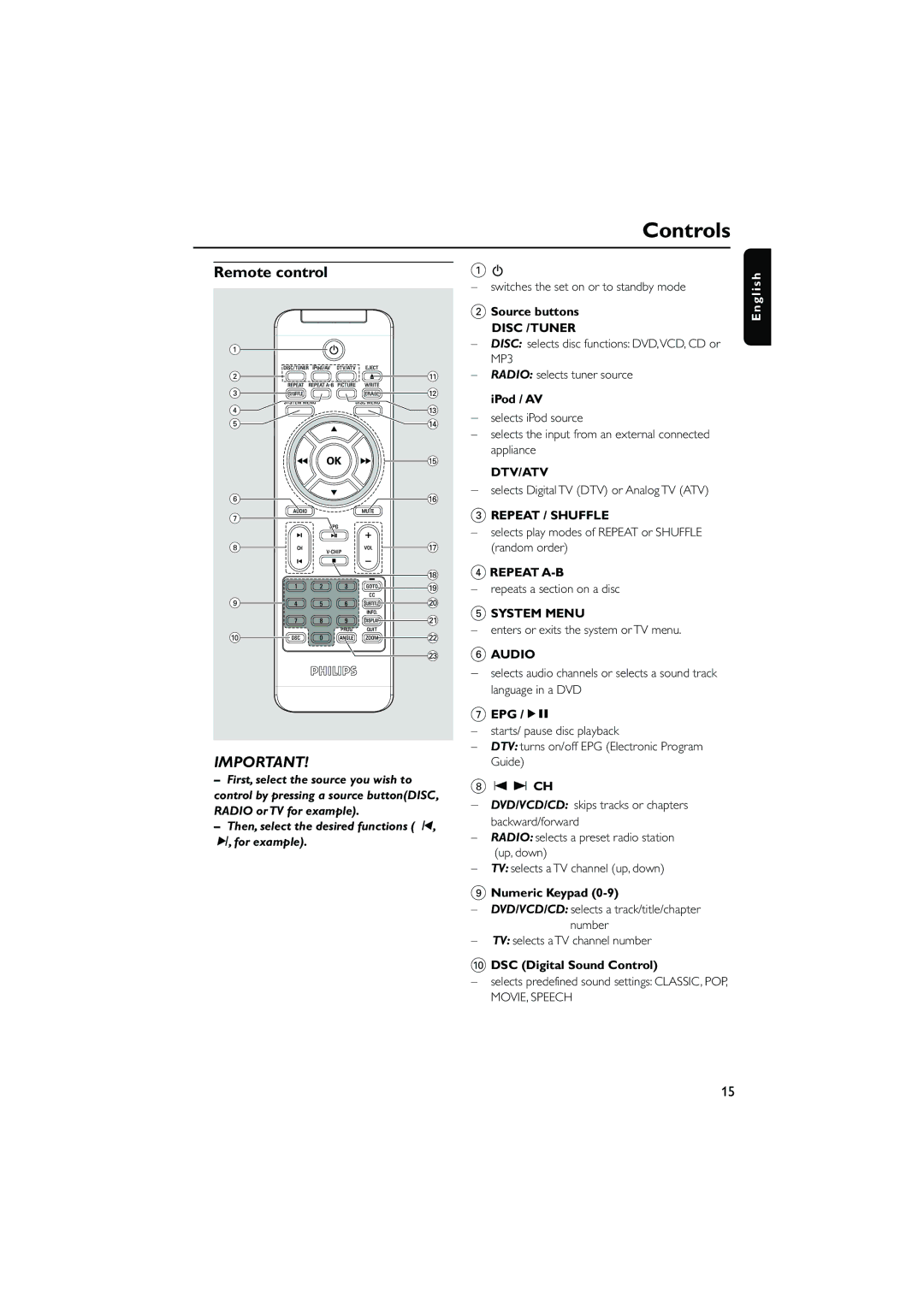
Remote control
1 |
|
2 | ! |
3 | @ |
4 | # |
5 | $ |
| % |
6 | ^ |
7 |
|
8 | & |
| * |
| ( |
9 | ) |
| ¡ |
0 | ™ |
| £ |
IMPORTANT! |
|
–First, select the source you wish to control by pressing a source button(DISC, RADIO or TV for example).
–Then, select the desired functions ( í, ë, for example).
1B
–switches the set on or to standby mode
2Source buttons
DISC /TUNER
–DISC: selects disc functions: DVD,VCD, CD or MP3
–RADIO: selects tuner source iPod / AV
–selects iPod source
–selects the input from an external connected appliance
DTV/ATV
–selects Digital TV (DTV) or Analog TV (ATV)
3REPEAT / SHUFFLE
–selects play modes of REPEAT or SHUFFLE (random order)
4REPEAT
–repeats a section on a disc
5SYSTEM MENU
–enters or exits the system or TV menu.
6AUDIO
–selects audio channels or selects a sound track language in a DVD
7EPG /ÉÅ
–starts/ pause disc playback
–DTV: turns on/off EPG (Electronic Program Guide)
8 O P CH
–DVD/VCD/CD: skips tracks or chapters backward/forward
–RADIO: selects a preset radio station (up, down)
–TV: selects a TV channel (up, down)
9Numeric Keypad (0-9)
–DVD/VCD/CD: selects a track/title/chapter number
–TV: selects a TV channel number
0DSC (Digital Sound Control)
–selects predefined sound settings: CLASSIC, POP,
MOVIE, SPEECH
E n g l i s h
15