DVD Menu Options
Parental
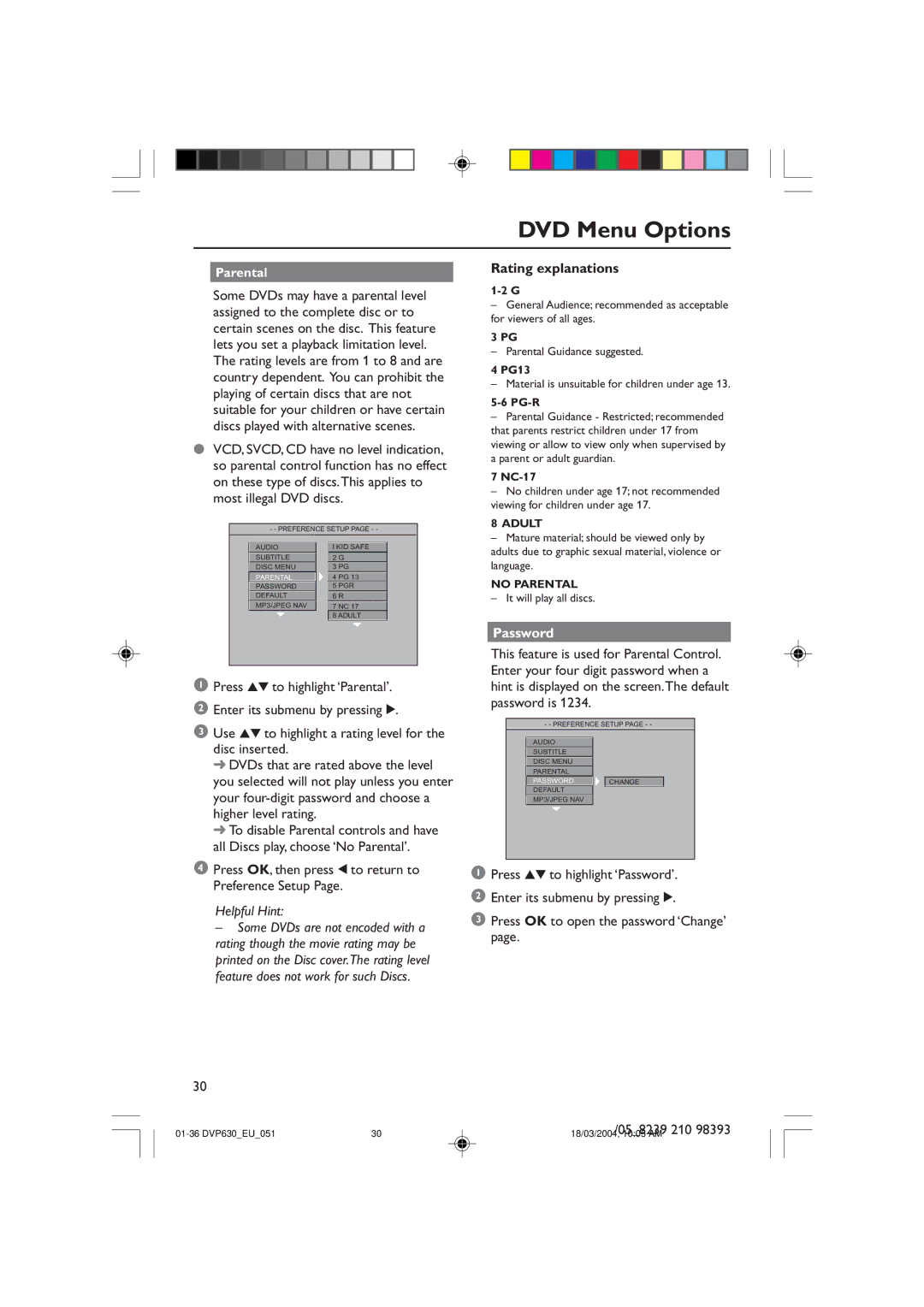
Some DVDs may have a parental level assigned to the complete disc or to certain scenes on the disc. This feature lets you set a playback limitation level. The rating levels are from 1 to 8 and are country dependent. You can prohibit the playing of certain discs that are not suitable for your children or have certain discs played with alternative scenes.
●VCD, SVCD, CD have no level indication, so parental control function has no effect on these type of discs.This applies to most illegal DVD discs.
- - PREFERENCE SETUP PAGE - -
AUDIO |
| I KID SAFE |
SUBTITLE |
| 2 G |
DISC MENU |
| 3 PG |
PARENTAL |
| 4 PG 13 |
PASSWORD |
| 5 PGR |
DEFAULT |
| 6 R |
MP3/JPEG NAV |
| 7 NC 17 |
|
| 8 ADULT |
1Press 34 to highlight ‘Parental’.
2Enter its submenu by pressing 2.
3Use 34 to highlight a rating level for the disc inserted.
➜DVDs that are rated above the level you selected will not play unless you enter your
➜To disable Parental controls and have all Discs play, choose ‘No Parental’.
4Press OK, then press 1 to return to Preference Setup Page.
Helpful Hint:
–Some DVDs are not encoded with a rating though the movie rating may be printed on the Disc cover.The rating level feature does not work for such Discs.
Rating explanations
–General Audience; recommended as acceptable for viewers of all ages.
3 PG
– Parental Guidance suggested.
4 PG13
– Material is unsuitable for children under age 13.
5-6 PG-R
–Parental Guidance - Restricted; recommended that parents restrict children under 17 from viewing or allow to view only when supervised by a parent or adult guardian.
7
–No children under age 17; not recommended viewing for children under age 17.
8 ADULT
–Mature material; should be viewed only by adults due to graphic sexual material, violence or language.
NO PARENTAL
– It will play all discs.
Password
This feature is used for Parental Control. Enter your four digit password when a hint is displayed on the screen.The default password is 1234.
- - PREFERENCE SETUP PAGE - -
AUDIO
SUBTITLE
DISC MENU
PARENTAL
PASSWORD CHANGE
DEFAULT
MP3/JPEG NAV
1Press 34 to highlight ‘Password’.
2Enter its submenu by pressing 2.
3Press OK to open the password ‘Change’ page.
30
| 30 | /05_8239 210 98393 |
18/03/2004, 10:05 AM |