LDisplay panel
•Show current status.
M
•Open or close the disc tray.
NVOLUME
•Adjust volume.
•Adjust time.
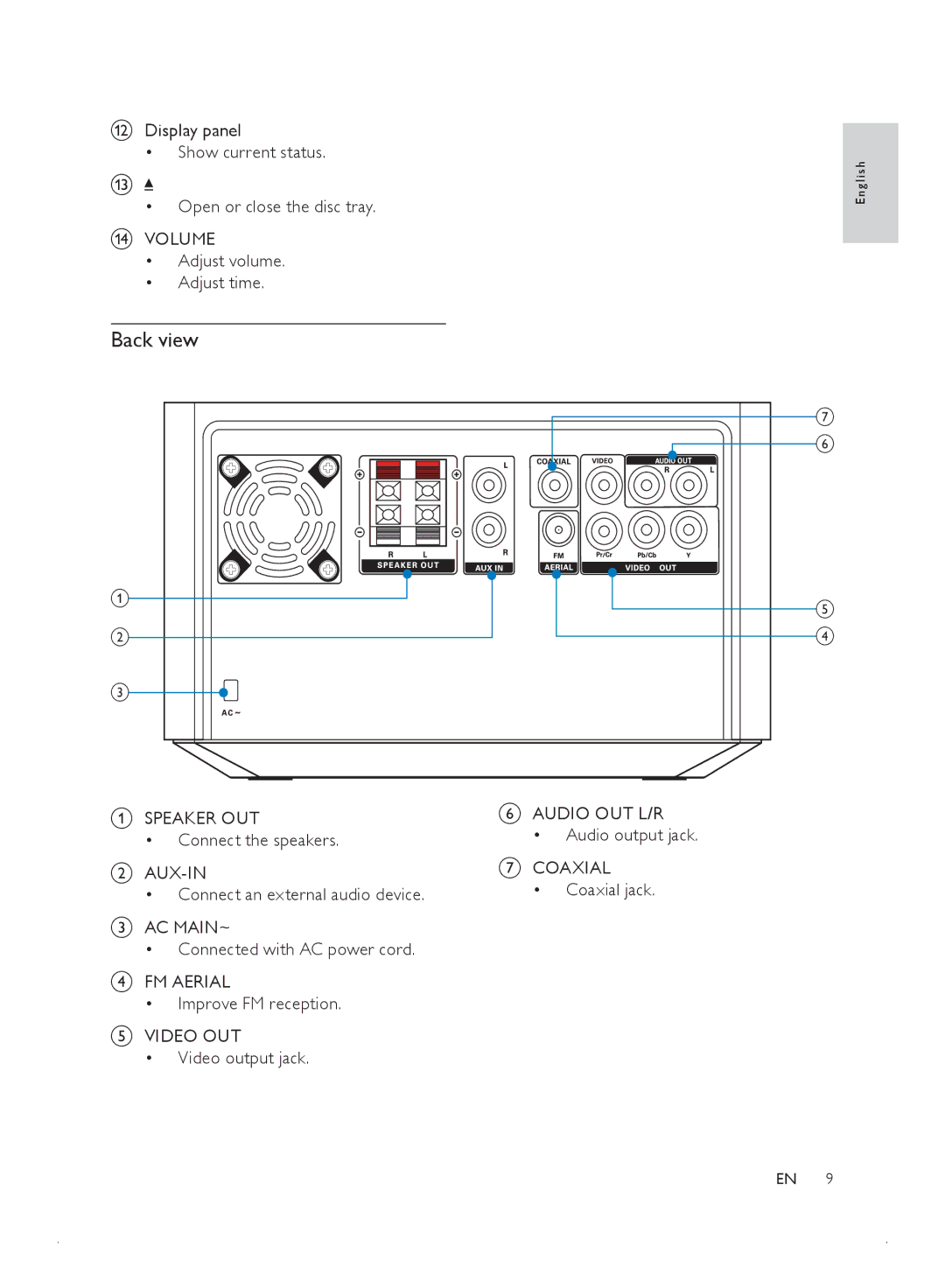
Back view
E n g l i s h
| g |
| f |
a | e |
| |
b | d |
c |
|
ASPEAKER OUT
•Connect the speakers.
B
•Connect an external audio device.
CAC MAIN~
•Connected with AC power cord.
DFM AERIAL
•Improve FM reception.
EVIDEO OUT
•Video output jack.
FAUDIO OUT L/R
•Audio output jack.
GCOAXIAL
•Coaxial jack.
EN 9