MISFEED REMOVAL
●Do not touch the surface of the drum (green portion) of the drum cartridge
when removing the misfed paper. Doing so may cause smudges on copies.
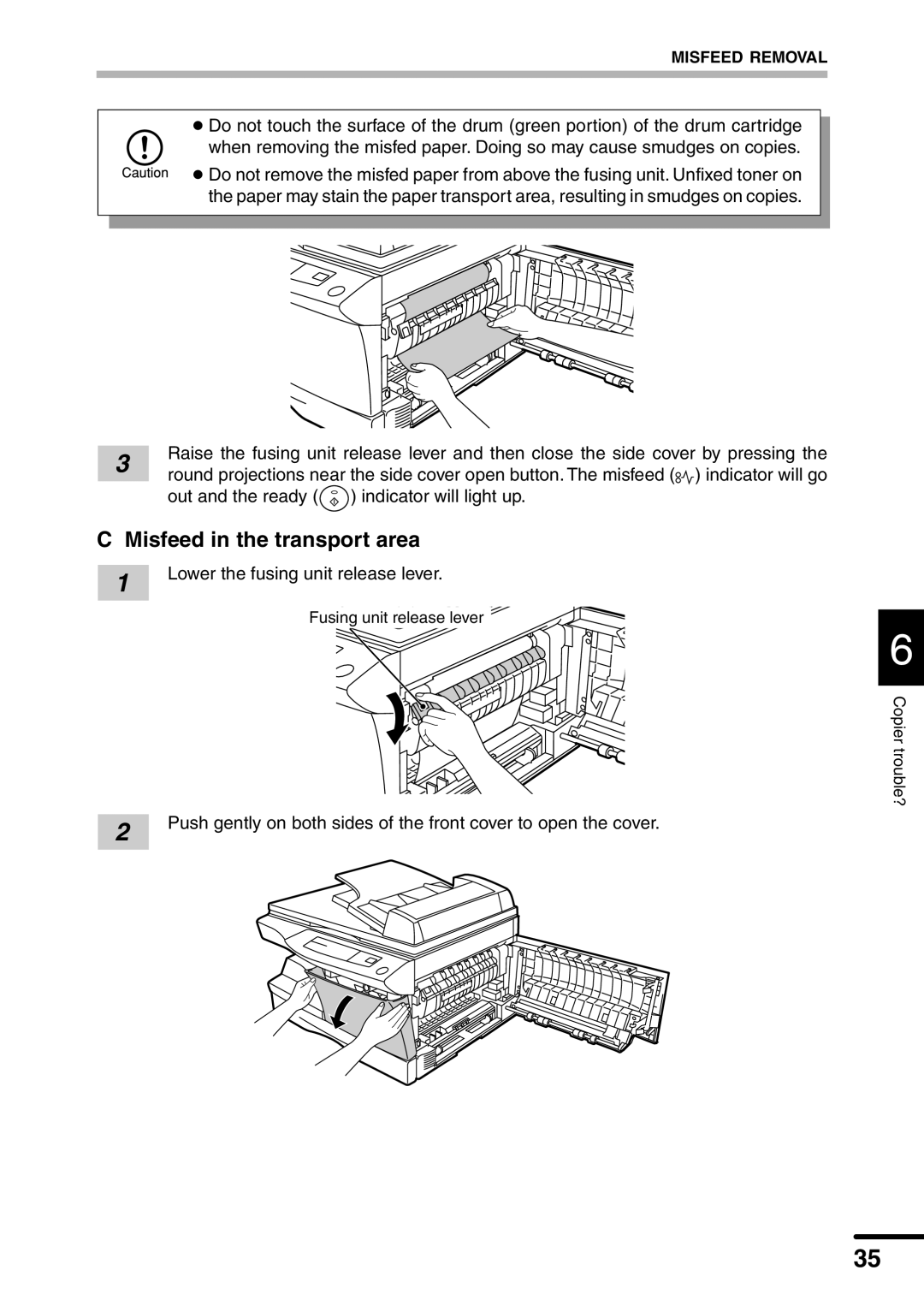
● Do not remove the misfed paper from above the fusing unit. Unfixed toner on the paper may stain the paper transport area, resulting in smudges on copies.
3 | Raise the fusing unit release lever and then close the side cover by pressing the | |
round projections near the side cover open button. The misfeed ( ) indicator will go | ||
| out and the ready ( | ) indicator will light up. |
C Misfeed in the transport area
1
2
Lower the fusing unit release lever.
Fusing unit release lever
6
Copier trouble?
Push gently on both sides of the front cover to open the cover.
35