Note:
If character information was not originally recorded on the MiniDisc, “NO NAME” will be displayed.
■To check the elapsed time and remaining time of the track
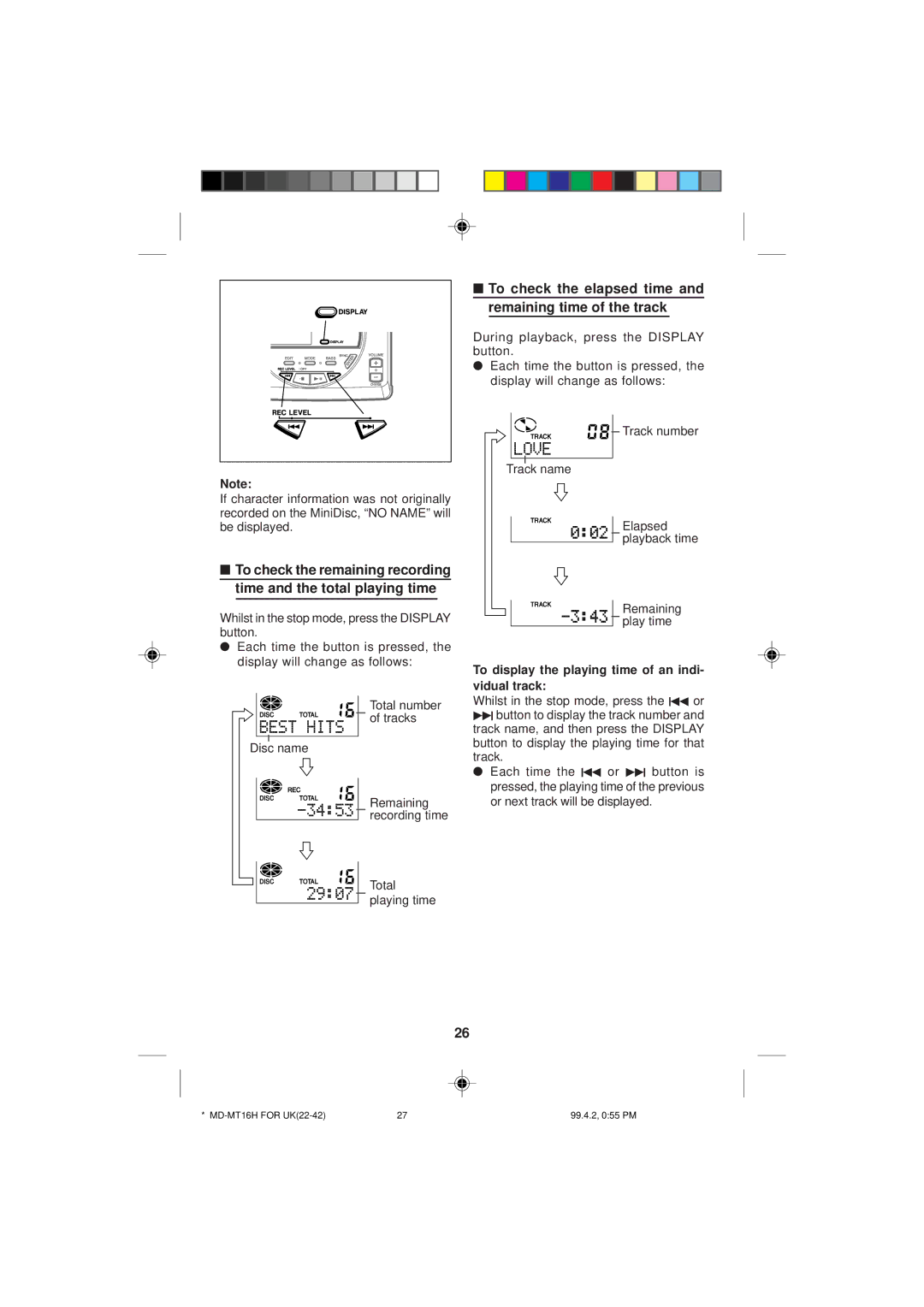
During playback, press the DISPLAY button.
●Each time the button is pressed, the display will change as follows:


 Track number
Track name
Elapsed playback time
■To check the remaining recording time and the total playing time
Whilst in the stop mode, press the DISPLAY button.
●Each time the button is pressed, the display will change as follows:
Total number of tracks
Disc name
Remaining recording time
Total
playing time
Remaining


 play time
To display the playing time of an indi- vidual track:
Whilst in the stop mode, press the 5 or
4button to display the track number and track name, and then press the DISPLAY button to display the playing time for that track.
● Each time the 5 or 4 button is pressed, the playing time of the previous or next track will be displayed.
26
* | 27 | 99.4.2, 0:55 PM |