Indoor Pendant & | EN 14 |
|
|
5TROUBLESHOOTING GUIDE
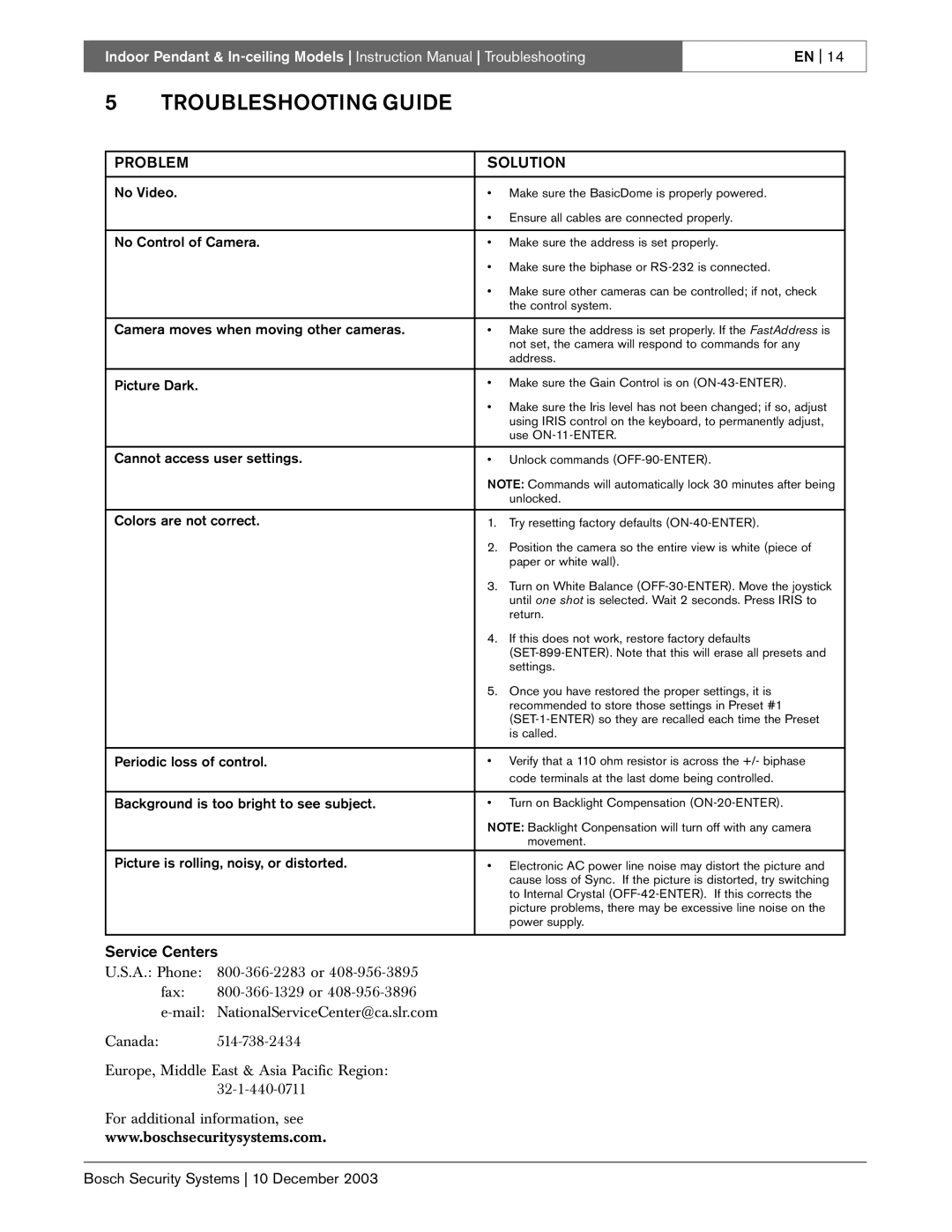
PROBLEM | SOLUTION | |
|
|
|
No Video. | • | Make sure the BasicDome is properly powered. |
| • | Ensure all cables are connected properly. |
|
|
|
No Control of Camera. | • | Make sure the address is set properly. |
| • | Make sure the biphase or |
| • | Make sure other cameras can be controlled; if not, check |
|
| the control system. |
|
|
|
Camera moves when moving other cameras. | • | Make sure the address is set properly. If the FastAddress is |
|
| not set, the camera will respond to commands for any |
|
| address. |
|
|
|
Picture Dark. | • | Make sure the Gain Control is on |
| • | Make sure the Iris level has not been changed; if so, adjust |
|
| using IRIS control on the keyboard, to permanently adjust, |
|
| use |
|
|
|
Cannot access user settings. | • | Unlock commands |
| NOTE: Commands will automatically lock 30 minutes after being | |
|
| unlocked. |
|
|
|
Colors are not correct. | 1. | Try resetting factory defaults |
| 2. | Position the camera so the entire view is white (piece of |
|
| paper or white wall). |
| 3. | Turn on White Balance |
|
| until one shot is selected. Wait 2 seconds. Press IRIS to |
|
| return. |
| 4. | If this does not work, restore factory defaults |
|
| |
|
| settings. |
| 5. | Once you have restored the proper settings, it is |
|
| recommended to store those settings in Preset #1 |
|
| |
|
| is called. |
|
|
|
Periodic loss of control. | • | Verify that a 110 ohm resistor is across the +/- biphase |
|
| code terminals at the last dome being controlled. |
|
|
|
Background is too bright to see subject. | • | Turn on Backlight Compensation |
| NOTE: Backlight Conpensation will turn off with any camera | |
|
| movement. |
Picture is rolling, noisy, or distorted. | • | Electronic AC power line noise may distort the picture and |
|
| cause loss of Sync. If the picture is distorted, try switching |
|
| to Internal Crystal |
|
| picture problems, there may be excessive line noise on the |
|
| power supply. |
|
|
|
Service Centers
U.S.A.: Phone:
fax:
Canada:
Europe, Middle East & Asia Pacific Region:
For additional information, see
www.boschsecuritysystems.com.
Bosch Security Systems 10 December 2003