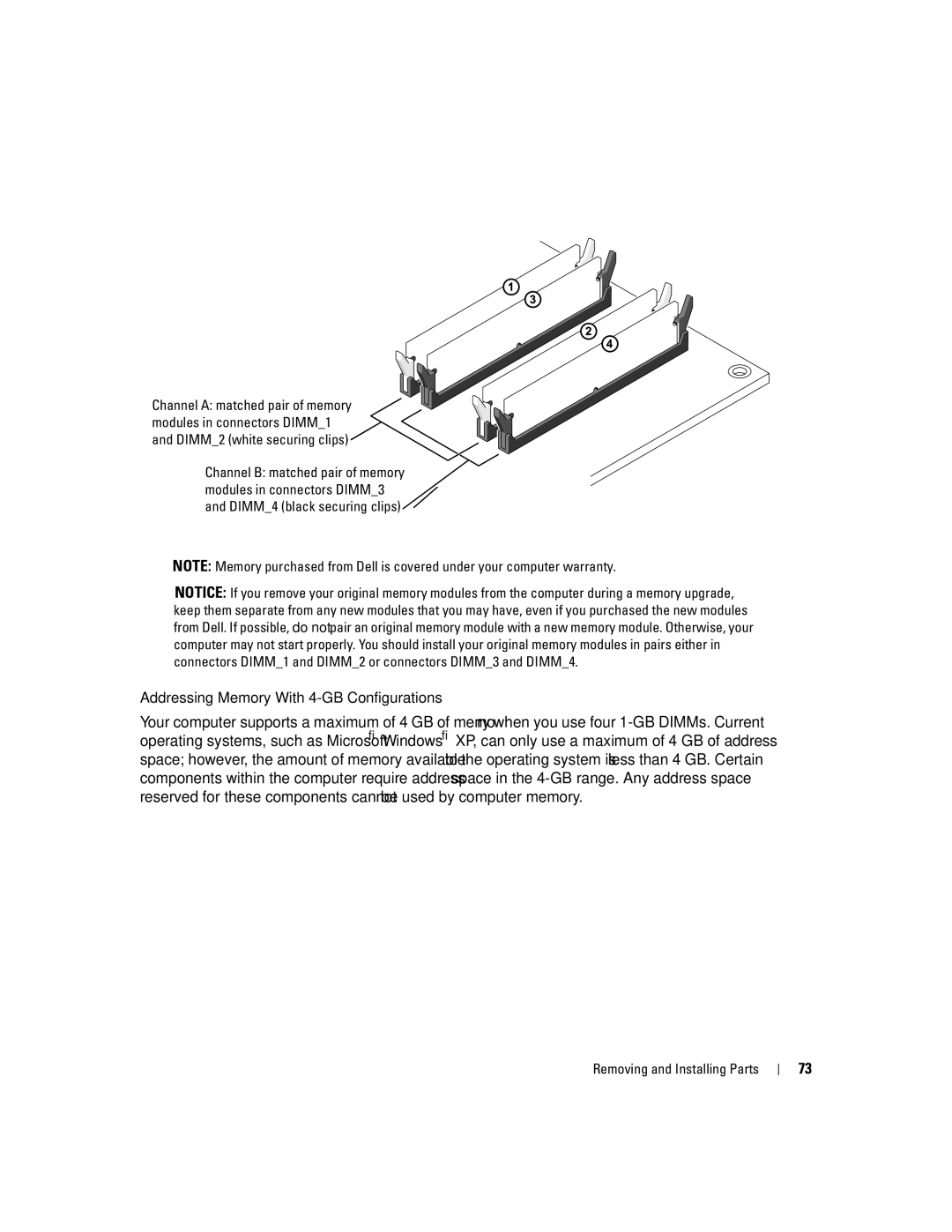
Channel A: matched pair of memory modules in connectors DIMM_1 and DIMM_2 (white securing clips)
Channel B: matched pair of memory modules in connectors DIMM_3 and DIMM_4 (black securing clips)
NOTE: Memory purchased from Dell is covered under your computer warranty.
NOTICE: If you remove your original memory modules from the computer during a memory upgrade, keep them separate from any new modules that you may have, even if you purchased the new modules from Dell. If possible, do not pair an original memory module with a new memory module. Otherwise, your computer may not start properly. You should install your original memory modules in pairs either in connectors DIMM_1 and DIMM_2 or connectors DIMM_3 and DIMM_4.
Addressing Memory With 4-GB Configurations
Your computer supports a maximum of 4 GB of memory when you use four
Removing and Installing Parts | 73 |