W . d e l l . c o m s u p p o r t . d e l l . c o m
November RU335
Contents
Using the Keyboard and Touchpad
Customizing the Touch Pad
Connecting Your Computer to a TV or
Copying CD, DVD,
Connecting a Network or
Setting Up a Network
Checking Your Wireless Network Card Contents
Removing an ExpressCard or Blank
Setting Up a New Wlan Using a
Dell Technical Update Service
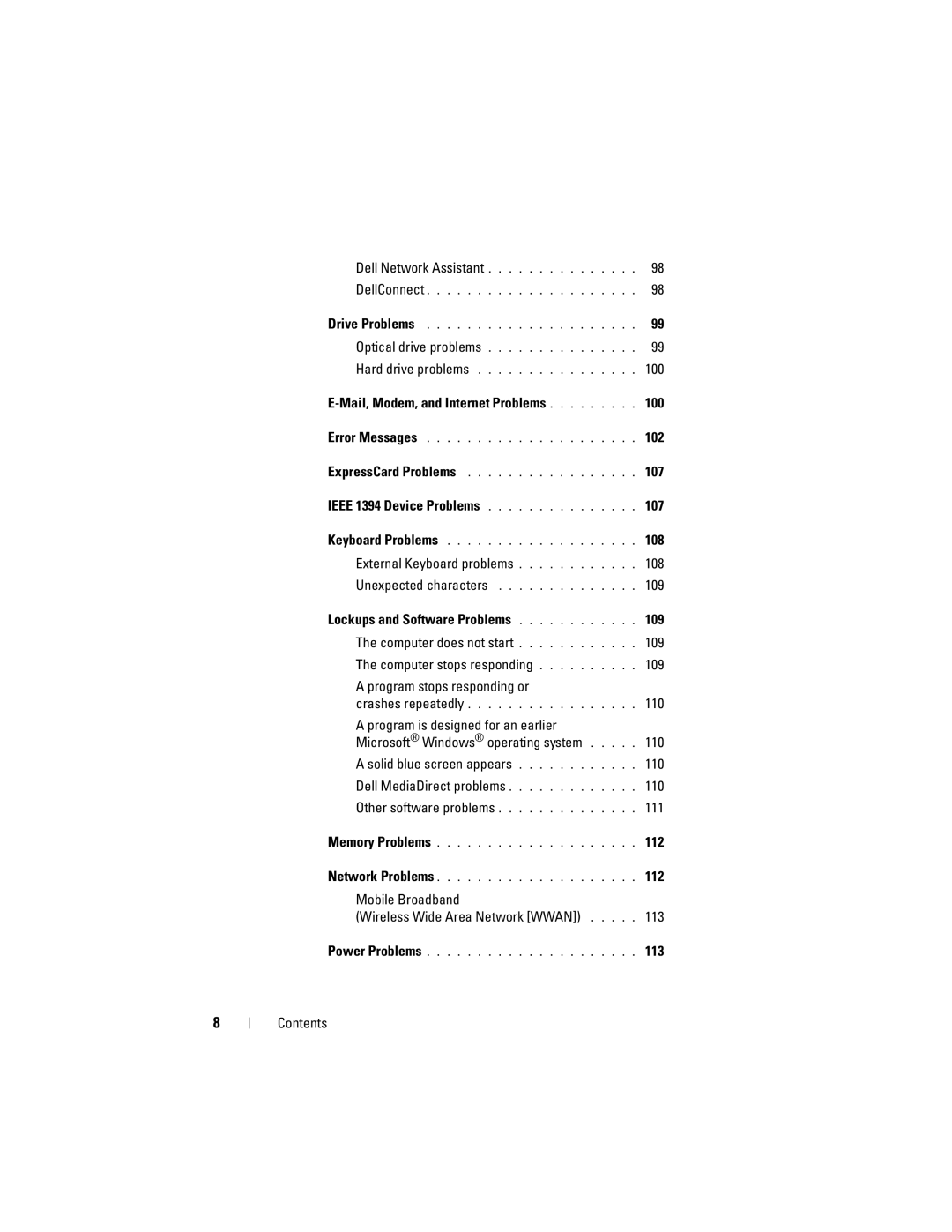
Mail, Modem, and Internet Problems
External Keyboard problems
Lockups and Software Problems
Dell MediaDirect problems
Reinstalling Drivers and Utilities 121
114
115
123
131
153
Using the System Setup Program
Viewing the System Setup Screen
Definition of Dell-Installed Software
Computer, Keyboard, and Display
Finding Information
What Are You Looking For? Find It Here
Drivers for my computer
Device documentation
Microsoft Windows Product Key
What Are You Looking For? Find It Here Warranty information
Diagram may vary
Updates appropriate for your Configuration
Site
Other Dell customers
Drivers & Downloads
How to work with programs and files Click Start
How to personalize my desktop
Glass Click the topic that describes your Problem
Computing environment
Operating System Media
Finding Information
Setting Up Your Computer
Setting Up Your Computer
Connecting to the Internet
Setting Up Your Internet Connection
Printer Cable
Setting Up a Printer
Transferring Information to a New Computer
Connecting a USB Printer
Line Conditioners
Power Protection Devices
Surge Protectors
Uninterruptible Power Supplies
About Your Computer
About Your Computer
Front View
Dual digital microphones
About Your Computer
Device Status Lights
Page
About Your Computer
Left Side View
AC adapter connector USB connector VGA connector
Hdmi connector Ieee 1394a connector
Security cable slot About Your Computer
Right Side View
ExpressCard slot
USB Connector
Back View
Off No signal found
Battery Air vent
About Your Computer
Battery Battery release latch Battery charge/health gauge
Bottom View
About Your Computer
About Your Computer
Key Combinations
Using the Keyboard and Touchpad
Numeric Keypad
Power Management
Adjusting Keyboard Settings
Advanced tab in the Power Options
Microsoft Windows Logo Key Functions
Touch Pad
Touch pad
Customizing the Touch Pad
Using the Display
Adjusting Brightness
Setting Display Resolution and Refresh Rate
Using a Battery
Using a Battery
Battery Performance
Checking the Battery Charge
Dell QuickSet Battery Meter
Microsoft Windows Battery Meter
Charge Gauge
Configuring Power Management Settings
Conserving Battery Power
Low-Battery Warning
Charging the Battery
Using the Sleep Power State
Replacing the Battery
Battery
101
Error Messages
Do not use these characters in filenames
103
104
105
Drive and try again
ExpressCard Problems
Ieee 1394 Device Problems
Contact the ExpressCard manufacturer
107
Shut down the computer Disconnect the external keyboard 108
Keyboard Problems
External Keyboard problems
Lockups and Software Problems
Unexpected characters
Computer does not start
Computer stops responding
Dell MediaDirect problems
Menu to access Dell MediaDirect Help
Program stops responding or crashes repeatedly
Solid blue screen appears
Other software problems
111
Memory Problems
Network Problems
Run the Dell Diagnostics see Dell Diagnostics on
112
113
Power Problems
Mobile Broadband Wireless Wide Area Network Wwan
114
115
Printer Problems
Scanner Problems
No sound from external speakers
Sound and Speaker Problems
No sound from integrated speakers
117
Remote Control Problems
No sound from headphones
Touch Pad or Mouse Problems
Video and Display Problems
If the display is blank
If the display is difficult to read
Glare, which can cause poor picture quality
119
If only part of the display is readable
What Is a Driver?
Drivers
121
Reinstalling Drivers and Utilities
Identifying Drivers
Using the Drivers and Utilities Media
Manually Reinstalling Drivers
123
Restoring Your Microsoft Windows Vista Operating System
124
Using Windows Vista System Restore
125
Troubleshooting
Restoring the Computer to the Default Factory Configuration
127
Using the Operating System Media
Before You Begin
129
130
Adding and Replacing Parts
Adding and Replacing Parts
Before You Begin
Recommended Tools
Before Working Inside Your Computer
Hard Drive
133
Removing the Hard Drive
135
Replacing the Hard Drive
Returning a Hard Drive to Dell
136
Center Control Cover and Hinge Covers
Removing the Center Control Cover and Hinge Covers
137
Center control cover
Keyboard
Replacing the Center Control Cover and Hinge Covers
Follow the procedures in Before You Begin on
Removing the Keyboard
139
Keyboard tabs
Memory
Replacing the Keyboard
Removing the Memory Module
140
141
M2.5 x 5-mm screw
Replacing the Memory Module
Securing clips Memory module
143
Tab
Subscriber Identity Module
Wireless Mini Cards
Battery bay
Removing a Wlan Card
145
Replacing a Wlan Card
Removing a Mobile Broadband or Wwan Card
147
Disconnect the two antenna cables from the Wwan card
Flash Cache Module
Replacing a Wwan Card
Removing the FCM
149
FCM Card
Replacing the FCM
Remove the M2 x 3-mm securing screw Remove the FCM
Internal Card With Bluetooth Wireless Technology
Removing the Card
151
Box Card
Replacing the Card
Traveling With Your Computer
Identifying Your Computer
Packing the Computer
Traveling With Your Computer
154
Travel Tips
Traveling by Air
Getting Help
Obtaining Assistance
155
Getting Help
Technical Support and Customer Service
DellConnect Online Services
Problems With Your Order
AutoTech Service
Automated Order-Status Service
Product Information
158
Returning Items for Warranty Repair or Credit
Before You Call
Diagnostics Checklist
159
Contacting Dell
Specifications
Specifications
161
Processor
162
163
164
165
Height
Width
Diagonal
Weight
166
Camera
Depth
167
Computer off
Operating
Storage
168
Length
65W
90W
169
Environmental
170
Using the System Setup Program
Appendix
171
Appendix
Commonly Used Options
Viewing the System Setup Screen
System Setup Screen
Performing a One-Time Boot
173
Cleaning Your Computer
Computer, Keyboard, and Display
Touch Pad
Mouse
Media
175
Dell Technical Support Policy U.S. Only
176
Definition of Dell-Installed Software and Peripherals
FCC Notice U.S. Only
Definition of Third-Party Software and Peripherals
FCC Class B
Affairs
Macrovision Product Notice
178
Glossary
Glossary
179
180
181
Docking device See APR
182
Device driver See driver
183
184
185
186
187
NIC See network adapter
188
Module bay See media bay
189
190
191
192
193
Video resolution See resolution
194
195
196
Index
Index
197
Index
199
Index