HP Compaq 6515b Notebook PC and HP Compaq 6510b Notebook PC
Page
Safety warning notice
Iv Safety warning notice
Table of contents
Computer Setup
Screw listing
Recycling
Product description
Category Description HP Compaq 6515b
Diskette drive
Hard drives
Optical drives
Audio
Ethernet
Wireless wide area network Wwan options
Modem
External media
Docking
Power
Operating system Preinstalled
Keyboard/pointing
Processors Intel Core Duo processors
Serviceability End-user replaceable parts
Category Description HP Compaq 6510b
Chipset
Memory
Wireless personal area network Wpan Options
External media card
Docking
Operating system Preinstalled
Top components
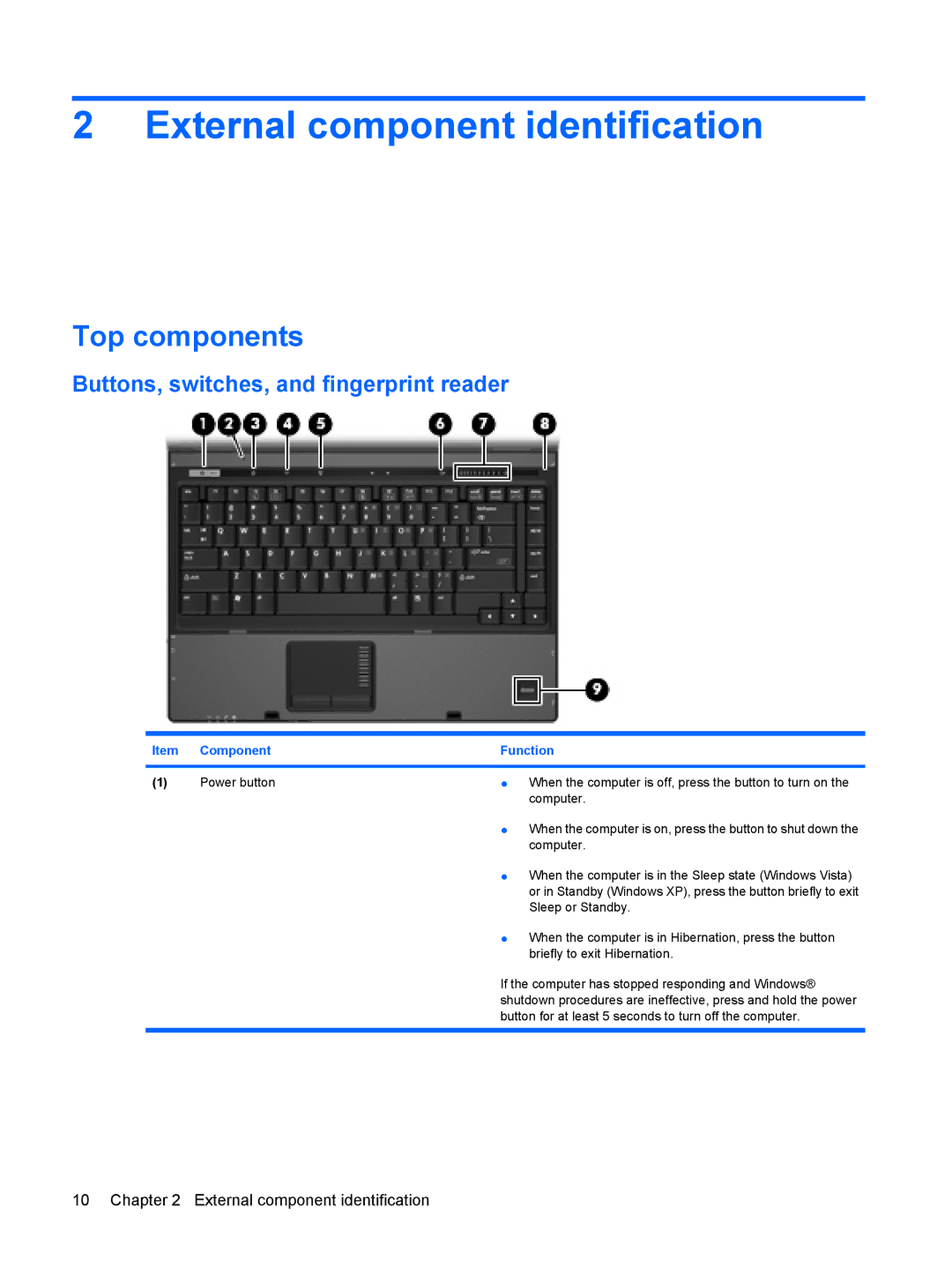
Buttons, switches, and fingerprint reader
External component identification
Component Function
Windows Vista, select Start Control Panel System
Maintenance Power Options
Performance and Maintenance Power Options
Windows XP, select Start Control Panel
Lights
Keys
Fn key
TouchPad
Front components
Left-side components
Rear components
Right-side components
Bottom components
Illustrated parts catalog
Serial number location
Computer major components
Illustrated parts catalog
Display assemblies
Display assembly internal components
Item Description Spare part number
Keyboards
Wwan modules
Description Spare part number
Fan
Thermal Material Kits not illustrated
PC Card/audio board assembly
Item Description
Media Card Reader/USB connector board
RTC battery
Speaker assembly
System boards
Computer major components
Item Description Spare part number
Computer major components
Plastics Kit
Item Description Spare part number Plastics Kit 443905-001
Cable Kit
Item Description Spare part number Cable Kit 443887-001
Mass storage devices
AC adapters
Power cords
Miscellaneous parts
Screw Kit
Sequential part number listing
Spare part Description Number
Zimbabwe
States, Venezuela, and Vietnam
Wwan capability
Illustrated parts catalog
Regions except Japan and Asia/Pacific 512 KB of L2 cache
Illustrated parts catalog
Service considerations
Removal and replacement procedures
Preliminary replacement requirements
Tools required
Cables and connectors
Grounding guidelines
Typical electrostatic voltage levels
Event 10% 40% 55%
Packaging and transporting guidelines
External monitor
RJ-11 modem
RJ-45 network
Video-out
Universal Serial Bus
Power cord set requirements
Requirements for all countries or regions
Requirements for specific countries or regions
Country/region Accredited agency Applicable note number
Battery
Recycling
Display
Page
Page
Page
Page
Page
Symbols/Numerics
Index
Page
USB